AI-Generated Skill Parameters
Not every part of a skill has to be decided when you design it. Instead of hardcoding a value, you can declare a parameter and reference it with a Liquid token such as {{customerId}}. At execution time every token is resolved, either deterministically from the execution context or, when no matching value exists, by the agent itself using the description you wrote for that parameter.
This page explains the resolution rules, the anatomy of a parameter, and how to write a description the agent can act on. For the body types and content types of the HTTP Request skill, see HTTP Request Bodies & Content Types.
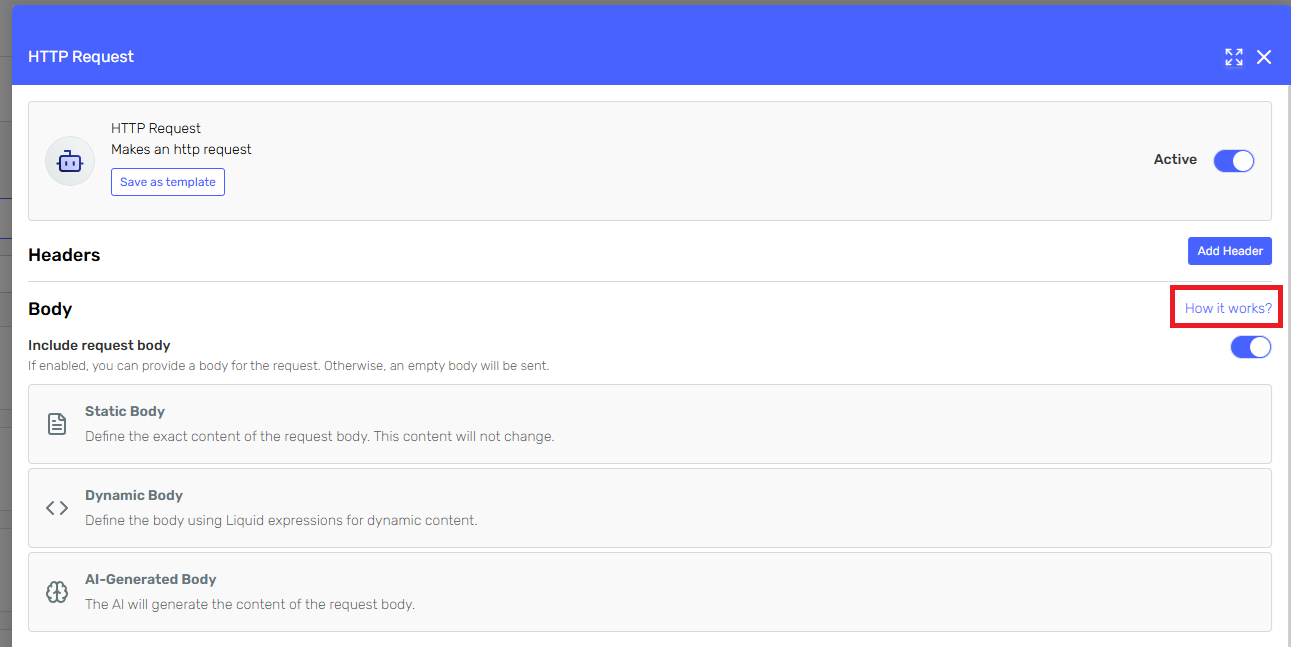
The two ways a value reaches a skill
| Source | When it is used | Determinism |
|---|---|---|
| Execution context — an agent input parameter or another value already available for the execution | A value with the same name as the token was supplied for this execution | Exact. The token is replaced before the model runs. See Input Parameter Mapping |
| The agent (AI-generated) | No matching value exists in the context | The agent infers the value from the parameter description, the skill description, the system definition and the conversation |
Both mechanisms use the same {{name}} syntax, so a single skill definition can be driven by the caller in one execution and by the agent in the next, with no change to its configuration.
Where parameters can be used
In the HTTP Request skill, parameters can be declared for:
- The URL — route segments and query-string values, e.g.
https://api.example.com/customers/{{customerId}}/orders. - Header values — e.g. an
X-Tenant-Idheader whose value is{{tenantId}}. - The body — when the body type is Dynamic Body, the template is fixed and only the tokens inside it are resolved.
Other skills whose configuration accepts Liquid tokens (Prompt, Agent Executor, Email, Google File, Workflow Executor) and the agent's own system definition follow the same resolution rules.
A parameter that has to be completed by the agent is exposed as a required string argument of the skill's function call, named after the parameter and documented with its description. Values that are already in the execution context are never exposed: they are substituted before the call.
Header keys are always static. Only header values support parameters. Some headers cannot be set at all; see the list of unsupported headers in HTTP Request Bodies & Content Types.
Anatomy of a skill parameter
A parameter declared inside a skill has just two fields, and both are required:
| Field | What it does |
|---|---|
| Name | The identifier used in the Liquid token, and the key matched against the execution context. Matching is case-sensitive. |
| Description | The instruction the agent follows when it has to generate the value. This is the single most important field for AI-generated parameters. |
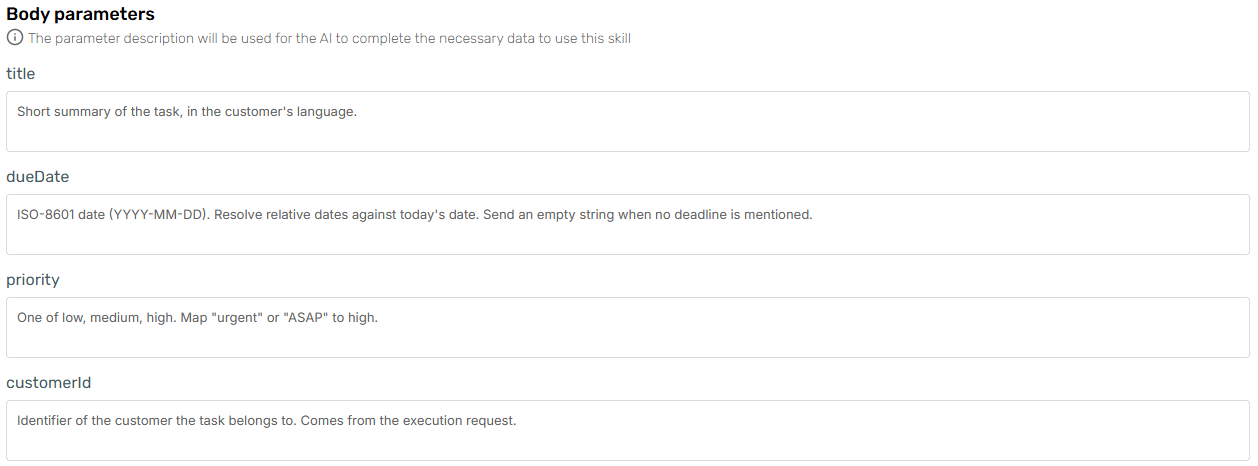
The description is the whole contract. Write it as an instruction for whoever has to produce the value, stating the format, the accepted values, and what to send when the value is unknown. See Writing descriptions the agent can follow.
Skill parameters vs. agent input parameters
The two are configured in different places and offer different fields. Do not expect one to behave like the other:
| Skill parameter | Agent input parameter | |
|---|---|---|
| Where | Inside the skill configuration (URL, header value, dynamic body) | Agent Designer → Parameters → Add parameter |
| Fields | Name, Description | Name, Required, Parameter type, Description, Default value |
| Filled by | The execution context when a value with that name exists, otherwise the agent | The caller, at execution time |
So Required and Default value are properties of an agent input parameter, not of a skill parameter: they decide whether the caller must send a value and what is used when they do not. A skill parameter has no such switches, if the context has no matching value, the agent generates one from the description.
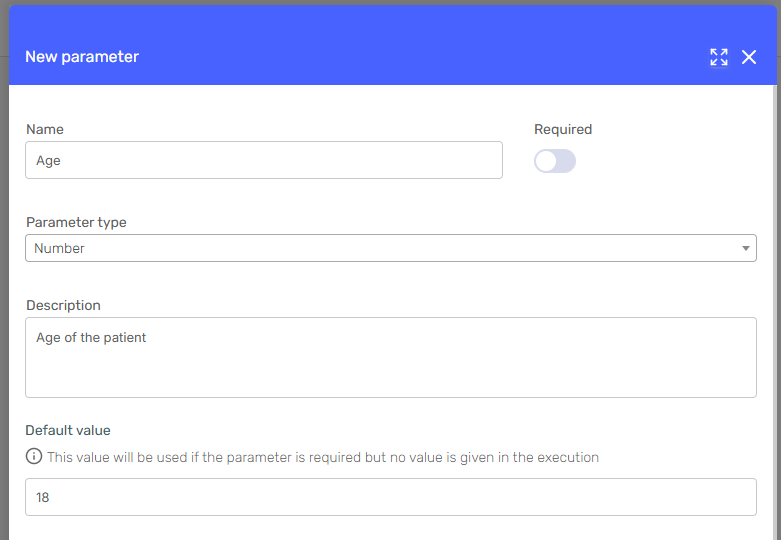
See Input Parameters for the agent side, and Input Parameter Mapping for how a value travels from the request into a skill.
Writing descriptions the agent can follow
An AI-generated value is only as good as its description. The agent sees the skill description, the parameter descriptions and the body description; it does not see your API documentation.
The same applies to the description of a whole payload, with one caveat worth knowing: for an AI-generated body the platform already states the format the content type requires, so you do not have to. See You do not have to explain the format to the agent.
Do:
- State the format explicitly. "ISO-8601 date-time in UTC, e.g.
2026-03-14T15:00:00Z" beats "the meeting date". - List the accepted values when the field is an enumeration: "One of
low,medium,high." - Say which fields are optional, and what to send when a value is unknown (
null, an empty array, or omit the field). - Give one complete example of a valid payload, and describe every field in it.
- Mention units and constraints: currency, decimal separator, maximum length, time zone.
Avoid:
- Descriptions that only repeat the field name ("The customer id" for
customerId). - Examples containing plausible-looking dates when the field should be "today". The agent may copy the example literally.
- Leaving the shape of nested objects and arrays to the agent's judgement. Use a Dynamic body instead, so the structure comes from your template.
Example
A skill parameter declared as:
| Field | Value |
|---|---|
| Name | dueDate |
| Description | Deadline for the task, as an ISO-8601 date (YYYY-MM-DD). If the user gives a relative date such as "next Friday", resolve it against today's date. If no deadline is mentioned, send an empty string. |
...used in a Dynamic body:
{
  "title": "{{title}}",
  "dueDate": "{{dueDate}}",
  "priority": "{{priority}}"
}
On execution, title and priority are resolved the same way: from the request, when the caller mapped them, or by the agent from their descriptions.
Instruct the agent from the system definition too
Parameter descriptions explain how to fill a value. The agent's system definition explains when to call the skill at all. Both matter:
- Use the skill description to say what the skill does, when it applies, and when it does not.
- Use the system definition to give the agent the context it needs to fill parameters: today's date, the current user, the tenant, or the language to reply in.
Part of that context is already available as system properties, resolved at execution time without the caller sending anything: {{system.date}}, {{system.country}}, {{system.channel}}, {{system.userIdentifier}}, and a few others. Prefer them over an input parameter of your own whenever one covers the value.
Today is {{system.date}}. Use it whenever you have to resolve a relative date.
For a worked, end-to-end example see the blog post Building request bodies with AI-generated skill parameters.
Troubleshooting
| Symptom | Likely cause |
|---|---|
| The token reaches the API literally | The parameter is not declared for that field, or the token name does not match the parameter name exactly (matching is case-sensitive). In a Static Body, tokens are never resolved: switch to a Dynamic Body. |
| The agent sends the body fields as separate arguments instead of one body | The description of an AI-generated body reads like a list of function parameters. The platform already tells the model to return the complete body as a single body string, so describe the payload, not the call. |
| The value is always the one from your example | The example in the description is being copied. Rewrite it as an instruction ("today's date in UTC") rather than a value, and supply the real value from the system definition with {{system.date}}. |
| The agent asks the user for a value you already send in the request | The request key does not match the input parameter name; see Input Parameter Mapping. |
| The API rejects the payload as invalid | The body shape is not guaranteed. Switch from AI-Generated to Dynamic so the structure comes from your template, and tighten the parameter descriptions. |
| The API rejects the payload with an unsupported-media-type error | The Content-Type header and the body description disagree; see HTTP Request Bodies & Content Types. |
| The execution fails before the request is made | A required agent input parameter was not sent, and it has no default value. Required and default belong to the agent's parameters, not to the skill's; see Input Parameters. |
| A parameter is sent empty even though the agent should have filled it | The description does not say what to do when the value is unknown, or the value is being resolved from an empty input parameter of the same name. |
Related pages
- HTTP Request Bodies & Content Types — how to describe a body for each supported content type.
- Input Parameter Mapping — sending exact values from the execution request.
- Input Parameters — declaring parameters on the agent.
- Available Skills — the skill catalogue, including the HTTP Request skill.