My Memories
Agents with Long Term Memory enabled can remember information about you across conversations, so you do not have to repeat your preferences and context every time. My Memories is where you see exactly what each agent has stored about you, and change or remove any of it.
Long Term Memory is currently in preview. Its behaviour and interface may change.
What you can see here
- Only your own personal memories. What an agent stores at the shared level, for every user, is not shown here, and neither are other people's personal memories.
- One entry per agent that can hold personal memories for you. An agent can appear here before it has stored anything, in which case its table is empty.
You do not need any permission over an agent to manage your memories for it. Owning the memories is the permission, so an agent you can no longer use still lets you read and delete what it stored about you.
Administrators cannot see your personal memories. There is deliberately no screen where someone else reads what an agent knows about you.
Review your memories
-
Log in to Serenity* Star.
-
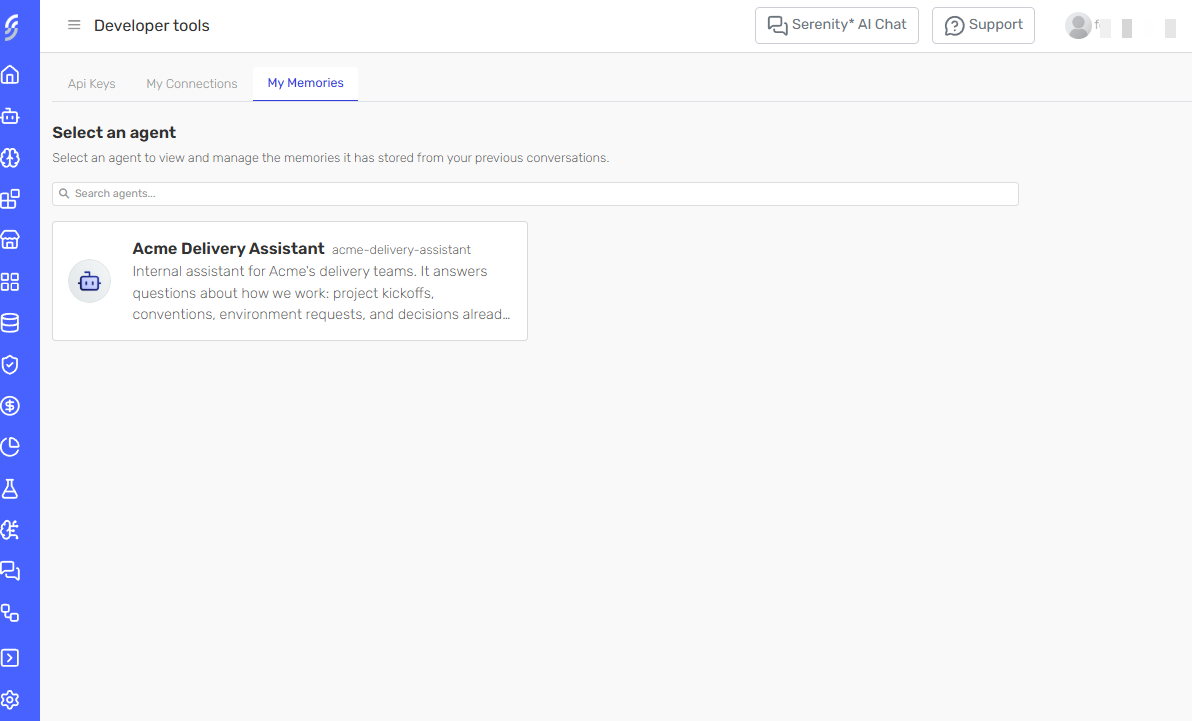
Open Developer tools and select the My Memories tab, alongside Api Keys and My Connections.
-
Optionally, use the Search agents... box to filter the list by agent name or code.
-
Select an agent. Its memory table opens in a new tab, titled My memories in followed by the agent's name.
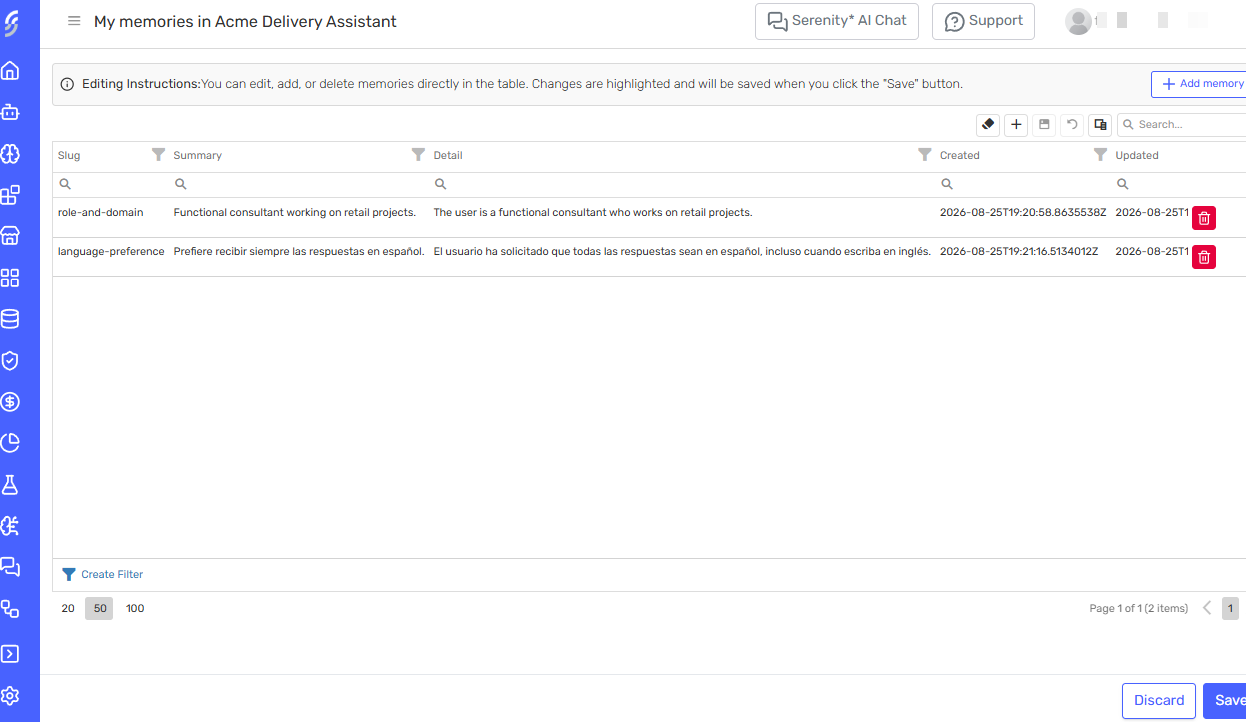
Each memory is one row:
- Slug — a short, kebab-case topic name, such as
preferred-language. It names what the memory is about, not what it says. - Summary — a one-line statement of the fact.
- Detail — the full text the agent reads when it uses the memory.
- Created and Updated — when the row first appeared, and when it last changed.
If an agent has nothing stored about you, its table is empty.
Correct or delete a memory
-
Edit any cell in place, click Add memory to create a row, or use the bin icon at the end of a row to delete it. Changed cells are outlined and nothing is stored yet.
-
Click Save to apply the whole batch, or Discard to drop your changes.
The whole batch is validated when you click Save. If any row fails, nothing is stored and the table reports the problem. A required cell cannot be left empty, and no two rows may share a slug.
Agents review their memories again after later conversations, so a memory you delete can be stored again if a later conversation supports it. If you want an agent to stop remembering something about you altogether, tell it so in the conversation rather than only deleting the row.
Related
- Long Term Memory — how an agent administrator enables memory and what the agent stores at the shared level.