Chatting using Personal Assistants
Serenity* AI Chat has three main ways to chat: using Models, using Company Agents (provided by the organization), and using Personal Assistants (agents created by the user). Here we'll talk about chatting using Personal Assistants.
Personal Assistants are custom AI agents that you create and configure yourself. Unlike Company Agents, which are set up by the organization, Personal Assistants are tailored to your individual needs and workflows.
Accessing Personal Assistants
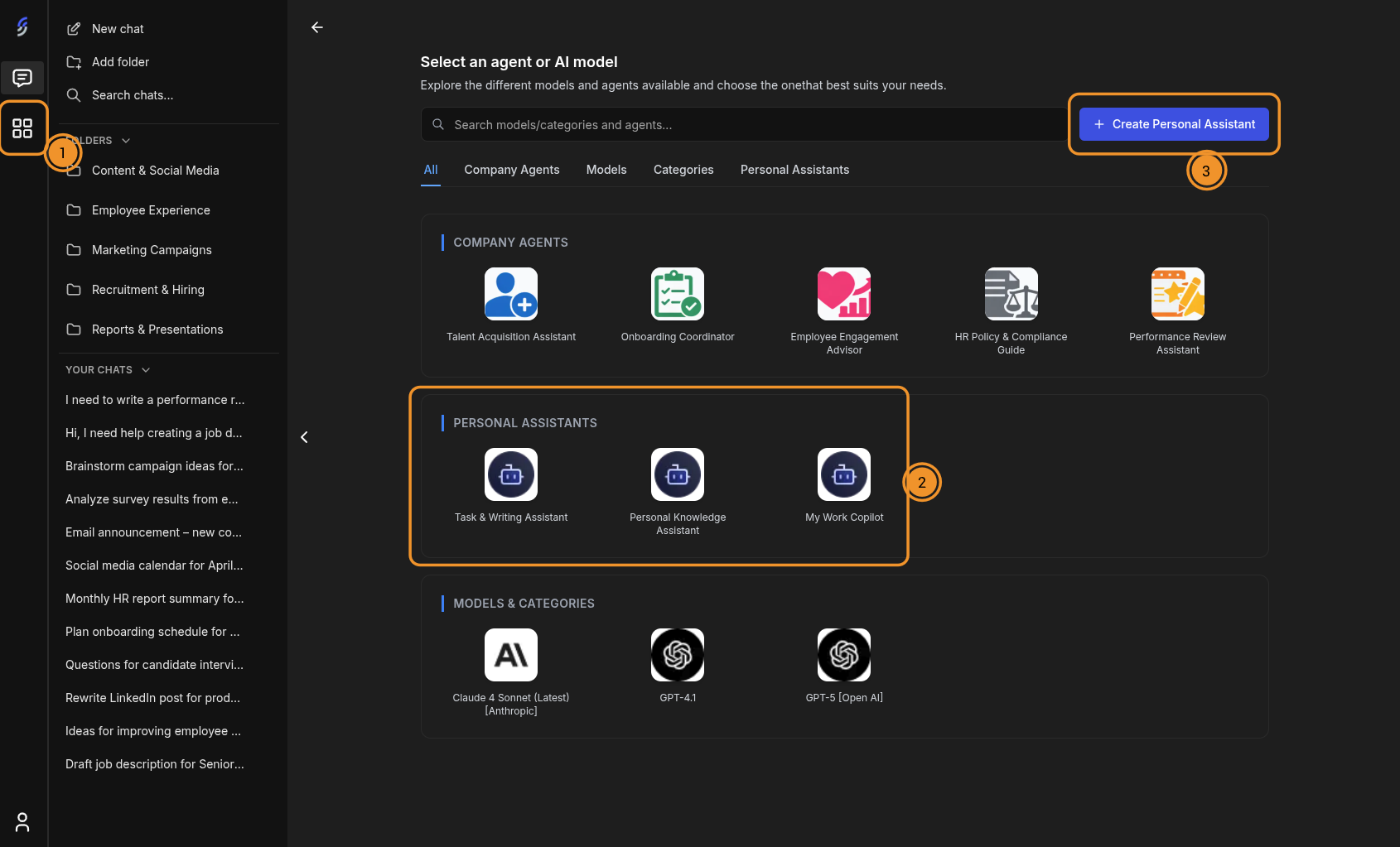
- Click the grid icon on the left sidebar to open the agent and model selection page.
- Your Personal Assistants are listed in the Personal Assistants section. You can also filter by the Personal Assistants tab to see only your assistants.
- To create a new one, click the "+ Create Personal Assistant" button in the top-right corner.
Starting a conversation
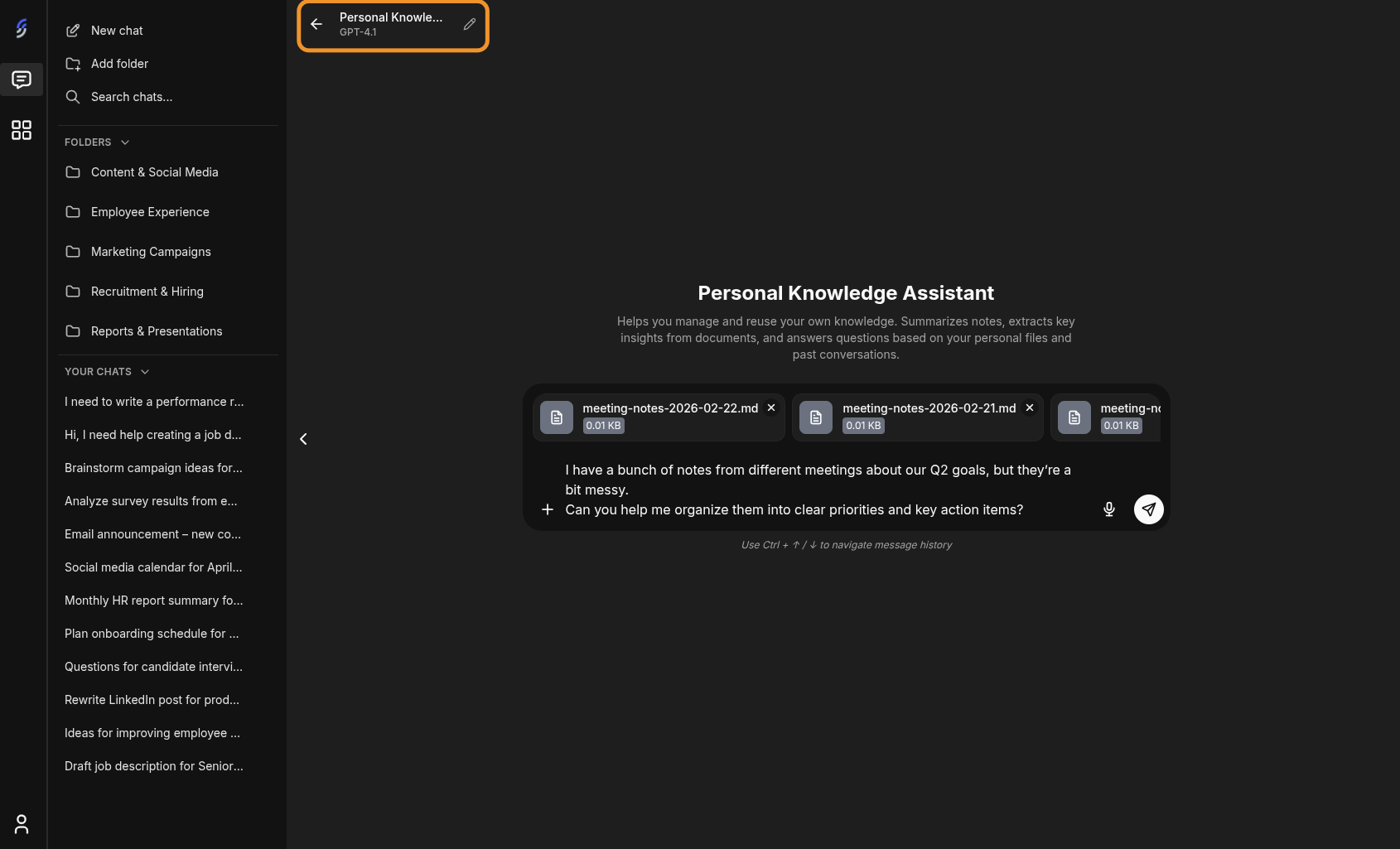
Click on a Personal Assistant to open its detail page. You'll see:
- The assistant's name and description at the top
- The AI model being used (shown next to the name)
- An edit button to modify the assistant's configuration
- The "Ask anything" input box to start chatting
You can also attach files directly in the chat input when starting a conversation, which is useful for providing context or documents for the assistant to work with.
Creating a new Personal Assistant
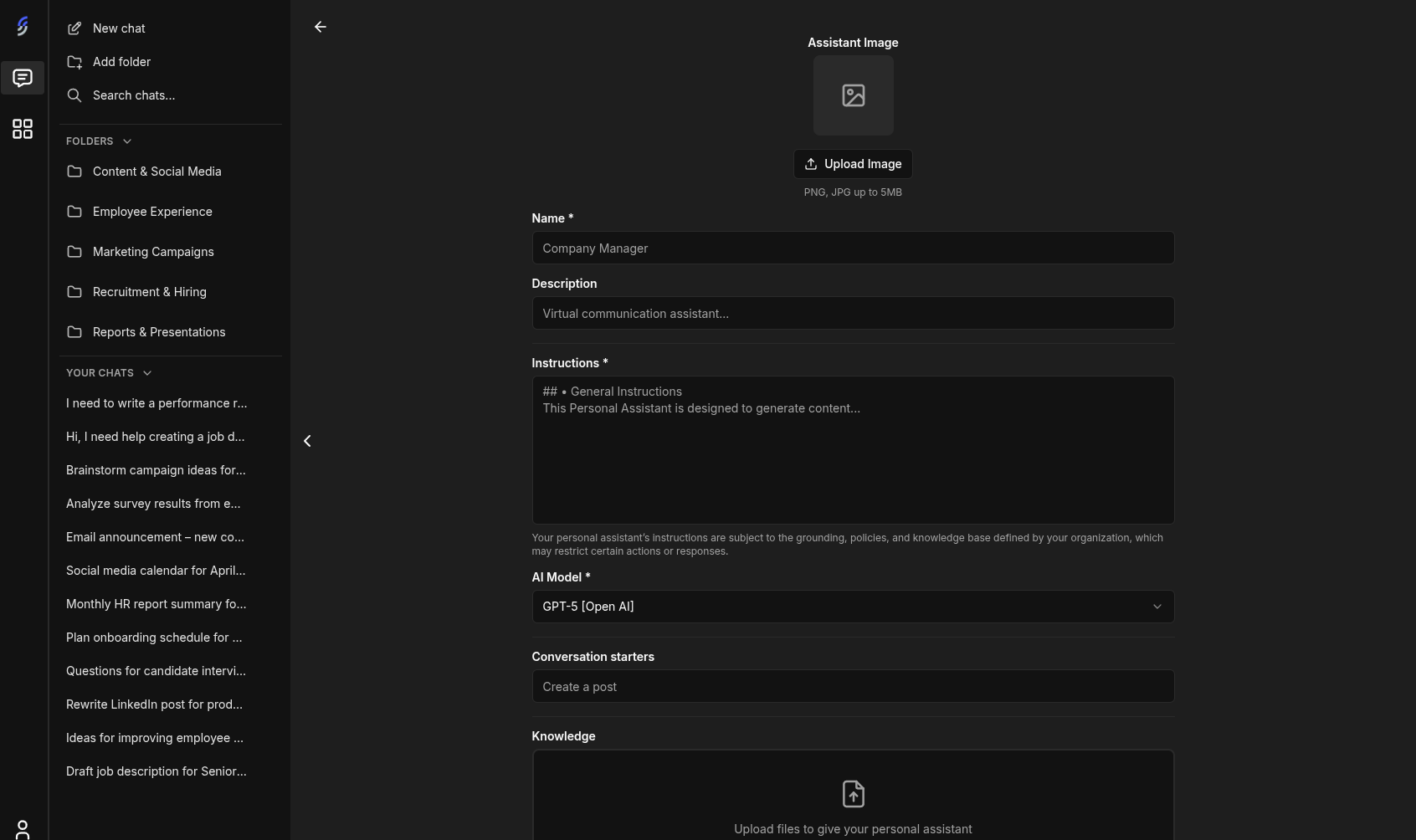
Click the "+ Create Personal Assistant" button to open the creation form. Fill in the following fields:
- Assistant Image — upload a custom image (PNG or JPG, up to 5MB)
- Name (required) — give your assistant a descriptive name
- Description — a short summary of what the assistant does
- Instructions (required) — detailed instructions that define the assistant's behavior and personality. Note that your instructions are subject to the grounding, policies, and knowledge base defined by your organization, which may restrict certain actions or responses
- AI Model (required) — select the AI model the assistant will use
- Conversation starters — predefined prompts that appear as quick-start options when opening a new chat
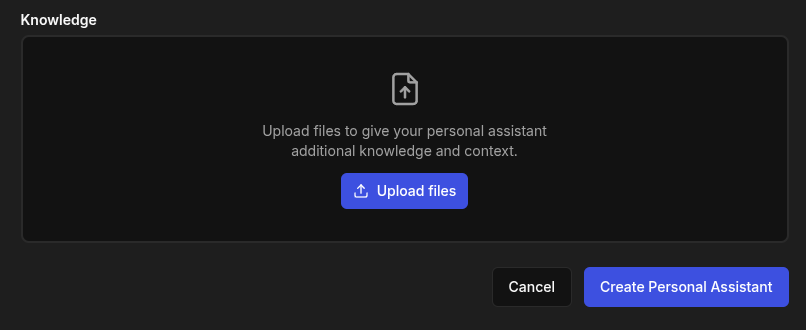
- Knowledge — upload files to give your assistant additional knowledge and context. This allows the assistant to reference your documents when answering questions
Click "Create Personal Assistant" to save your new assistant.