Agent TODOs
This feature is currently in preview. Its behaviour and interface may change.
Introduction
Agent TODOs lets an agent plan its own work as a TODO list and keep going on its own until every item is done, so one user message can drive a whole multi-step run instead of you prompting the agent step by step.
Enable it for agents that will often process complex multi-step requests that should track and complete in one turn: multi-part research, a checklist, "do X, then Y, then summarise". For a simple one-shot question it stays out of the way and the agent just answers.
At runtime the agent drives the list itself: it lays out the tasks it intends to do, works them one by one (marking each Completed, or Canceled when it turns out to be unnecessary), and keeps going until nothing is left before giving its final answer. Token usage is summed across the whole run.
Enable Agent TODOs on your agent
Agent TODOs has no settings of its own: enabling the skill is the whole configuration.
-
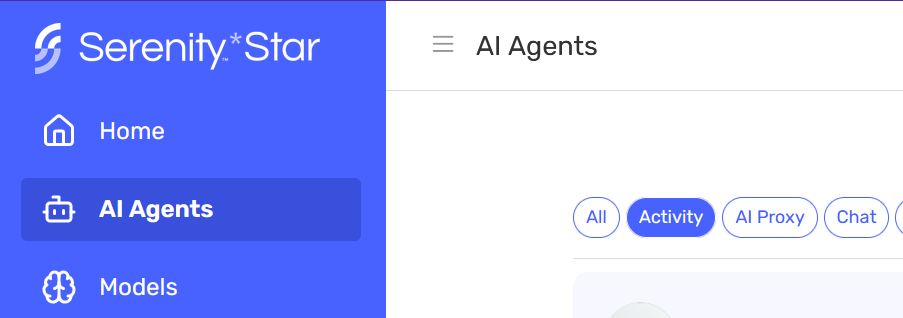
Navigate to the Agents grid
-
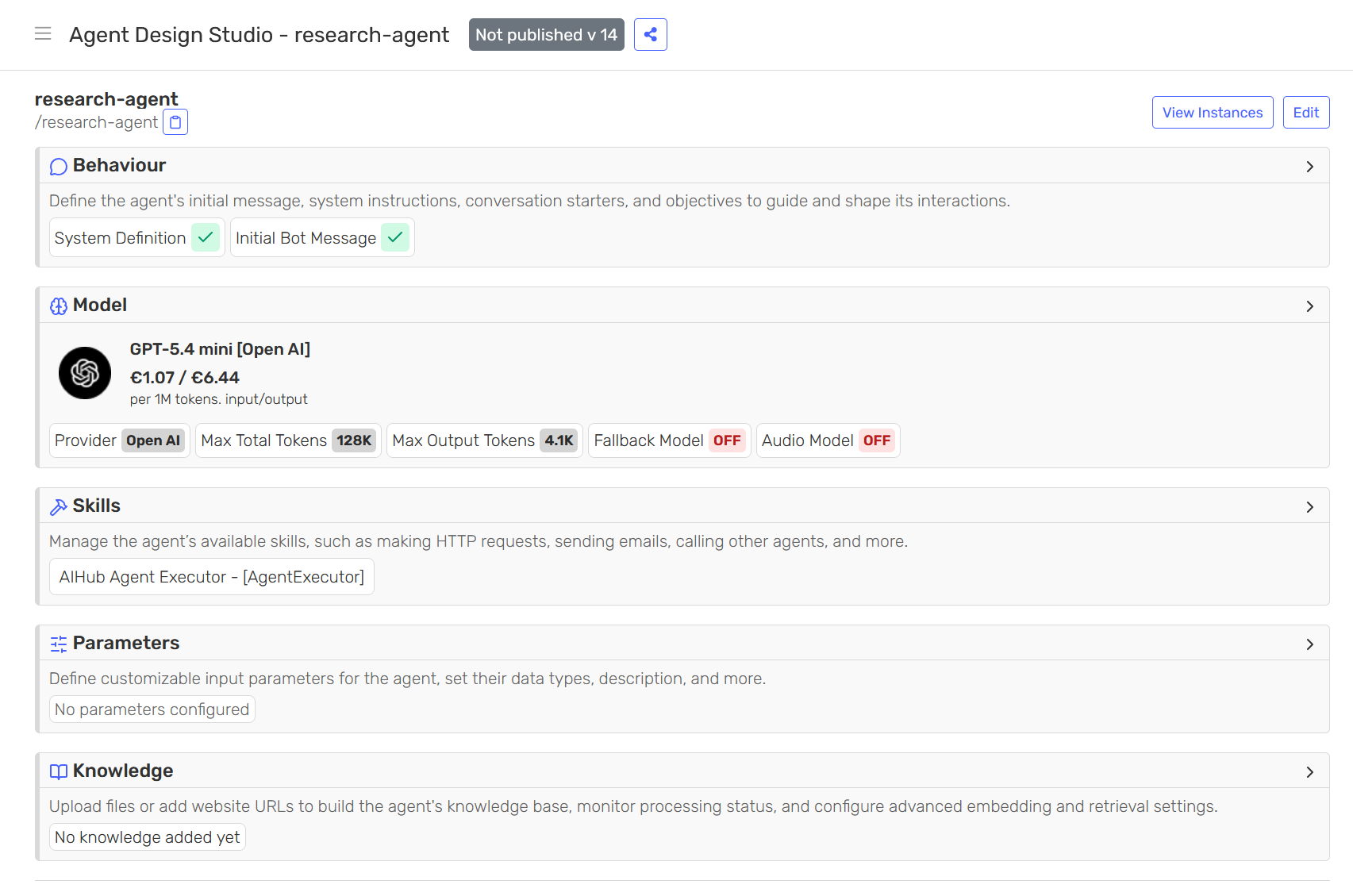
Select an Assistant or Copilot agent to open the Agent Design Studio
-
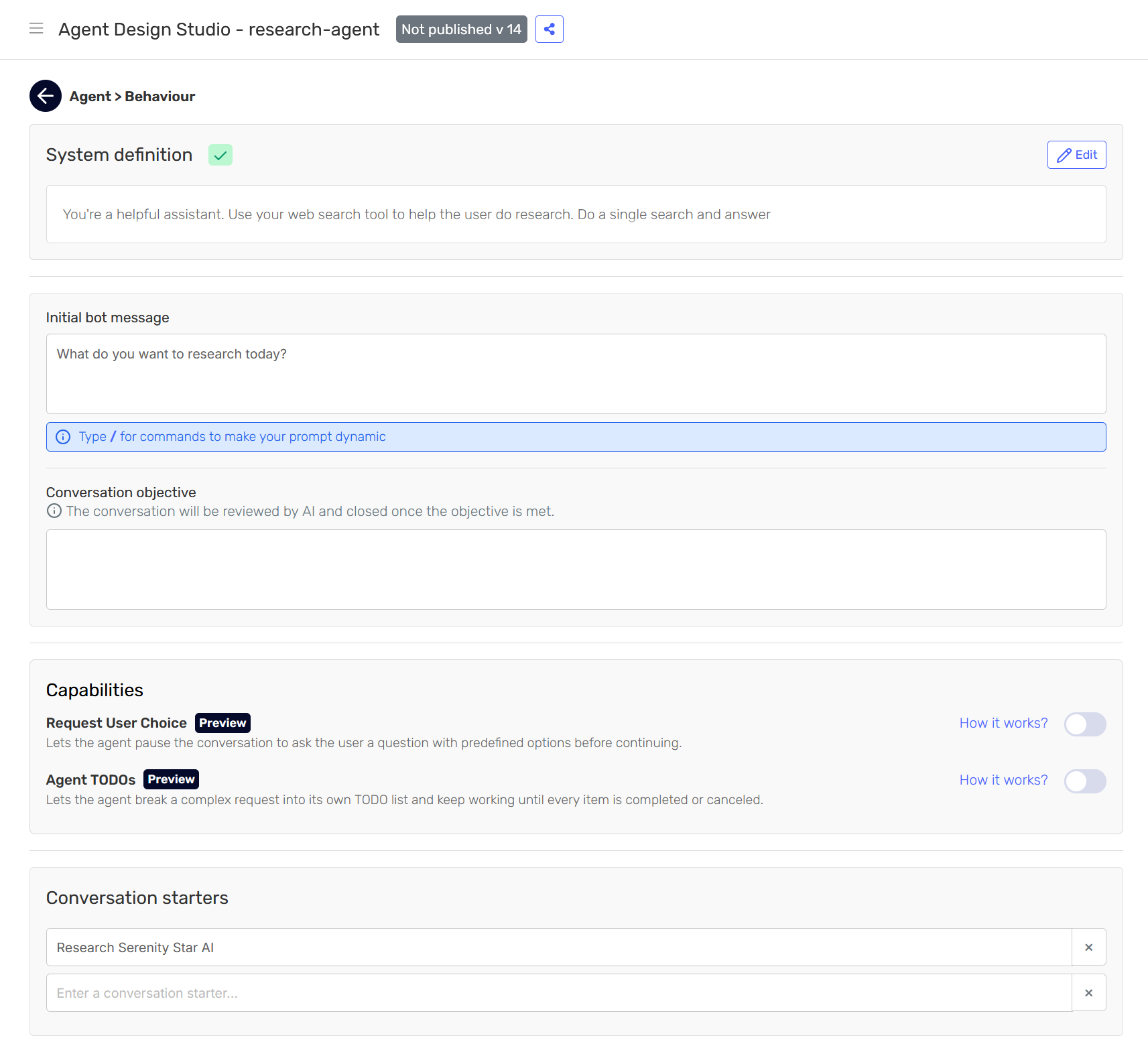
Open the Behaviour card
-
Scroll down to "Capabilities" and enable the "Agent TODOs" switch

-
Confirm the change and save
Two more things make a run actually plan and iterate:
- Give the plan real work: Pair it with skills that provide multi-step work to grind through (e.g. Web Search, or an MCP tool). With nothing to do, there's nothing to iterate on.
- Tell the agent to use it: Adjust the system definition to instruct the agent to plan its own work when appropriate.
Because this is a behaviour feature, it is shaped by your agent's system definition. Without an instruction telling the agent to plan and close out its TODOs, there is nothing to iterate on and it finishes in one pass.
A chunk you can add to steer this behaviour:
For any request that involves more than one step, first plan the work as a TODO list. Work each item in turn, marking it completed as you go (or cancelled if it turns out to be unnecessary), and only give your final, consolidated answer once every item is done.
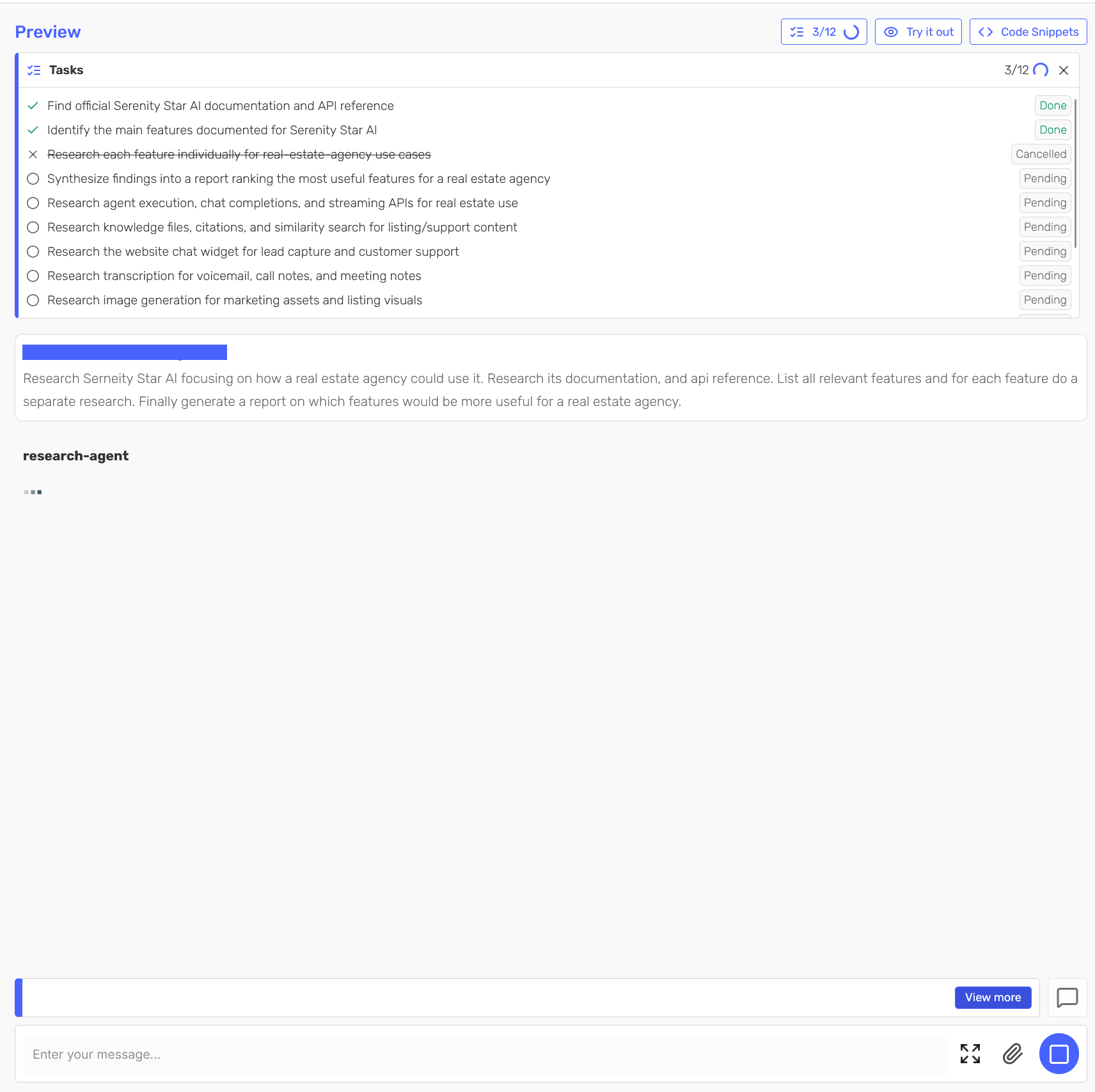
Try it out in the Agent Design Studio
Once the skill is enabled and the system definition adjusted, you can try the feature straight from the Agent Design Studio's preview, without wiring up a channel or client.
Ask the agent for something that naturally breaks into several steps. It posts its TODO list, then items flip Pending → Completed (or Canceled) as it progresses, and finally a consolidated answer covering the whole plan.
Serenity channels
If your agent runs in a Serenity channel, Agent TODOs works end-to-end with no integration work. Enable the skill and start chatting.
While the feature is in Preview, these channels don't yet have a dedicated TODO interface. The agent still plans and works through its list end to end and returns the same consolidated answer; you just won't see the TODO items and their Pending → Completed progress rendered as clearly. That live view is coming soon, stay tuned to future releases.
Building your own client
This section is for developers driving a conversational agent over the REST execute endpoint and rendering the TODO list in their own interface.
Nothing special is required: the TODO activity rides the same streaming channel as any other skill. Call the execute endpoint with stream: true and read the Server-Sent Events.
Because agent executions that use this feature are long-running by nature, we strongly suggest you invoke them with streaming enabled (stream: true): you receive TODO and content updates incrementally instead of waiting for the whole plan to finish, which also helps avoid request timeouts.
Starting a run
Call the execute endpoint with a message and stream: true:
POST /api/v2/agent/{code}/execute
Content-Type: application/json
X-API-KEY: {{apiKey}}

[
  { "key": "message", "value": "Plan a 3-day Lisbon trip: September weather, 3 neighbourhoods to stay (one pro/con each), and 2 must-try dishes. Plan it as a TODO list first, then work each item and give me a consolidated summary." },
  { "key": "stream",  "value": true }
]
The events you receive
Streaming uses Server-Sent Events (SSE). Each event has a type, and a run emits a task_start / task_stop pair for every step the agent takes, so you tell them apart by task_key. The keys relevant to a TODO run:
type | task_key | When |
|---|---|---|
task_start / task_stop | skills_AgentTodo_AddTodos_execute | The agent adds planned items |
task_start / task_stop | skills_AgentTodo_CompleteTodos_execute | The agent marks items Completed |
task_start / task_stop | skills_AgentTodo_CancelTodos_execute | The agent marks items Canceled |
task_start / task_stop | skills_AgentTodo_GetTodos_execute | The agent reads back the list |
task_start / task_stop | agent_todo_iterate | Progress checkpoint emitted as the agent continues its plan |
content | — | The final answer text (streamed in chunks) |
stop | — | Terminal event carrying the full agent response (concatenated answer + summed usage) |
Every other skill the agent uses (e.g. Web Search) emits its own task_start / task_stop with a different task_key (skills_<skill>_execute). Match on the keys above to pick out the TODO activity.
Two things to track for TODO state:
- The TODO-skill
task_stopevents (anytask_keystartingskills_AgentTodo_). Theiroutputcarries the full updated list: each item with itsid,description, andstatus(Pending/Completed/Canceled). Re-render your TODO view from the latest one; you don't need to accumulate deltas. agent_todo_iteratetasks. A progress signal carrying the current list as the agent continues its plan. Absent on a plain single-pass answer (no TODOs created).
The terminal stop event carries the same agent response you'd get from a non-streamed call, including the concatenated final answer and the run's total usage.
Event: task_stop
{
    "type": "task_stop",
    "task": "Executing Skill: AgentTodo_CompleteTodos",
    "task_key": "skills_AgentTodo_CompleteTodos_execute",   // a TODO-skill task_stop
    "success": true,
    "output": {                            // the full updated list
        "todos": [
            { "id": "t1", "description": "Look up September weather in Lisbon", "status": "Completed" },
            { "id": "t2", "description": "Pick 3 neighbourhoods with one pro/con each", "status": "Pending" },
            { "id": "t3", "description": "Choose 2 must-try dishes", "status": "Pending" }
        ]
    }
}