Cost Dashboard & Instance Tracking
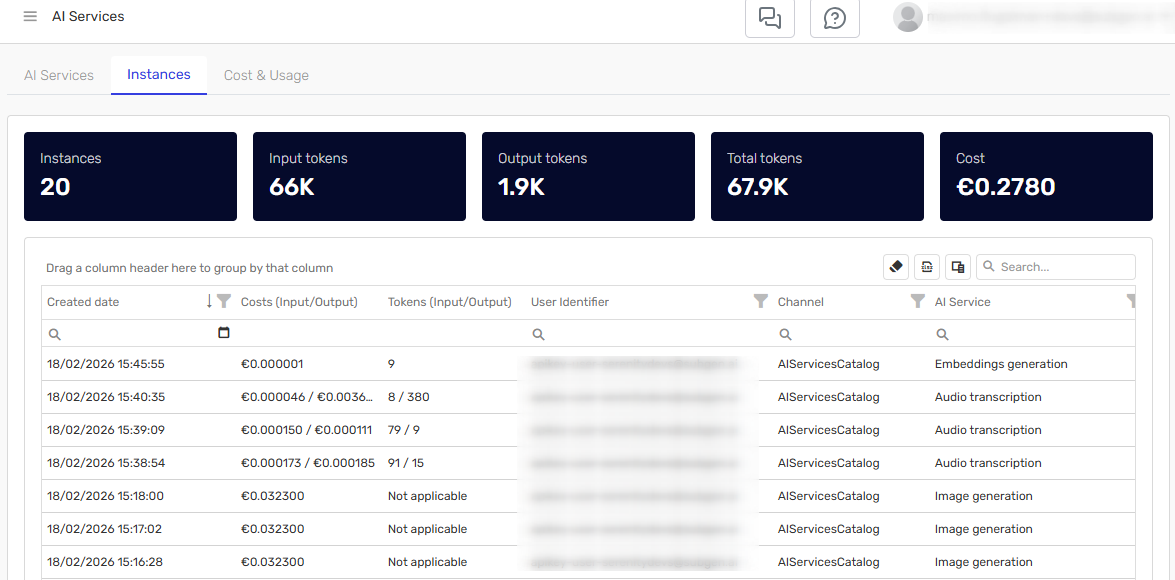
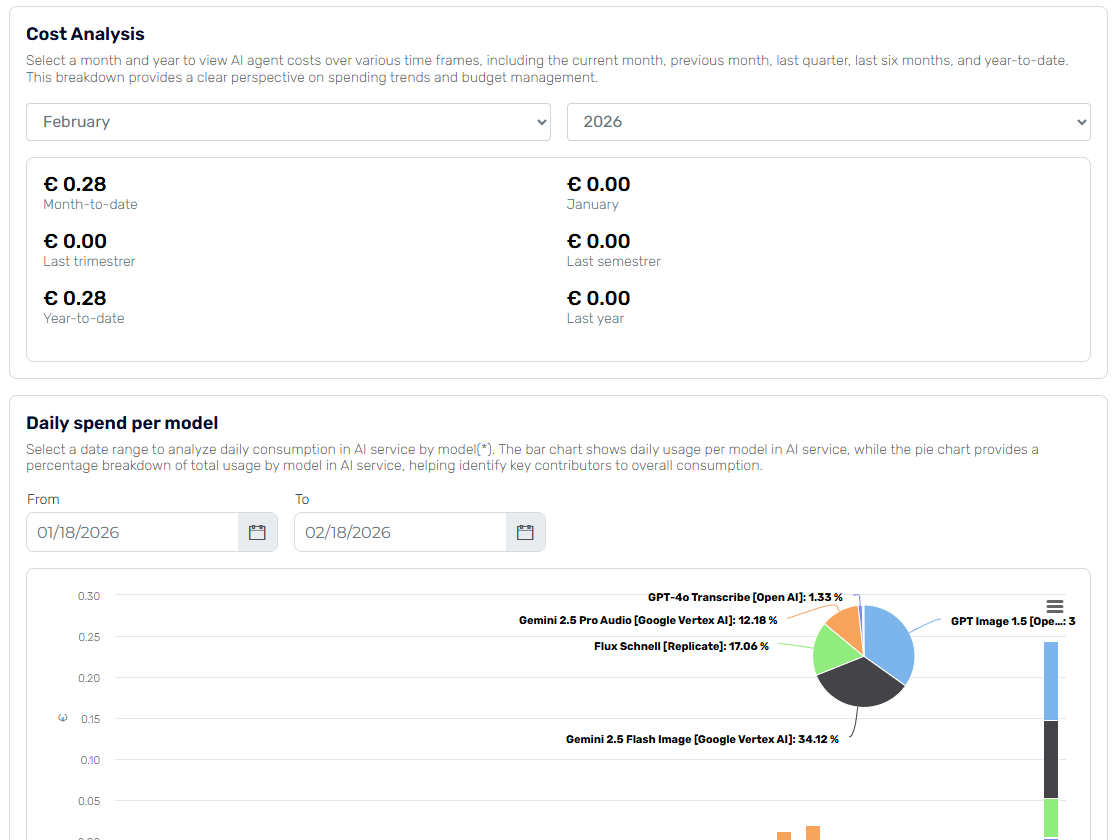
Access comprehensive audit information, cost and usage dashboard for AI Services within Serenity* Star. The dashboard and instance grid provides clear insights into total usage trends across the entire platform, including costs related to knowledge processing, standalone AI Services, and any internal processes that execute AI Services.
Overview
The Cost Dashboard provides complete visibility into AI Services usage and associated costs across your organization. Track spending, analyze trends, and optimize your AI resource utilization with detailed metrics and reporting.
Key Features
- Unified Cost View: See all AI Services costs in one centralized dashboard
- Usage Tracking: Monitor consumption patterns across all channels
- Instance-Level Details: Drill down into individual service executions
- Trend Analysis: Identify usage patterns over time
Accessing the Dashboard
Navigate to AI Services and click on the Instances and Cost & Usage Tabs.
Dashboard Components
Cost & Usage
The main dashboard displays:
- Total Costs: Aggregate spending across all AI Services
- Daily Spent Per Model: Breakdown by AI model.
- Daily Spent Per Service: Breakdown by service Type
Instance Grid
The instance grid provides detailed information about individual service executions:
| Metric | Description |
|---|---|
| Date | When the service was executed |
| Channel | Image Generation, Transcription, etc. |
| User Identifier | Who initiated the request |
| Model Used | Specific AI model employed |
| Input/Output | Tokens, file size, or other input metrics |
| Cost | Calculated cost for this instance |