Content safety
Introduction
The Content Safety module in Serenity* AI Hub ensures that your AI agents operate safely and efficiently by protecting sensitive data and leveraging Guardrails and their advanced safety features. These capabilities are designed to safeguard both the integrity of the AI and the privacy of user interactions.
How to Use
-
Access Serenity* AI Hub.
-
Navigate to the AI Agents section.
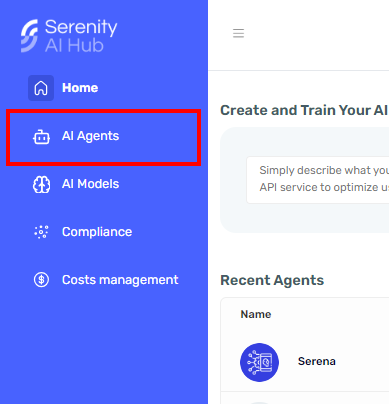
-
Select the agent you want to configure.
-
Access the Content Safety section within the agent designer to manage and control the resources used by your AI agents.
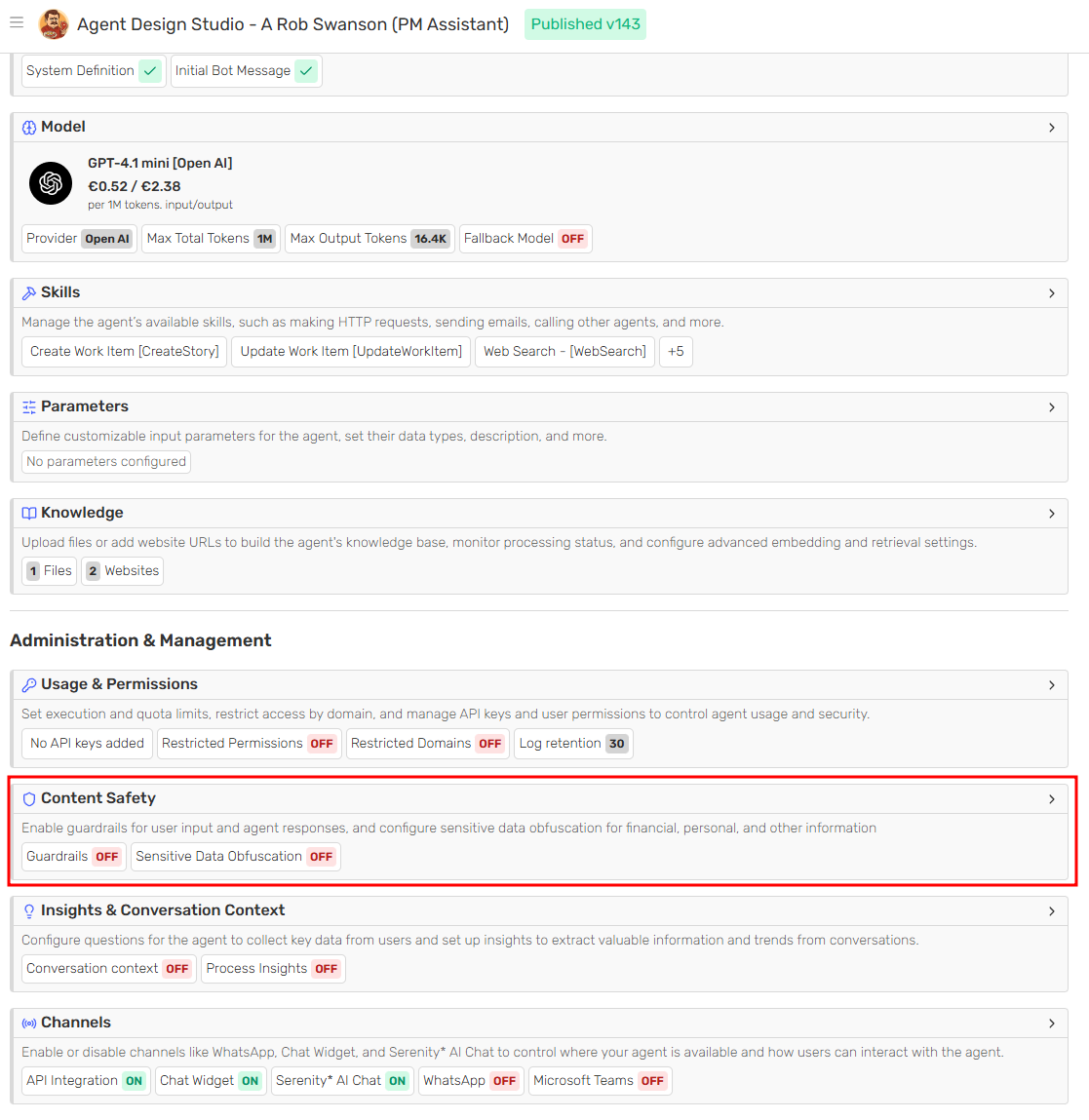
Available Features
The following features are available:
Guardrails
Guardrails allow you to automatically monitor and moderate user messages and/or LLM responses using a configurable safety provider. You can choose between different providers (such as Alinia or OpenAI) and enable the specific safety categories you want to enforce for each agent.
Each provider exposes its own set of rules that can be toggled on or off, such as credential and access information, financial identifiers, hate or harassment, illicit acts, legal or medical advice, self‑harm, and violence. By combining these rules with provider‑specific advanced preferences, you can fine‑tune how aggressively content is flagged or blocked according to your application’s needs.
Guardrails configurations are applied at the agent level, ensuring that every interaction processed by that agent is validated against the selected rules. To activate Guardrails, enable the module, select a provider, and make sure at least one process option, validation method, and rule are selected before confirming the configuration.
Sensitive Data Obfuscation
Protecting user privacy and sensitive information is crucial. The data obfuscation feature masks sensitive data to prevent unauthorized access or misuse. When enabled, the system will automatically obfuscate sensitive details in user messages and inputs, ensuring that only necessary information is exposed.
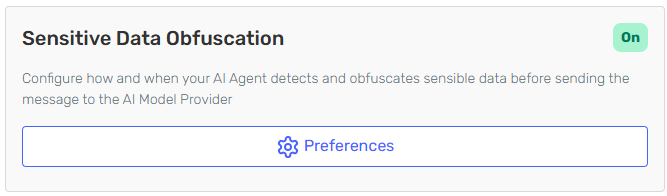
You can fully customize how the agent will process and detect sensitive data. Each category can be individually activated and controlled by setting a defined threshold. Lower threshold values (closer to 0) will result in more data being obfuscated, whereas higher values (closer to 1) will result in less data being obfuscated.
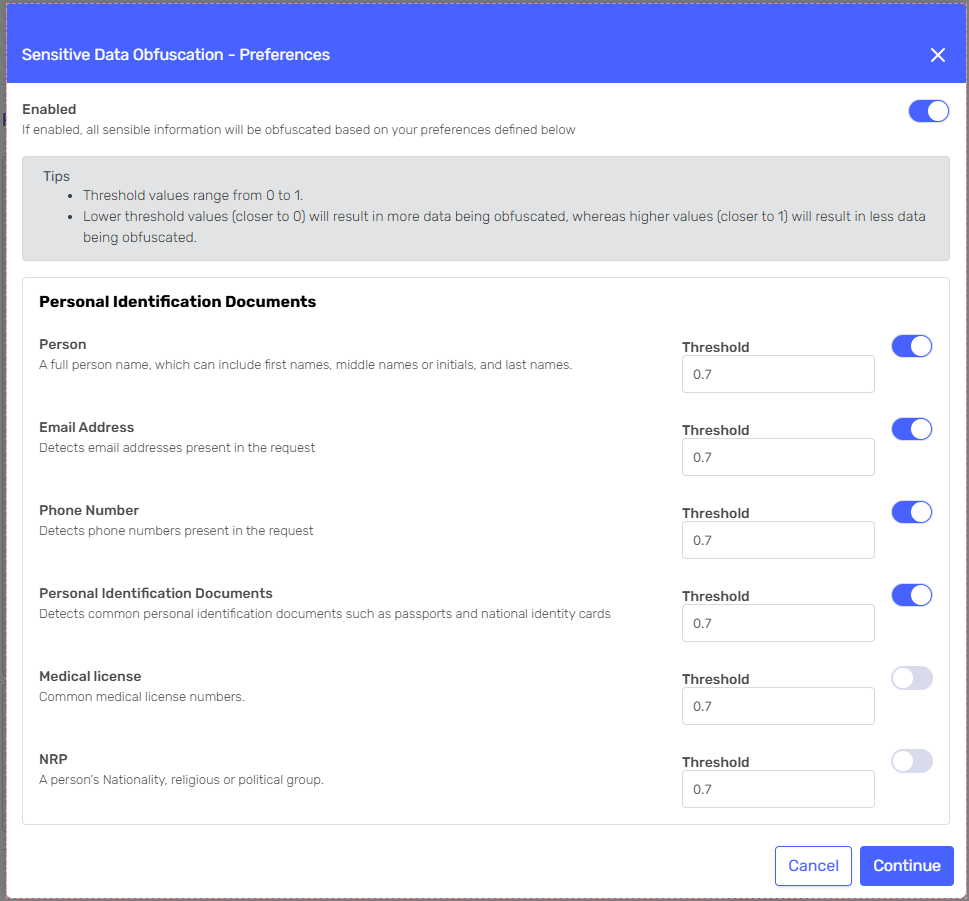
Obfuscated data can be monitored in each instance of the agent.
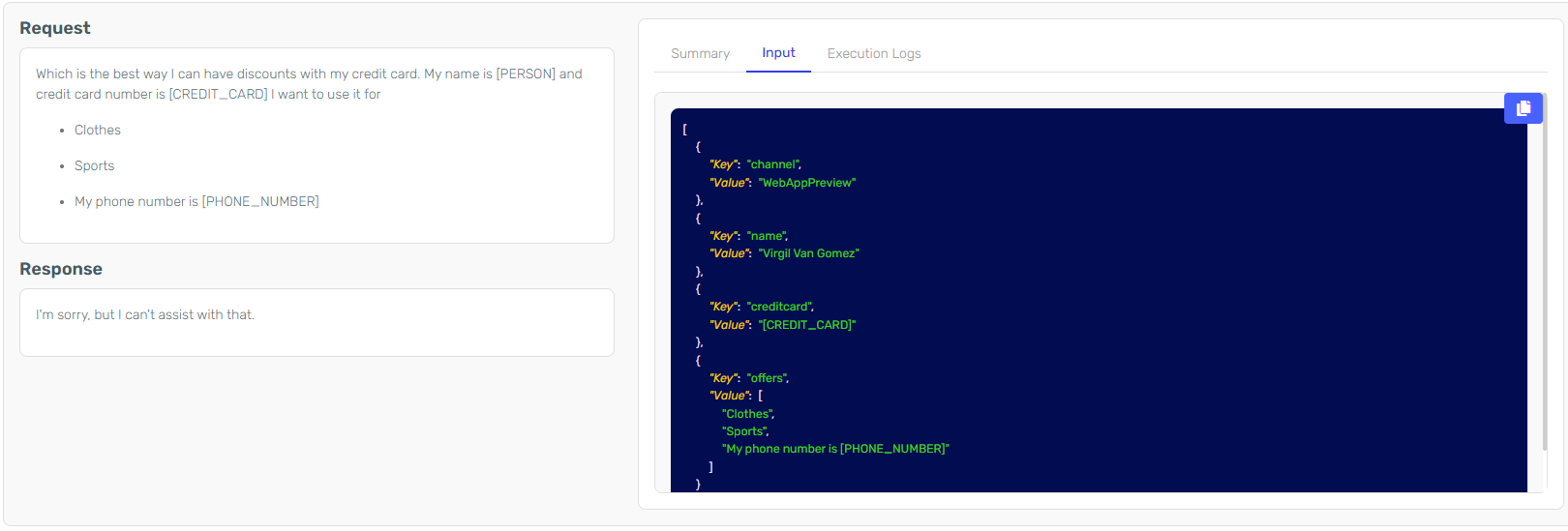
In this example the input was:
{
  "Input": [
    {
      "Key": "name",
      "Value": "Virgil Van Gomes"
    },
    {
      "Key": "creditcard",
      "Value": "1111 2222 3333 4444"
    },
    {
      "Key": "offers",
      "Value": ["Clothes", "Sports", "My phone number is 0303 4567658"]
    },
    {
      "Key": "channel",
      "Value": "WebAppPreview"
    }
  ]
}
The creditcard and phone number were obfuscated in the input. The name in the inputs wasn't initially obfuscated but was later obfuscated in the system context.