Serenity* Star Microsoft Teams Integration
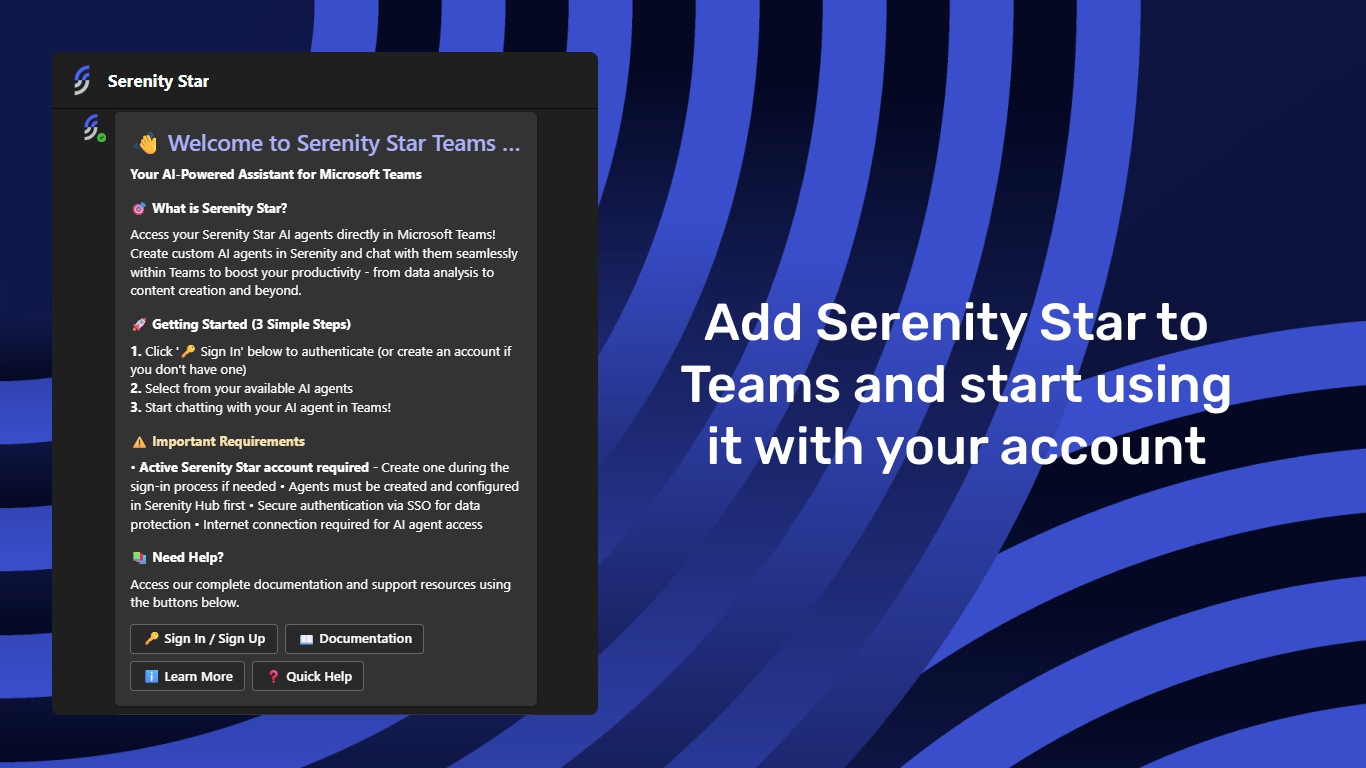
The Serenity* Star Microsoft Teams integration gives your team direct access to AI agents inside Teams. Install the app from Microsoft Marketplace, sign in with your Serenity* Star account, and start using your agents in chats and channels.
Key Features
- Use AI in Teams - Interact with Serenity* Star agents without leaving Microsoft Teams.
- Multiple conversation contexts - Use agents in personal chats, team channels, and group conversations.
- Trusted knowledge responses - Get answers grounded in your organization's configured knowledge sources.
- Secure access - Sign in with enterprise-ready authentication, including SSO support.
Requirements
To use this integration, you'll need:
- A Microsoft Teams account
- An active Serenity* Star account
- At least one AI agent configured with the Teams channel enabled
Getting Started
- Install the app from the Microsoft Marketplace listing.
- Open the app in Microsoft Teams.
- Sign in with your Serenity* Star account.
- Start chatting with your enabled agents in personal, group, or channel conversations.
- You can always enable new agents by activating the Teams channel in the Agent Designer
Learn More
- Product page: Serenity Star in Microsoft Marketplace
- Documentation: Serenity* Star Docs
- Sign up: Create your account