API Keys
API Keys allow secure access to the Serenity* Star platform. You can create, edit, and revoke API keys, as well as assign roles and scopes to control access and permissions.
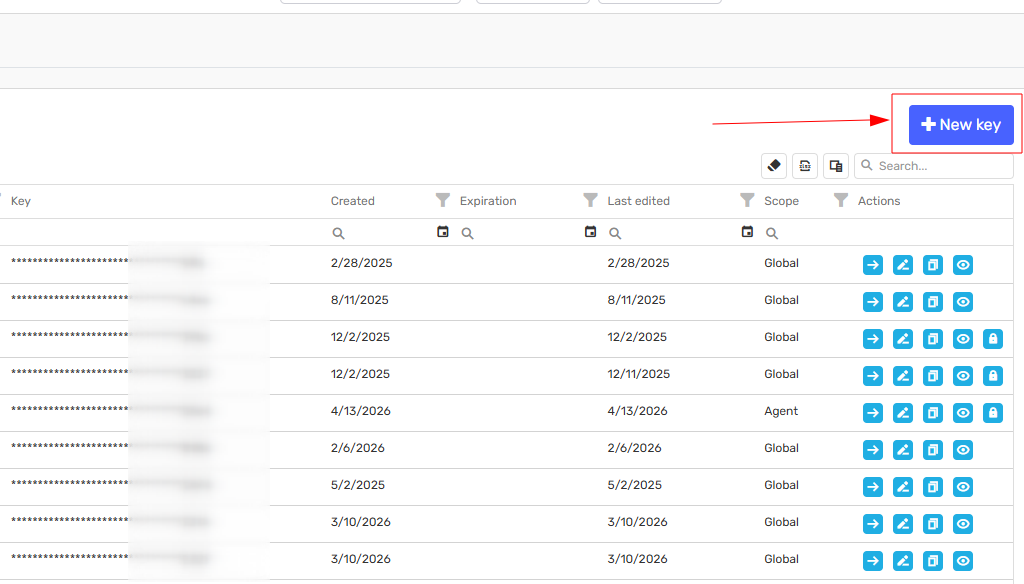
To manage your Serenity API Keys, visit the Dev Tools - API Keys page in Serenity* Star.
Types of API Keys
Default Keys (Auto-generated per Tenant)
- Main Key: Full access to all API endpoints.
- Agent Execution Key: Used to execute any agent within your tenant.
- Agent Services Key: For use with Agent Services endpoints.
Custom Keys
System User Keys
- Owned by a virtual user within the organization.
- Use for generic integrations not tied to a specific user.
- Only users with the "API Key Administrator" role can create these keys.
User-Owned Keys
- Created and managed by individual users.
- Only the owner can manage or revoke the key.
API Key Scopes
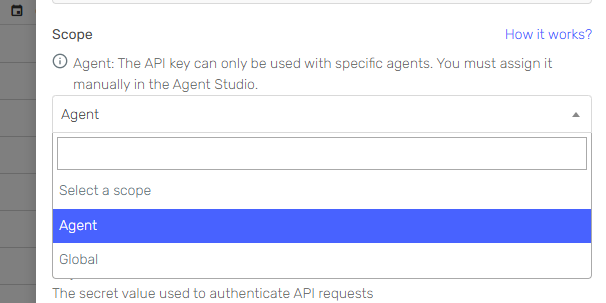
API Keys in Serenity* Star have three possible scopes, which define their reach and how they are managed:
- Global: Key can access all resources across the platform.
- Agent: Key is limited to specific agent(s).
- Owner: Key is restricted to resources owned by the user.
Global Scope
- Created from Dev Tools (not from an agent).
- Not linked to any specific agent; applies to all agents within the tenant or subtenant.
- Permissions are determined by the assigned role.
- Examples:
- main: Full admin, audit, and execution permissions for all agents.
- agent-execution: Execution permission for all agents, but cannot administer or audit.
- Note: Main and agent-execution keys are system-generated and cannot be edited or deleted.
Agent Scope
- Created from an agent's permissions section.
- Always linked to one or more specific agents.
- Permissions (Administrator, Auditor, Execution) are set per agent.
- Can only access assigned agents.
- The same key can be assigned to multiple agents, with different permissions per agent.
- Unassigning a key removes its link to the agent, but does not delete the key.
Owner Scope
- Personal key that inherits all roles, permissions, and subtenants from the owner.
- Can be used as an impersonator in the API with the same access as the user.
- If the user's roles or permissions change, the API key will follow the new configuration.
Creating a New API Key
-
Click Create.
-
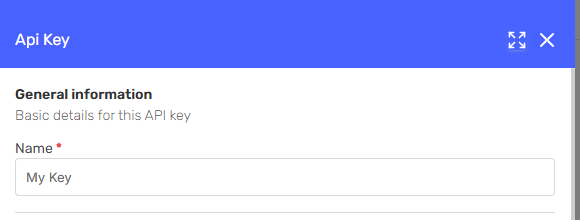
Assign a friendly name to the API key.
-
Select the scope and complete the required fields for that scope.
-
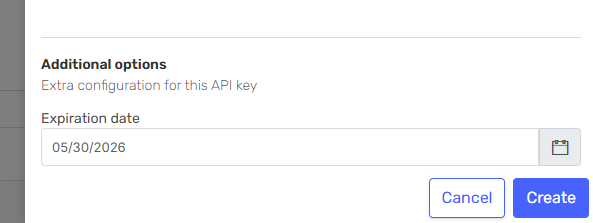
(Optional) Set an expiration date.
Editing an API Key
- You can regenerate, expire, change roles, or rename a key at any time.
- Scopes and owner cannot be changed after creation.
Best Practices
- Use the minimum scope and permissions necessary for each integration.
- Regularly review and revoke unused or expired API keys.
- Assign descriptive names to keys for easy identification.
- Set expiration dates for temporary or test keys.
- Never share API keys publicly or in unsecured locations.
- Use System User Keys for shared integrations, and User-Owned Keys for personal use.