Favourites
You can add Company Agents and Personal Assistants to your Favourites list for quick access. Favourited items appear in a dedicated Favourites section at the top of the sidebar, so you can start a conversation with them without navigating to the full selection page.
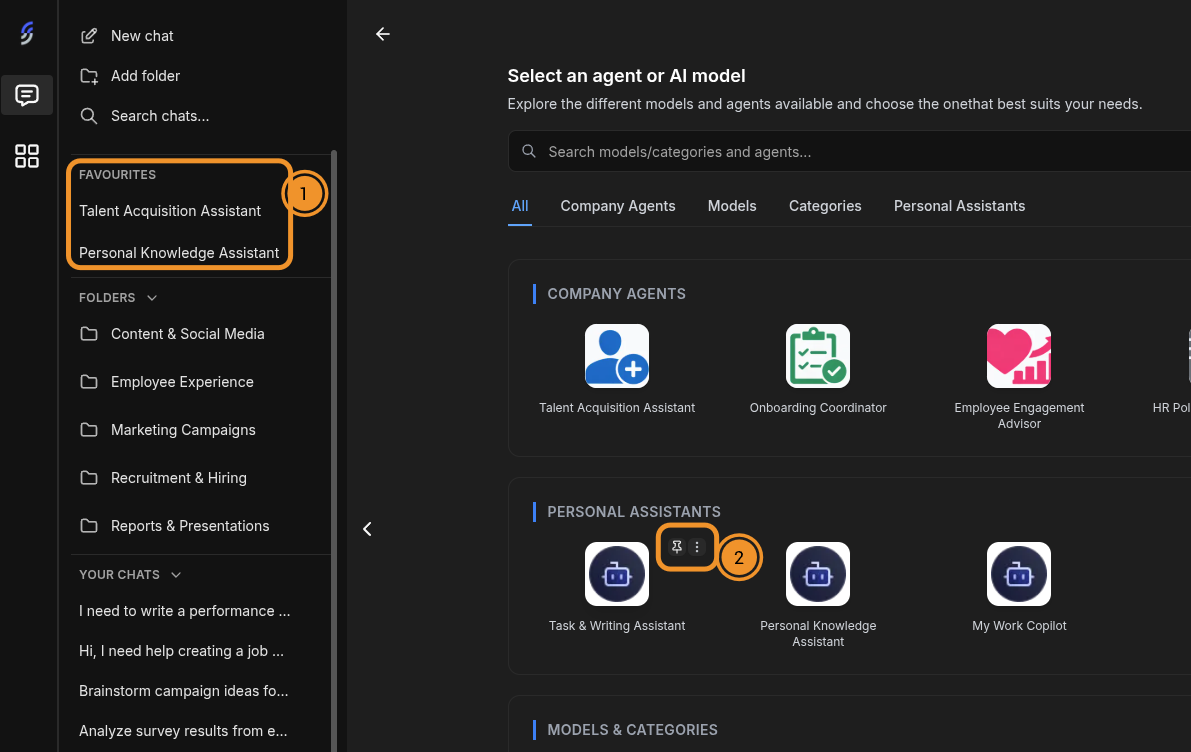
Adding to Favourites
To add a Company Agent or Personal Assistant to your Favourites:
- Open the agent and model selection page by clicking the grid icon on the left sidebar.
- Hover over the Company Agent or Personal Assistant you want to favourite.
- Click the pin icon that appears on the card to add it to your Favourites list.
Removing from Favourites
To remove an item from your Favourites, hover over it and click the pin icon again to unpin it. The item will be removed from the Favourites section in the sidebar.