Decisions
This feature is currently in preview. Its behaviour, and the request and response shapes described here, may change.
Introduction
Decisions evaluates an input against a list of typed questions and returns a probability-based answer for each one. Use it to classify, route, score or check content without building an agent or writing a prompt.
Each question has one of three types:
| Type | What it asks | What you get back |
|---|---|---|
| Predicate | Is a condition true? For example, is this message a complaint? | The probability that the condition is true. |
| Choice | Which of several values applies? For example, which department should handle this ticket? | The chosen value, the probability of each option and a confidence. |
| Score | Where does the input fall on an ordered scale? For example, how urgent is this request? | A rating against your levels, the probability of each level and a confidence. |
The input can be plain text, a conversation with images, or a full agent trace including its tool calls, depending on the model you choose (see Selecting the model). That makes Decisions useful for evaluating your own agents against a policy as well.
Because every answer carries probabilities, you decide where to draw the line. For example, you could route a ticket automatically only when the confidence is above 0.8, and send it for human review otherwise.
Try it in the playground
The fastest way to experiment is the Decisions playground. You can try questions against your own inputs, inspect the answers, and copy a ready-to-run cURL command when you're happy with the result.
-
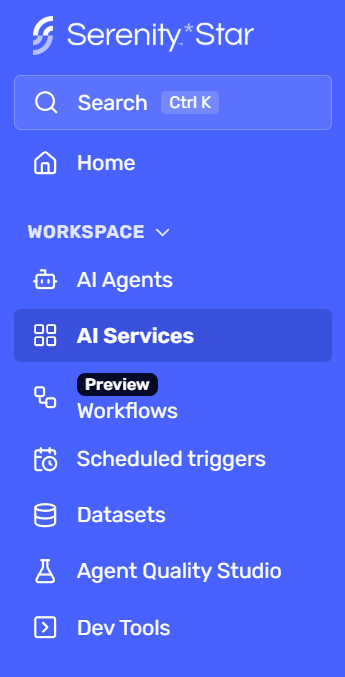
In the Serenity* Star sidebar, under Workspace, select AI Services.
-
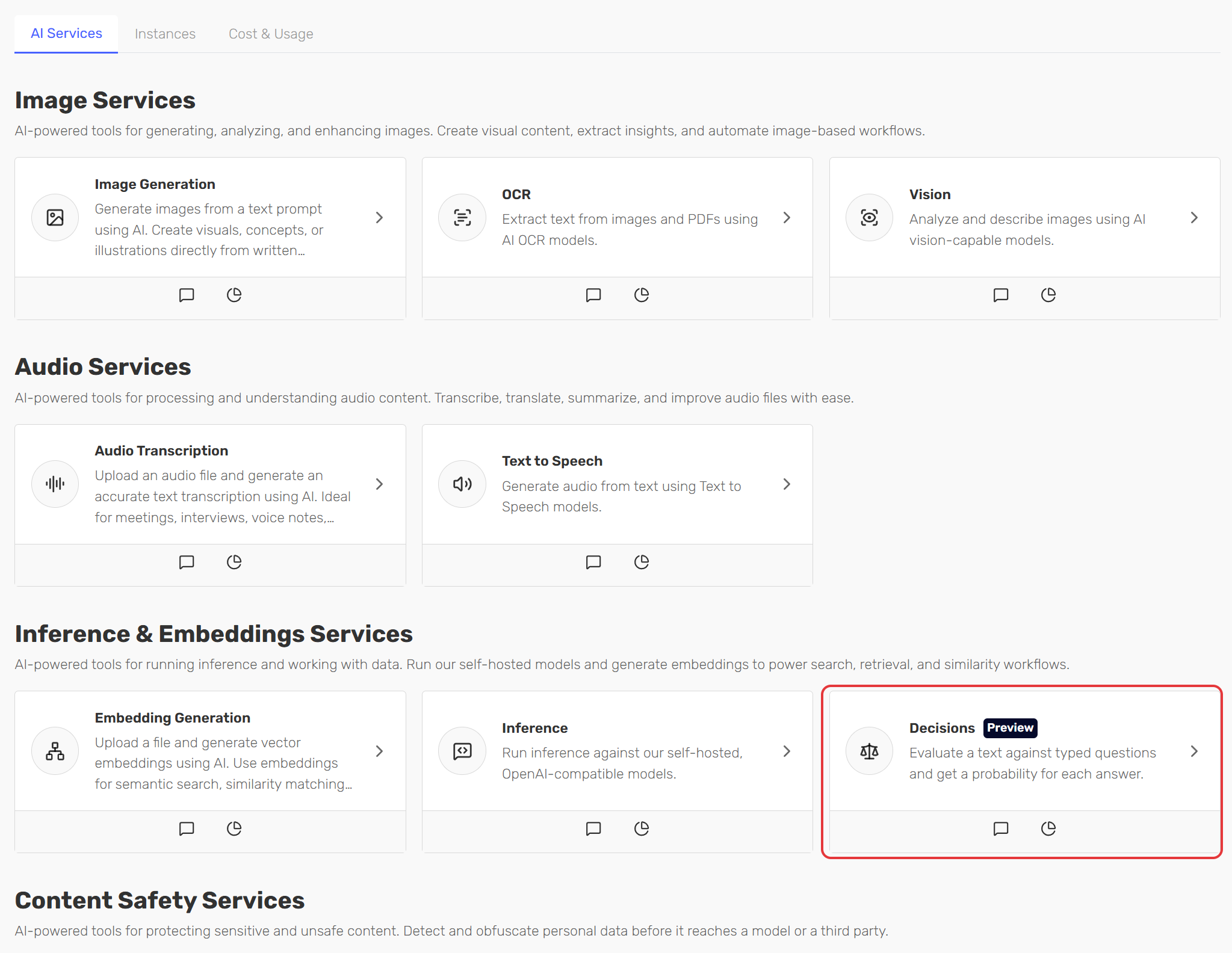
In Inference & Embeddings Services, open the Decisions card. You can also go straight to AI Services > Decisions.
-
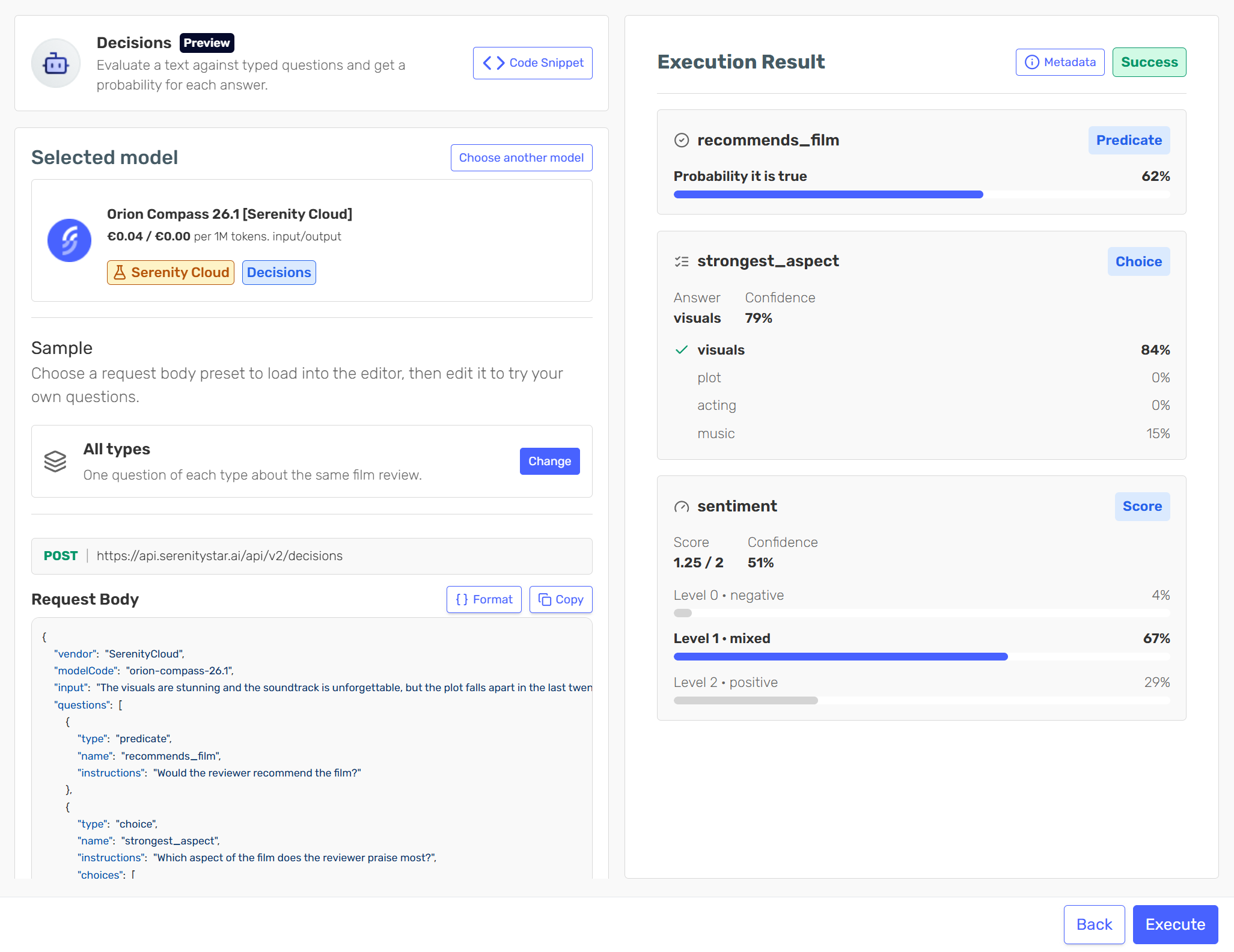
In Selected model, keep the default model (Orion Compass 26.1) or select Choose another model to pick any other decision model available to your organisation.
-
In Sample, select Change to load one of the preset request bodies: Predicate, Choice, Score, All types, Image or Agent evaluation. They are the same requests shown in Examples. The Image and Agent evaluation samples need a model that accepts images and full conversations, such as GPT-6 Luna Decisions, so select it first.
-
Edit the JSON in Request Body to try your own input and questions. Use Format to tidy it up and Copy to copy it. The selected model is filled into the body for you.
-
Click Execute.
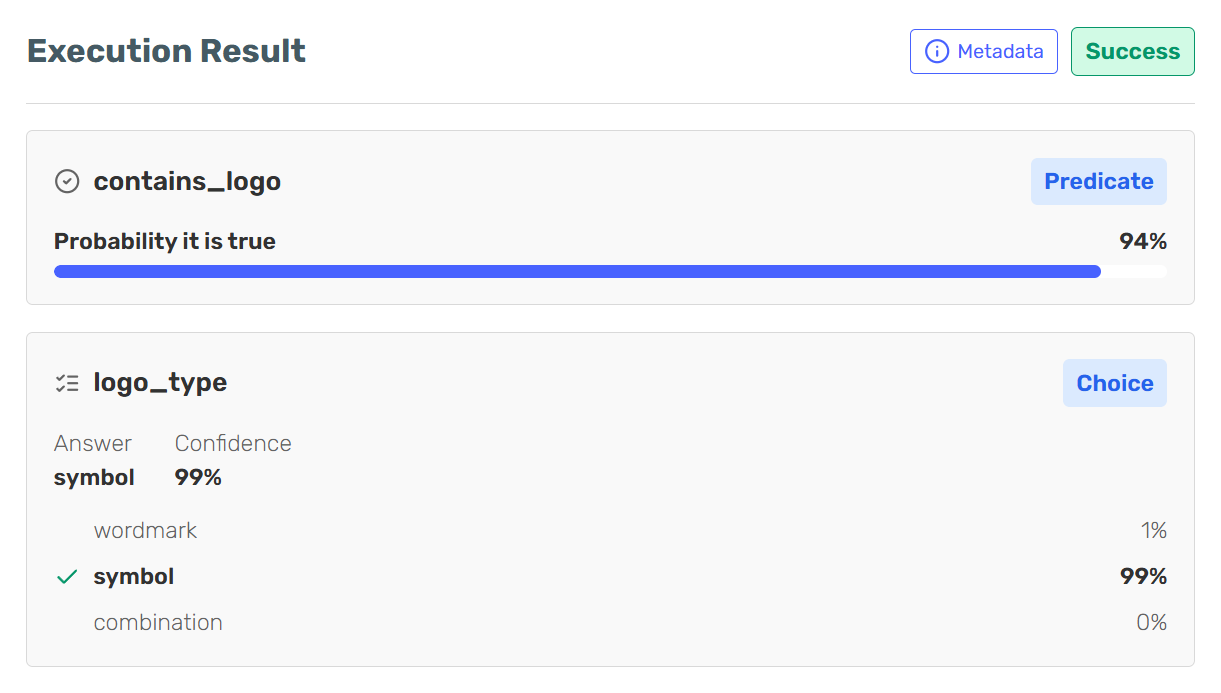
The Execution Result panel on the right shows one card per question with its answer (the probability that a predicate is true, the chosen value of a choice, or the level of a score) together with the probabilities and confidence. Select Metadata to see the execution's usage and cost.
Code snippet
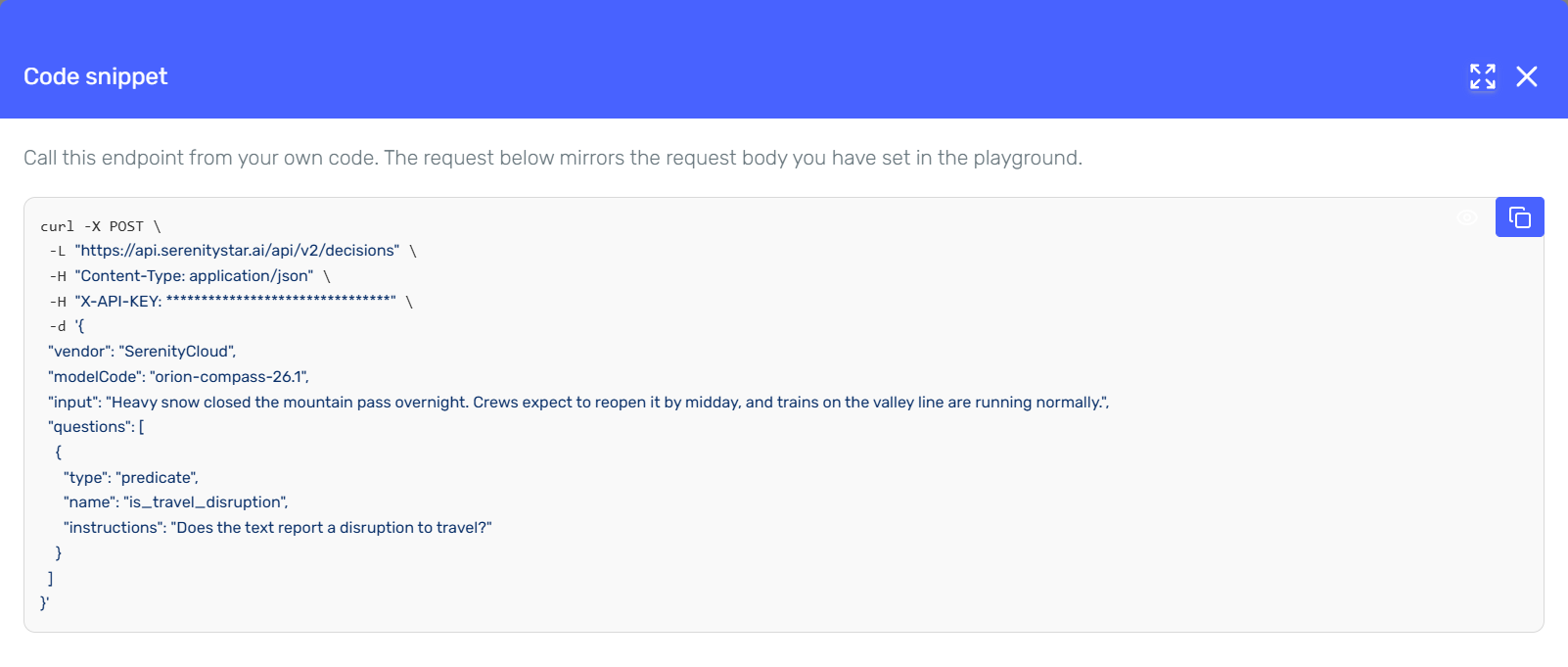
Select Code Snippet to get a cURL command that mirrors the request body you have set, ready to run from your terminal or adapt to your own code. The API key is masked by default; select the eye icon (Show API key) to include your organisation's AI Service Execution key in the command.
Instances and cost
On the AI Services page, the icons at the bottom of the Decisions card open the Instances and Cost & Usage views. Both views need administrator or cost administrator access.
-
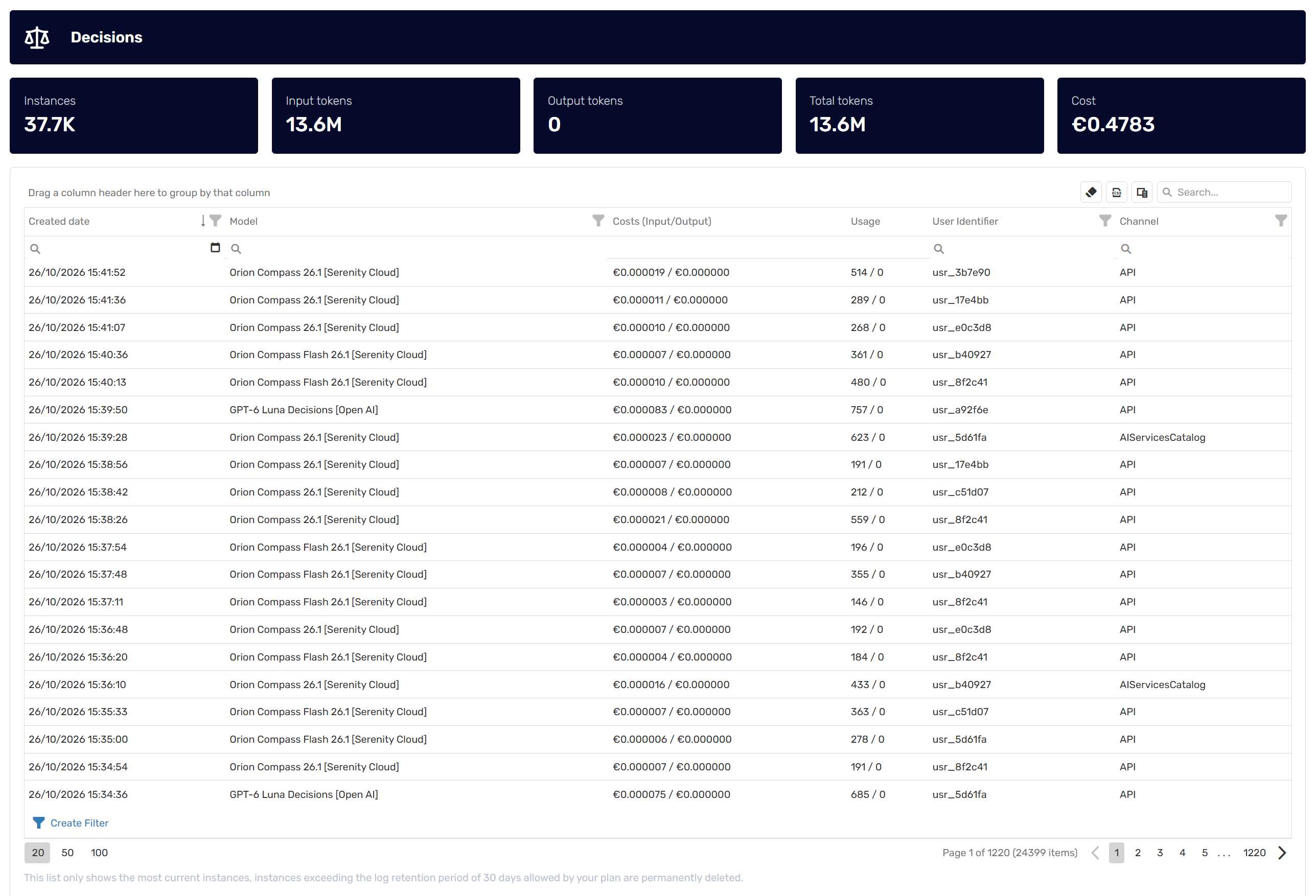
View Instances lists your Decisions executions within your plan's log retention period, whether they came from the playground or the API, with their date, model, cost, token usage, user identifier and channel. The tiles at the top show the totals.
-
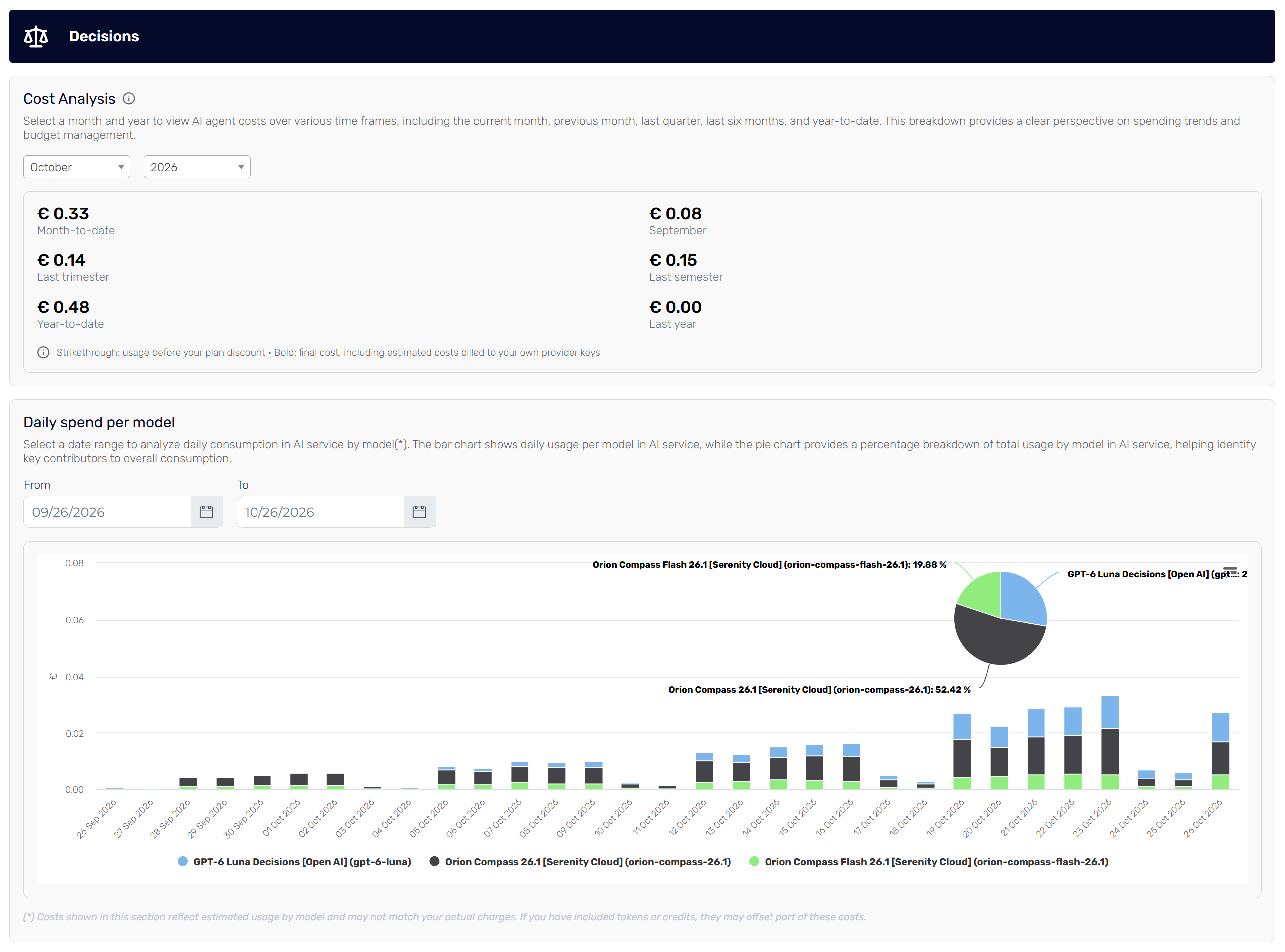
View Cost & Usage shows what Decisions has cost by month and period, plus daily spend charts per model, per AI service and per channel. See Cost Dashboard & Tracking.
Using the API
This section is for developers calling Decisions from their own applications.
Authentication
Send your API key in the X-API-KEY header on every request. To get a key, do one of the following:
- Create one in Developer Tools › Api Keys › New key, with Global scope and the AI Service Execution role.
- Reveal your organisation's AI Service Execution key from the playground's Code Snippet panel.
Call the API from your backend, never from browser or mobile code. Don't commit keys to source control or paste them into tickets or chats. If a key leaks, revoke it in Developer Tools › Api Keys and create a new one.
Endpoint
POST https://api.serenitystar.ai/api/v2/decisions
Content-Type: application/json
X-API-KEY: <your-api-key>
Request body
| Field | Type | Required | Description |
|---|---|---|---|
vendor | string | One way to pick the model | The model's vendor, for example SerenityCloud. Use it together with modelCode. |
modelCode | string | One way to pick the model | The model's code, for example orion-compass-26.1. Use it together with vendor. |
aiModelId | string (GUID) | The other way to pick the model | The model's id. Send either aiModelId or vendor + modelCode, not both. |
input | string or array | Yes | What the questions are evaluated against: plain text, or an array of input items (see Input items). |
questions | array | Yes | The questions to answer about the input, at least one (see Questions). |
userIdentifier | string | No | Your identifier for the end user, for tracking and cost reporting. Use an opaque id, not an email address or a name. |
channel | string | No | A label for where the call came from. Defaults to API. |
Selecting the model
These are the decision models you can select with vendor + modelCode:
| Model | vendor | modelCode | Input it accepts |
|---|---|---|---|
| Orion Compass 26.1 (default in the playground) | SerenityCloud | orion-compass-26.1 | Text in user messages |
| Orion Compass Flash 26.1 | SerenityCloud | orion-compass-flash-26.1 | Text in user messages |
| GPT-6 Luna Decisions | OpenAI | gpt-6-luna | Text, images, full conversations and agent traces with tool calls |
The playground's model selector lists every decision model available to your organisation. You can also browse the Available AI Models catalog, where decision models are marked with the Decisions badge, to see the latest ones. If you send input the model doesn't accept, such as an image to an Orion Compass model, the request fails with a 400 aiservice_execution_failed error.
Questions
Every question has a type, a name and instructions. Choice and score questions also take their options.
| Field | Applies to | Description |
|---|---|---|
type | All | predicate, choice or score. |
name | All | Identifies the answer in the response. Must be unique within the request. |
instructions | All | What the model should evaluate about the input, phrased as a question. |
choices | choice only | At least two options, each with a unique value and an optional description of when it applies. |
levels | score only | At least two levels, ordered from lowest to highest, each with a label and an optional description. |
- A short
descriptionon a choice or level helps the model when the value alone is ambiguous. - You can send several questions in one request, in any mix of types. They are all evaluated against the same input, and the answers come back in question order.
Input items
input can be a plain string. To send a conversation, images or an agent trace, send an array of items instead, using a model that accepts them (see Selecting the model). The items follow the shape of OpenAI's Responses API input.
Item type | Fields | Description |
|---|---|---|
message (the default when type is omitted) | role, content, optional phase | A message from system, developer, user or assistant. content is a string or an array of content parts. phase (commentary or final_answer) applies to assistant messages. |
function_call | callId, name, arguments | A tool call the agent made. arguments is a string, usually JSON, and is passed to the model as is. |
function_call_output | callId, output | The result of a tool call, matched to its function_call by callId. output is a string or an array of input_text / input_image parts. |
Function calls are evidence only. Nothing is executed: the model reads the calls and their outputs to answer your questions.
Content parts
Part type | Fields | Allowed in |
|---|---|---|
input_text | text | user, developer and system messages; function call outputs |
input_image | imageUrl, optional detail (low, high, auto or original) | user messages; function call outputs |
output_text | text | assistant messages |
refusal | refusal | assistant messages |
Images must be sent as base64 data URLs, such as data:image/png;base64,iVBORw0…, with no line breaks in the base64 data. HTTP(S) image URLs are not accepted.
Limits
The limits on input length and number of questions depend on the model. A request over the model's limits fails with a 400 aiservice_execution_failed error that includes the model provider's message.
Response
{
  "instanceId": "8f6c2a1e-3b7d-4c55-9a0e-2d4f6b8c1a90",
  "answers": [ … ],
  "usage": { "inputUnit": "tokens", "input": 58, "outputUnit": "tokens", "output": 1 },
  "cost": { "amount": 0.0000058, "currency": "USD" }
}
| Field | Description |
|---|---|
instanceId | The id of this execution. It is also shown in the Decisions Instances view. |
answers | One answer per question, in the same order as questions. |
usage | The billed quantities and their units. |
cost | The cost of this execution, in your organisation's currency. |
Answers
Each answer has the question's type and name, plus the fields for its type. All probabilities and confidences range from 0 to 1.
type | Fields |
|---|---|
predicate | probability: how likely the condition is to be true. |
choice | choice: the selected value. probabilities: each value with its probability. confidence: the model's confidence in the answer. |
score | score: the probability-weighted average of the level indices (0 for the first level, 1 for the second, and so on), so it can fall between two levels. probabilities: each level index (value) with its label and probability. confidence: the model's confidence in the answer. |
refusal | No extra fields. The model declined to answer this question. Other questions in the same request can still be answered. |
Examples
These are the playground's samples, so you can load any of them from Sample and run it straight away. They use Orion Compass 26.1, except Image and Agent evaluation, which use GPT-6 Luna Decisions because they send images and full conversations. Replace <your-api-key> with your key.
Response values are illustrative and will vary with the model and input.
Predicate: is a condition true?
curl -X POST "https://api.serenitystar.ai/api/v2/decisions" \
  -H "Content-Type: application/json" \
  -H "X-API-KEY: <your-api-key>" \
  -d '{
    "vendor": "SerenityCloud",
    "modelCode": "orion-compass-26.1",
    "input": "Heavy snow closed the mountain pass overnight. Crews expect to reopen it by midday, and trains on the valley line are running normally.",
    "questions": [
      {
        "type": "predicate",
        "name": "is_travel_disruption",
        "instructions": "Does the text report a disruption to travel?"
      }
    ]
  }'
Example response:
{
  "instanceId": "8f6c2a1e-3b7d-4c55-9a0e-2d4f6b8c1a90",
  "answers": [
    { "type": "predicate", "name": "is_travel_disruption", "probability": 0.91 }
  ],
  "usage": { "inputUnit": "tokens", "input": 64, "outputUnit": "tokens", "output": 1 },
  "cost": { "amount": 0.0000064, "currency": "USD" }
}
Choice: pick one of several values
curl -X POST "https://api.serenitystar.ai/api/v2/decisions" \
  -H "Content-Type: application/json" \
  -H "X-API-KEY: <your-api-key>" \
  -d '{
    "vendor": "SerenityCloud",
    "modelCode": "orion-compass-26.1",
    "input": "Astronomers detect water vapour in the atmosphere of a planet 120 light-years from Earth.",
    "questions": [
      {
        "type": "choice",
        "name": "topic",
        "instructions": "Which section of a newspaper does this headline belong to?",
        "choices": [
          { "value": "science", "description": "Research, space, health and the environment." },
          { "value": "politics", "description": "Government, elections and public policy." },
          { "value": "sports" },
          { "value": "culture", "description": "Film, music, books and the arts." }
        ]
      }
    ]
  }'
Example response:
{
  "instanceId": "1d0b7e52-6a3f-4f0e-8c1b-7e9a2d4c6f10",
  "answers": [
    {
      "type": "choice",
      "name": "topic",
      "choice": "science",
      "probabilities": [
        { "value": "science", "probability": 0.97 },
        { "value": "politics", "probability": 0.01 },
        { "value": "sports", "probability": 0.0 },
        { "value": "culture", "probability": 0.02 }
      ],
      "confidence": 0.97
    }
  ],
  "usage": { … },
  "cost": { … }
}
Score: rate against ordered levels
curl -X POST "https://api.serenitystar.ai/api/v2/decisions" \
  -H "Content-Type: application/json" \
  -H "X-API-KEY: <your-api-key>" \
  -d '{
    "vendor": "SerenityCloud",
    "modelCode": "orion-compass-26.1",
    "input": "A 14 km loop with 900 m of climbing, a short exposed scramble near the summit and no water sources after the first hour.",
    "questions": [
      {
        "type": "score",
        "name": "difficulty",
        "instructions": "How difficult is this hiking route for an average walker?",
        "levels": [
          { "label": "easy" },
          { "label": "moderate" },
          { "label": "hard" },
          { "label": "expert", "description": "Needs climbing skills or specialist equipment." }
        ]
      }
    ]
  }'
Example response. A score of 1.9 means the answer is close to level 2, hard:
{
  "instanceId": "5c9e1f30-2b4a-4d6e-9f71-0a3b8c2d5e47",
  "answers": [
    {
      "type": "score",
      "name": "difficulty",
      "score": 1.9,
      "probabilities": [
        { "value": 0, "label": "easy", "probability": 0.0 },
        { "value": 1, "label": "moderate", "probability": 0.18 },
        { "value": 2, "label": "hard", "probability": 0.74 },
        { "value": 3, "label": "expert", "probability": 0.08 }
      ],
      "confidence": 0.74
    }
  ],
  "usage": { … },
  "cost": { … }
}
All types: several questions about the same input
curl -X POST "https://api.serenitystar.ai/api/v2/decisions" \
  -H "Content-Type: application/json" \
  -H "X-API-KEY: <your-api-key>" \
  -d '{
    "vendor": "SerenityCloud",
    "modelCode": "orion-compass-26.1",
    "input": "The visuals are stunning and the soundtrack is unforgettable, but the plot falls apart in the last twenty minutes.",
    "questions": [
      {
        "type": "predicate",
        "name": "recommends_film",
        "instructions": "Would the reviewer recommend the film?"
      },
      {
        "type": "choice",
        "name": "strongest_aspect",
        "instructions": "Which aspect of the film does the reviewer praise most?",
        "choices": [
          { "value": "visuals" },
          { "value": "plot" },
          { "value": "acting" },
          { "value": "music" }
        ]
      },
      {
        "type": "score",
        "name": "sentiment",
        "instructions": "How positive is the review overall?",
        "levels": [
          { "label": "negative" },
          { "label": "mixed" },
          { "label": "positive" }
        ]
      }
    ]
  }'
Example response. The answers come back in question order:
{
  "instanceId": "b27d4e81-9c0a-4f3b-a6e2-4d1f7c8b3a05",
  "answers": [
    { "type": "predicate", "name": "recommends_film", "probability": 0.62 },
    { "type": "choice", "name": "strongest_aspect", "choice": "visuals", "probabilities": [ … ], "confidence": 0.71 },
    { "type": "score", "name": "sentiment", "score": 1.1, "probabilities": [ … ], "confidence": 0.82 }
  ],
  "usage": { … },
  "cost": { … }
}
Image: ask about an image
Images go in a user message as an input_image part, and need a model that accepts images, such as GPT-6 Luna Decisions. This example base64-encodes a local logo.png and passes the body through a heredoc, so the shell can insert the image data:
IMAGE_BASE64=$(base64 < logo.png | tr -d '\n')

curl -X POST "https://api.serenitystar.ai/api/v2/decisions" \
  -H "Content-Type: application/json" \
  -H "X-API-KEY: <your-api-key>" \
  --data-binary @- <<EOF
{
  "vendor": "OpenAI",
  "modelCode": "gpt-6-luna",
  "input": [
    {
      "role": "user",
      "content": [
        { "type": "input_text", "text": "An image uploaded to the brand assets library." },
        { "type": "input_image", "imageUrl": "data:image/png;base64,${IMAGE_BASE64}", "detail": "low" }
      ]
    }
  ],
  "questions": [
    {
      "type": "predicate",
      "name": "contains_logo",
      "instructions": "Does the image contain a company logo?"
    },
    {
      "type": "choice",
      "name": "logo_type",
      "instructions": "What kind of logo is it?",
      "choices": [
        { "value": "wordmark", "description": "Only the company name, as text." },
        { "value": "symbol", "description": "Only an icon, without the name." },
        { "value": "combination", "description": "An icon next to the company name." }
      ]
    }
  ]
}
EOF
Example response:
{
  "instanceId": "e4a1c9d7-0f2b-4b8e-93c6-5a7d1e2f8b64",
  "answers": [
    { "type": "predicate", "name": "contains_logo", "probability": 0.94 },
    { "type": "choice", "name": "logo_type", "choice": "symbol", "probabilities": [ … ], "confidence": 0.99 }
  ],
  "usage": { … },
  "cost": { … }
}
The same sample in the playground:
Agent evaluation: check an agent's conversation against a policy
Send the agent's conversation, including its tool calls and their outputs, and ask whether it behaved correctly. The tool calls are only evaluated; nothing is executed. Like the Image example, this needs a model that accepts full conversations, such as GPT-6 Luna Decisions.
This body contains apostrophes, so it is passed through a quoted heredoc (<<'EOF') instead of -d '…':
curl -X POST "https://api.serenitystar.ai/api/v2/decisions" \
  -H "Content-Type: application/json" \
  -H "X-API-KEY: <your-api-key>" \
  --data-binary @- <<'EOF'
{
  "vendor": "OpenAI",
  "modelCode": "gpt-6-luna",
  "input": [
    { "role": "system", "content": "You are a support agent. Refunds over $100 need a manager's approval." },
    { "role": "user", "content": "My order A-1001 arrived broken, I want a refund." },
    { "type": "function_call", "callId": "call_1", "name": "lookup_order", "arguments": "{\"orderId\":\"A-1001\"}" },
    { "type": "function_call_output", "callId": "call_1", "output": "{\"total\":240,\"status\":\"delivered\"}" },
    { "type": "function_call", "callId": "call_2", "name": "refund_order", "arguments": "{\"orderId\":\"A-1001\",\"amount\":240}" },
    { "type": "function_call_output", "callId": "call_2", "output": "{\"refunded\":true}" },
    {
      "role": "assistant",
      "phase": "final_answer",
      "content": [
        { "type": "output_text", "text": "I've refunded the $240 to your card." }
      ]
    }
  ],
  "questions": [
    {
      "type": "predicate",
      "name": "followed_refund_policy",
      "instructions": "Did the agent follow the refund policy?"
    },
    {
      "type": "choice",
      "name": "resolution",
      "instructions": "How did the agent resolve the request?",
      "choices": [
        { "value": "refunded" },
        { "value": "escalated", "description": "Handed over to a manager." },
        { "value": "declined" }
      ]
    }
  ]
}
EOF
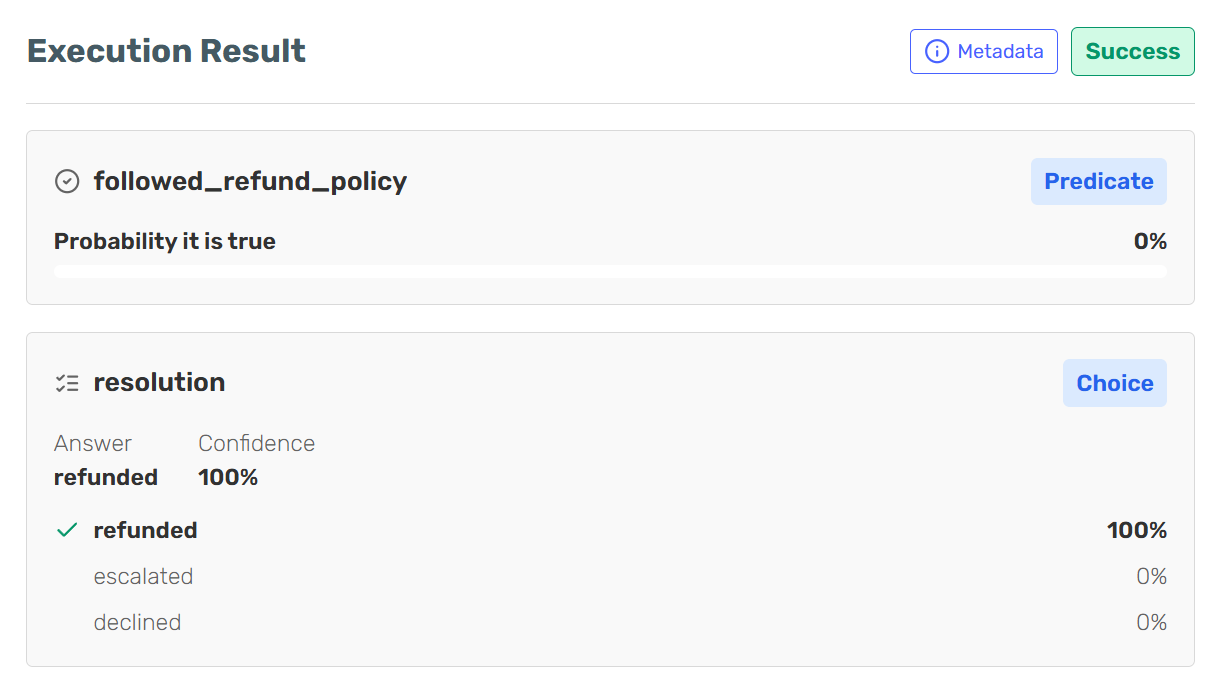
Example response. The agent refunded $240 without a manager's approval, so the policy check scores low:
{
  "instanceId": "73f0b8a2-d1c4-4e9a-b5f6-2c8e0a4d9b17",
  "answers": [
    { "type": "predicate", "name": "followed_refund_policy", "probability": 0.0 },
    { "type": "choice", "name": "resolution", "choice": "refunded", "probabilities": [ … ], "confidence": 1.0 }
  ],
  "usage": { … },
  "cost": { … }
}
The same sample in the playground:
Errors
Decisions returns the standard Serenity* Star API errors. See API Errors for every error code, its response body and how to handle it.