Release 5.0 2026.08.25.1
New Features 🚀
Long Term Memory [Preview]
Agents can now retain relevant information across conversations. Enable User or Agent long term memory from the Agent Design Studio: user memory retains context about each individual, while agent memory retains context shared across everyone who interacts with the agent. See Long Term Memory for the available configuration, and My Memories for how each user reviews what an agent stored about them.
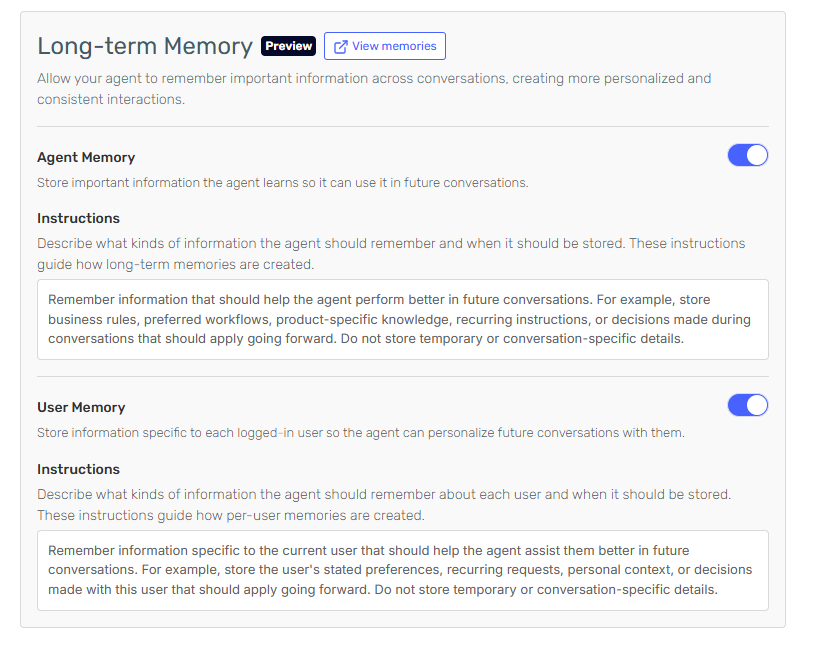
This feature is in preview and requires the Long Term Memory feature in your subscription plan.
Skill Approvals
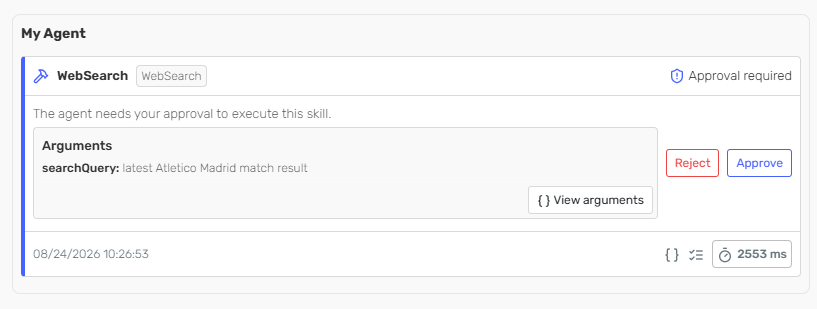
Sensitive skills can now require explicit approval before they run. When the agent calls a skill marked for approval, execution pauses until the request is approved. See Skill Approvals for the available configuration.
Connector Policies
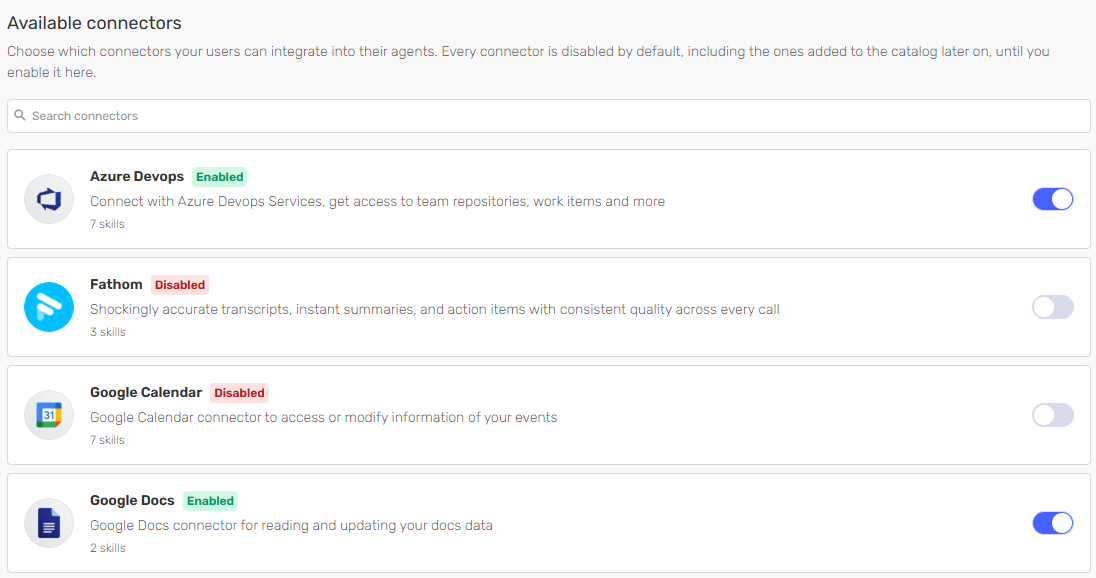
You can now define which connectors are enabled for your company, controlling which external systems your agents and users can reach. Connectors excluded from the policy are unavailable across all agents and the Serenity* AI Chat. You can manage the policy from the Compliance Center.
Serenity* Apps
Finance App
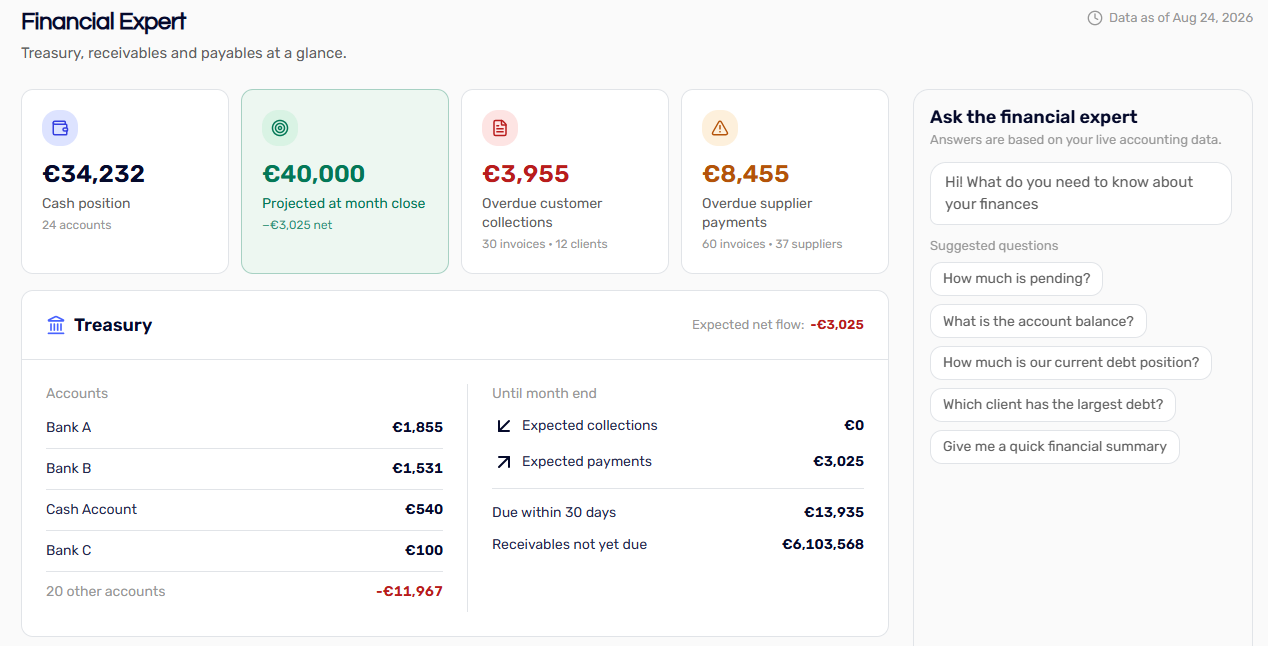
Integrated with Holded, the Finance app provides a dashboard with key business metrics: current balance, expected cash flow to the end of the month, and upcoming expenses and income. An agent analyses the same data and reports the main insights alongside the figures.
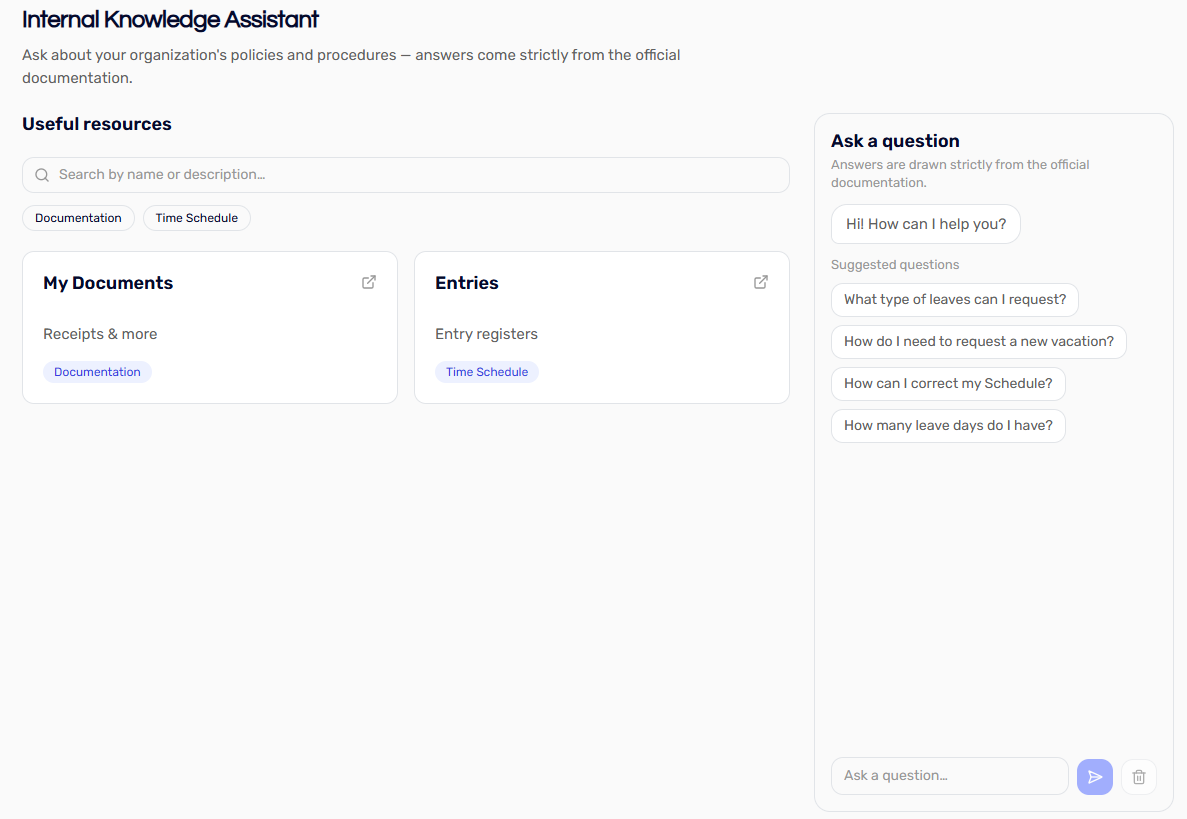
Internal Knowledge Chat App
The Internal Knowledge app provides a chat interface over your agent, with accompanying links and resources, from internal documents to external references. Answers are grounded only in cited text from your knowledge base, which suits areas such as HR or Quality that answer recurring questions based on written policies.
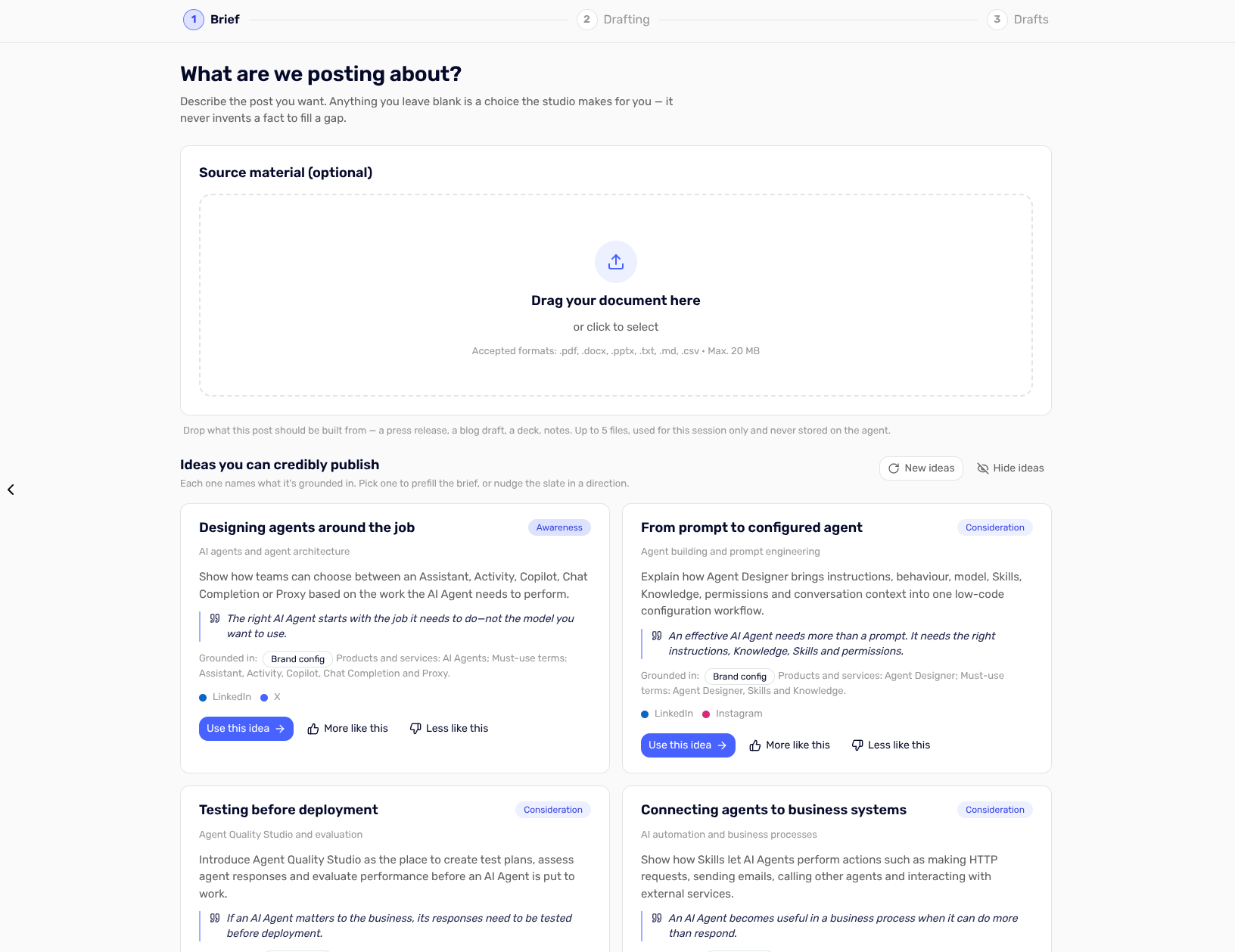
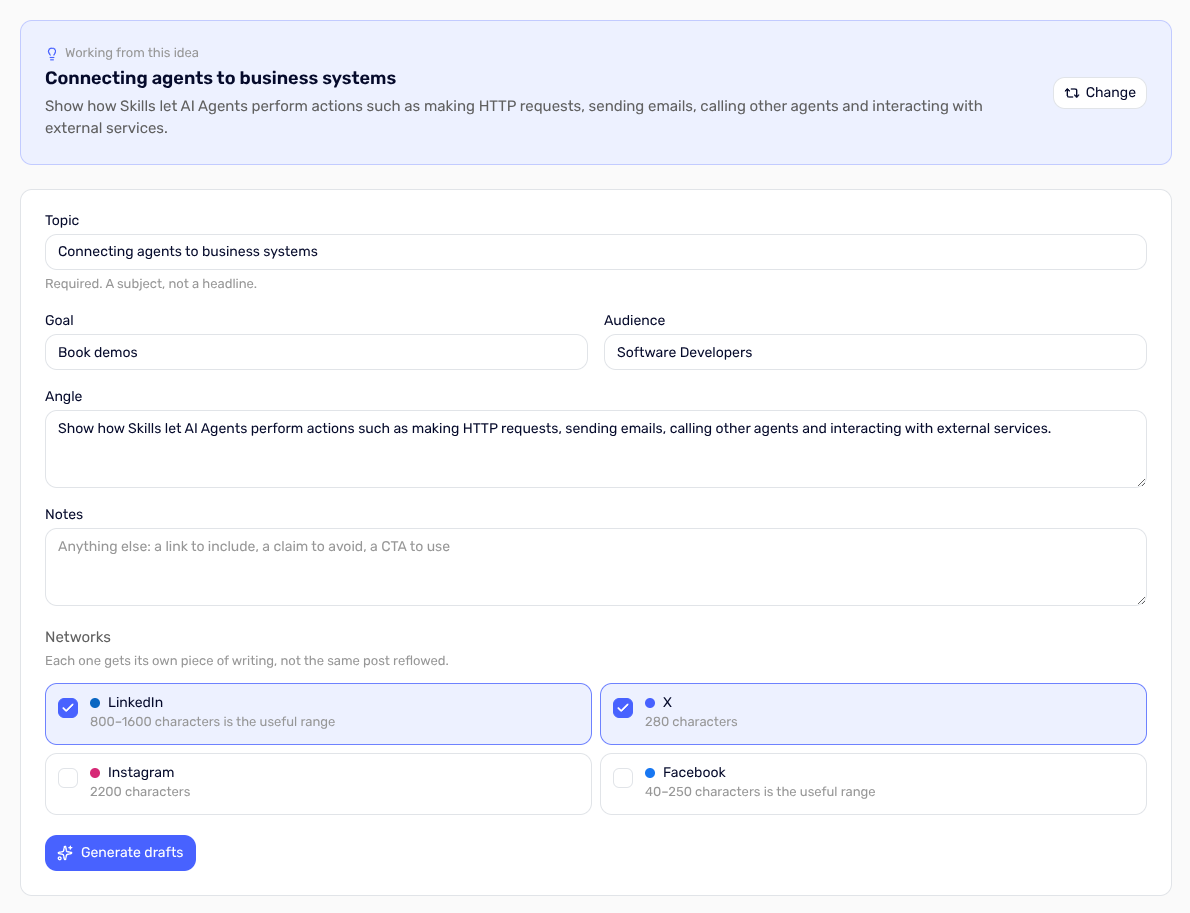
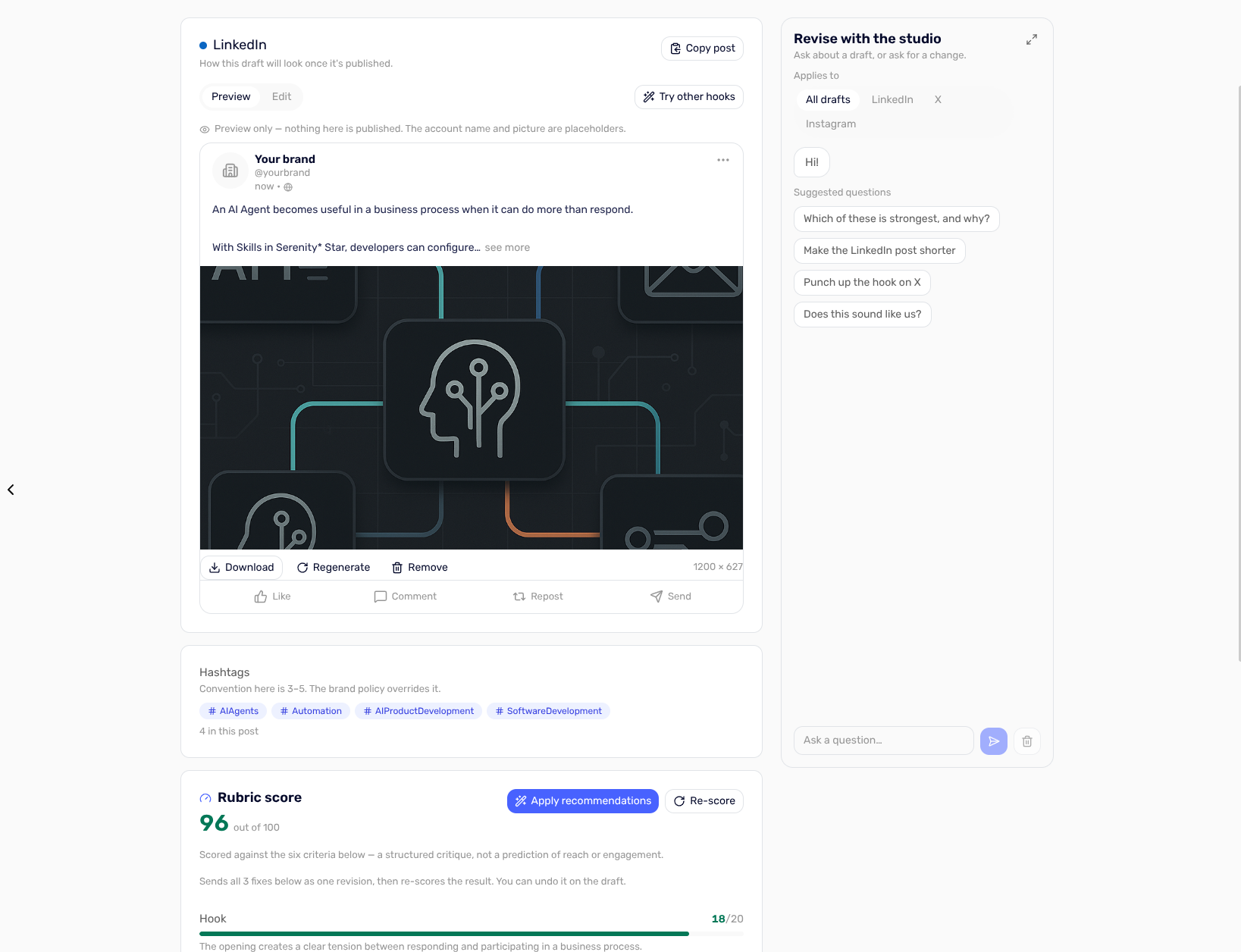
Media Content Generation App
Generate content adapted to each platform, including LinkedIn, Twitter and Facebook, from a single brief.
Enhancements ✨
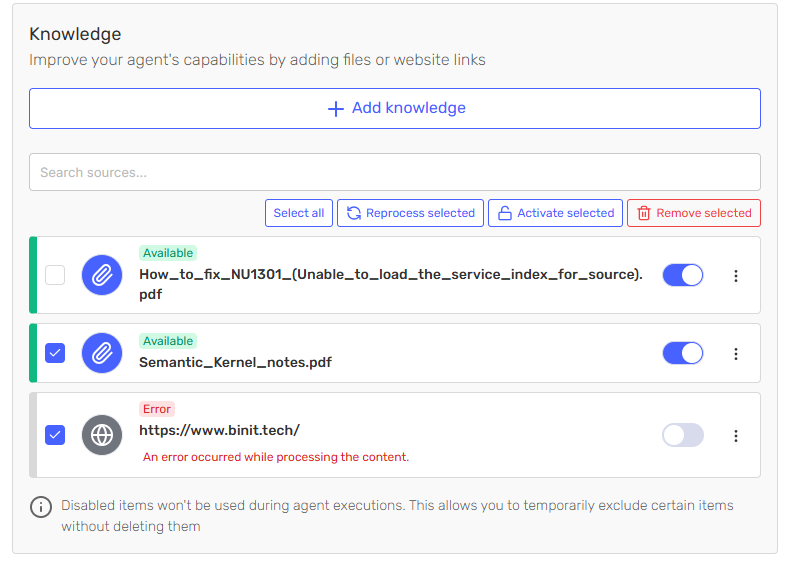
Bulk Operations on Knowledge
The Knowledge section now supports bulk operations. Select several sources and reprocess, activate or remove them in a single action.
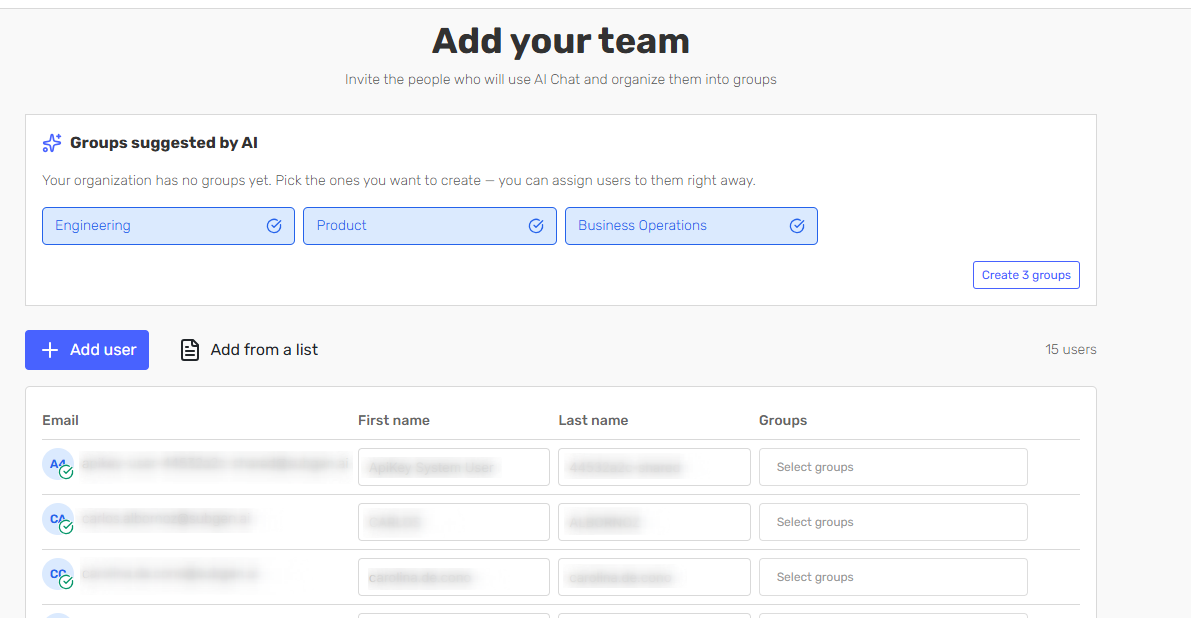
Users Onboarding
You can now create users and groups directly from the onboarding flow. Groups are suggested automatically based on your organisation's preferences.
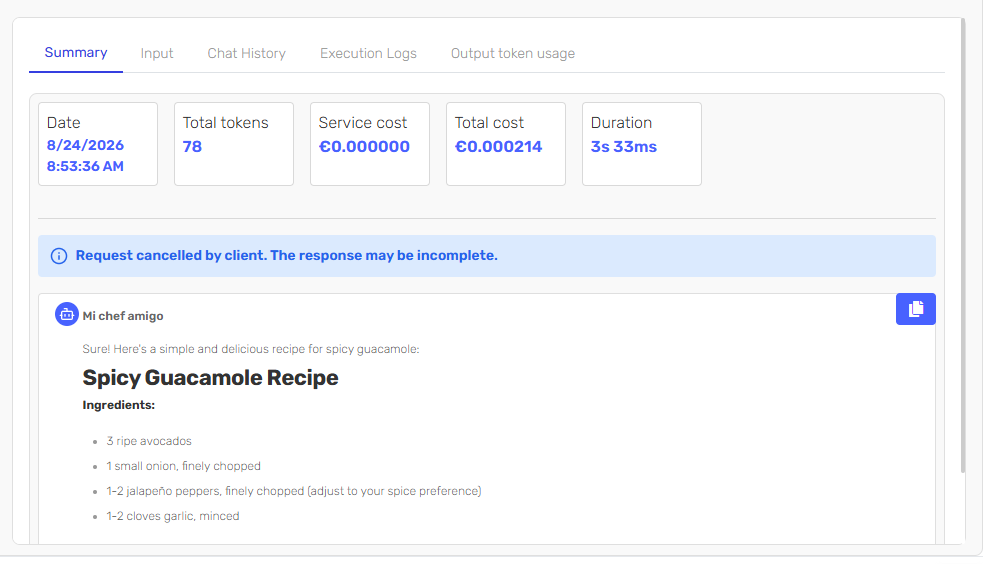
Cancelled Request Detail per Client
Requests cancelled by the client are now reported in the instance detail, so they can be distinguished from failures when reviewing an execution.
Automatic Conversation Names in AI Chat
Conversations in the Serenity* AI Chat are now named automatically, which makes earlier conversations easier to identify.
Agent Message Feedback via API
Feedback on agent messages can now be submitted through the API, so quality signals can be collected from your own front end. See Submit feedback for an agent message in the API reference.
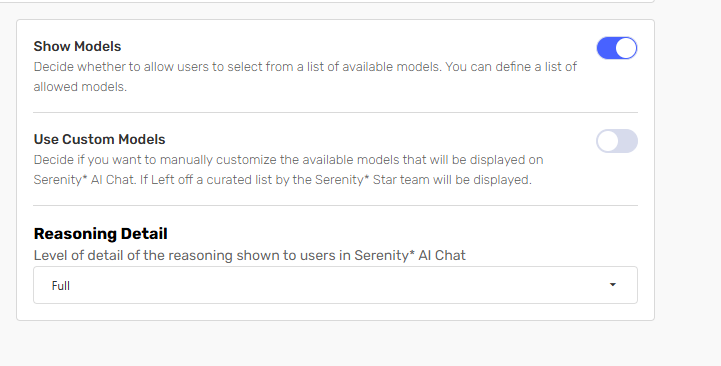
Reasoning Configuration in Serenity* AI Chat
Reasoning detail can now be configured for the Serenity* AI Chat, defining how much of the model's reasoning is exposed to users.
Bug Fixes & Minor Improvements 🛠️
- Added a search box for the skills already loaded on an agent.
- The proportional consumption chart tooltips now also show the total.
- Input parameters created from the system definition are now created as optional.
- Serena now recommends templates.
- Fixed an error in the creation of the Trial Page.
- Improved and isolated the styles of the Pricing component used on the landing page.
- Fixed an error that prevented certain text documents from being processed (for example, Teams transcriptions downloaded in Word format).
- Implemented a more robust parser in the data obfuscation module for encoded line breaks.
- Isolated skills can now be executed by passing an explicit user connection.
- Chat widget allows for custom status messages to be defined during agent skill execution.
- Agent Quality Studio now lets you re-run an evaluation or analyse only part of it, so a single change can be verified without repeating a full run.