Release 5.0 2026.02.24.1
New Features 🚀
Microsoft Teams Integration
Serenity* Star is now available in Microsoft Teams. Install the app from the Microsoft Marketplace, sign in with your Serenity* Star account, and start using your AI agents directly in chats and channels—without leaving Teams.
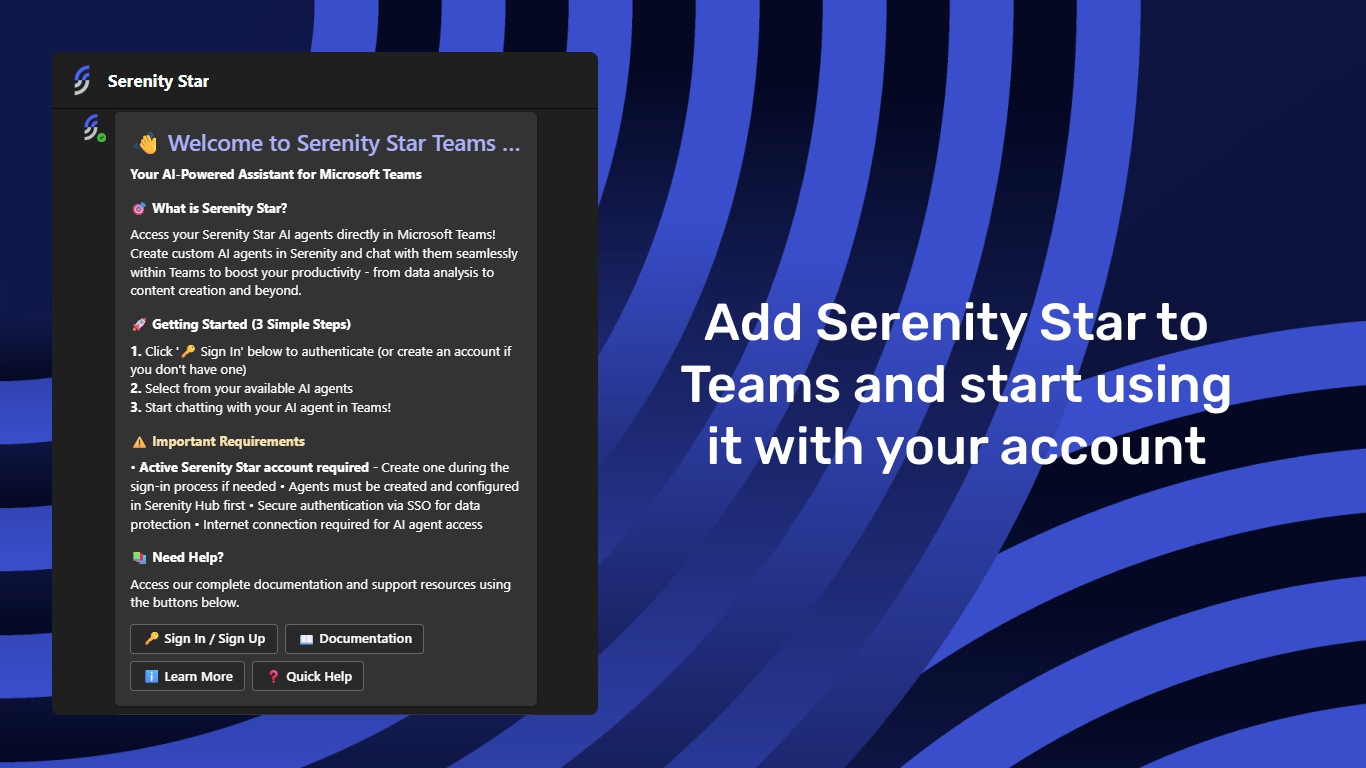
Key highlights:
- Use AI in Teams – Interact with Serenity* Star agents without leaving Microsoft Teams.
- Multiple conversation contexts – Use agents in personal chats, team channels, and group conversations.
- Trusted knowledge responses – Get answers grounded in your organization's configured knowledge sources.
- Secure access – Sign in with enterprise-ready authentication, including SSO support.
To get started, enable the Teams channel on your agent in the Agent Design Studio, then install the app from the Microsoft Marketplace.
Enhancements ✨
Security – API Key Management
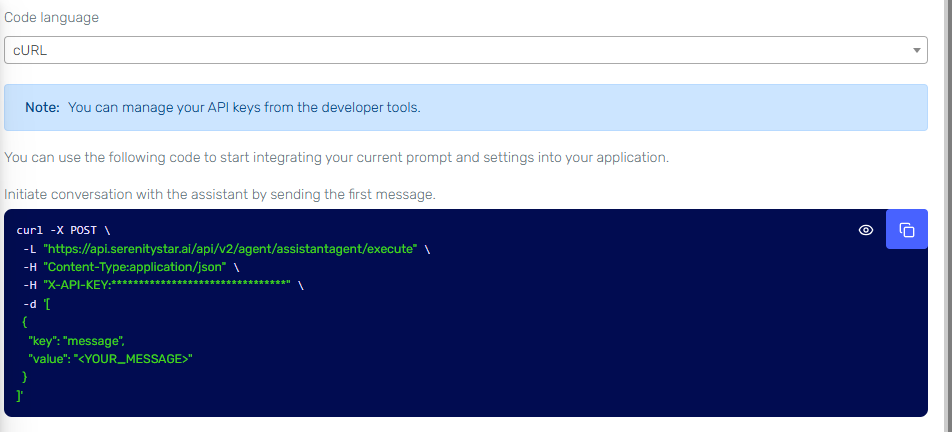
We’ve strengthened API key security across the entire platform. API keys are no longer exposed in the DOM, and their rendering, copying, and visualization have been redesigned to minimize the risk of accidental exposure. Clipboard interactions are now handled securely, and sensitive operations are processed through controlled server-side actions. These improvements significantly reduce the surface area for data leaks while maintaining a smooth user experience.
MCP Skills – Tool Discovery Support
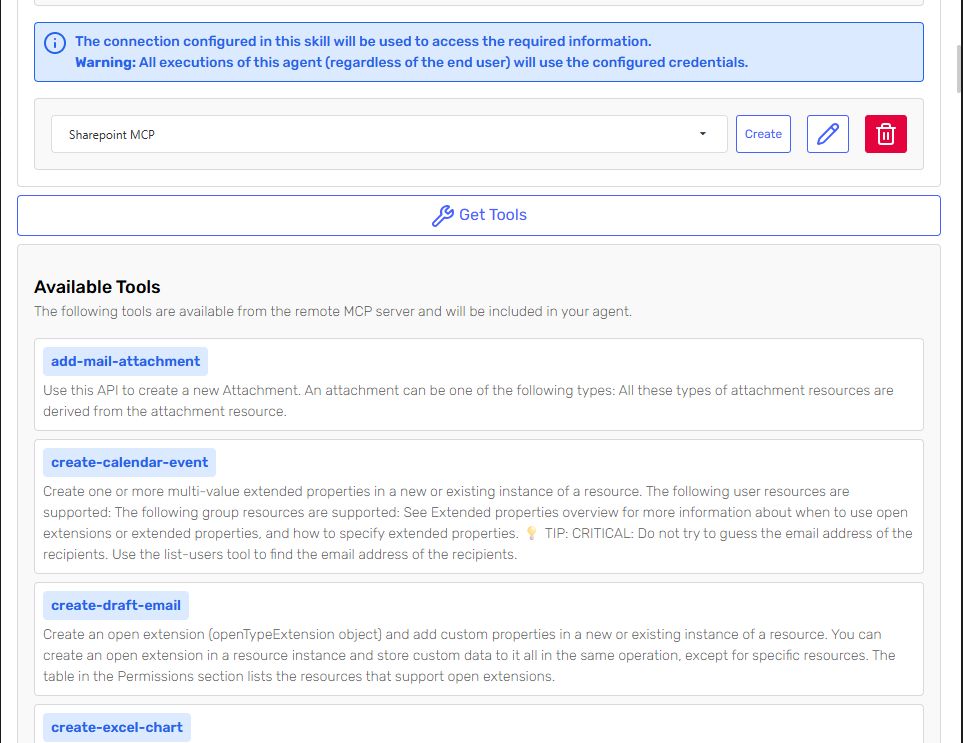
MCP Skills that use authentication schemes now support the Get Tools method. This allows you to retrieve and preview the list of tools available on a remote MCP server before configuring your agent. By making external capabilities more transparent, it becomes easier to understand available actions and fine-tune agent behavior accordingly.
Improved Volatile Knowledge Similarity Search
Volatile Knowledge within chat history now includes similarity-based retrieval. The system analyzes past messages and dynamically attaches the most relevant fragments. This improves contextual continuity and enhances response accuracy, particularly in longer or more complex conversations.
Agent Design Studio API – Skill Definition Support
The Agent Design Studio API now allows Skills to be defined programmatically when creating or updating agents. This expands customization possibilities for teams building their own integrations or external clients. Supported API Skills include:
- Agent Executor
- Code Execution
- ImageGenerator
- Prompt
- ChartGeneration
- SpeechGeneration
- WebSearch
and more. Check out the API Reference for full definitions and configuration settings.
Share Directly from Agent Design Studio
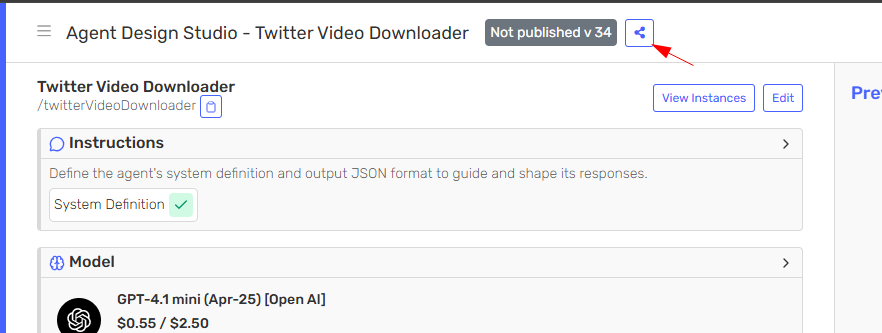
Agents can now be shared directly from the Agent Design Studio view. This simplifies collaboration and reduces friction when distributing agents internally or externally, providing faster access without additional configuration steps.
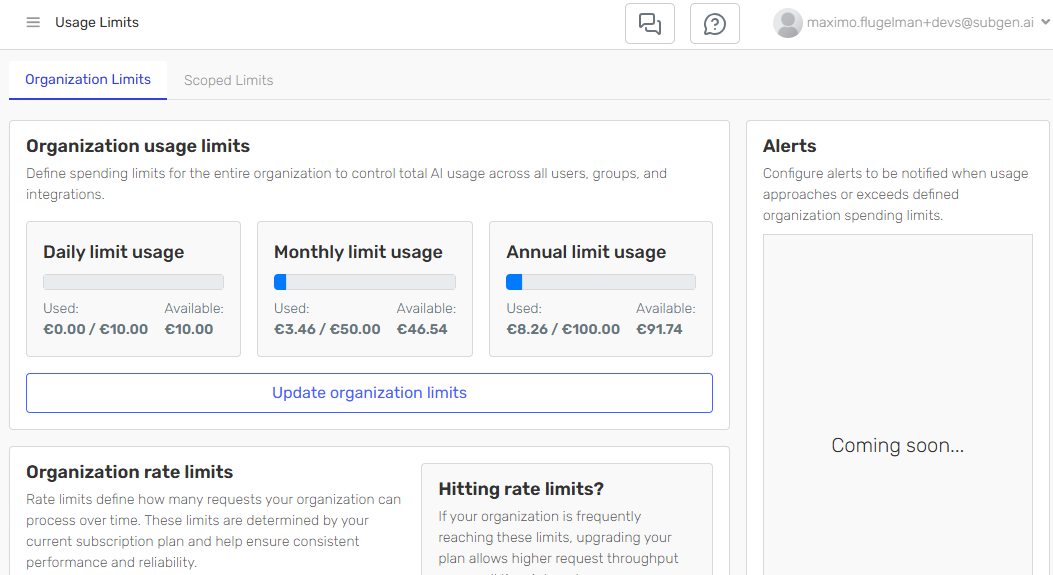
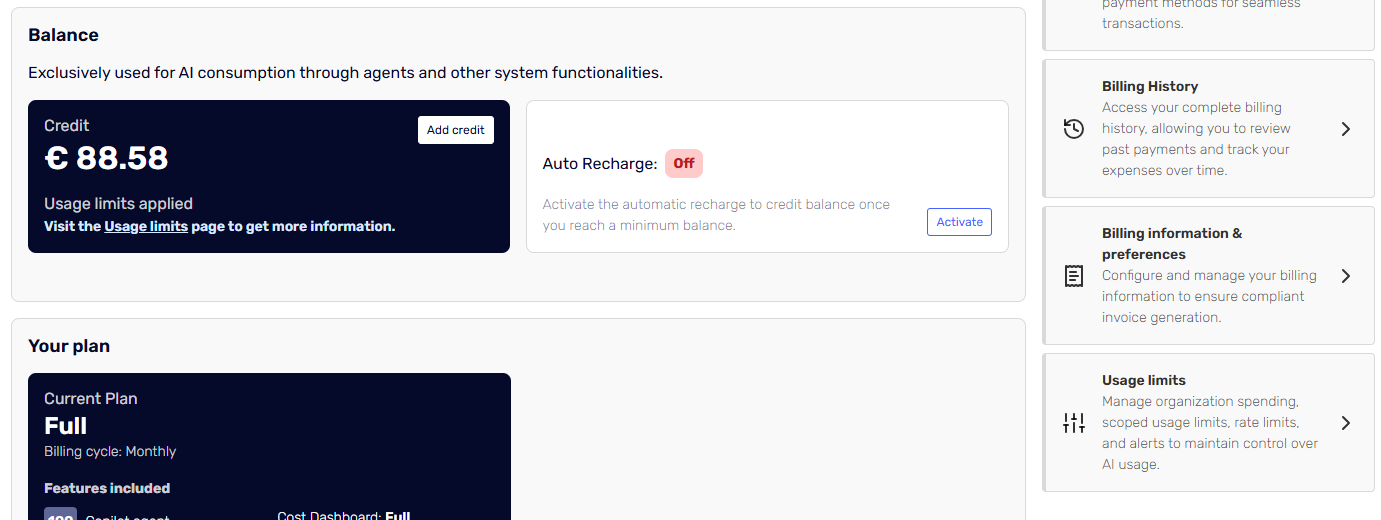
Billing and Usage Limits Experience
We’ve refined the billing and usage limits experience to provide clearer visibility into account activity. Usage and rate limits are now presented more transparently across the cost dashboard and billing overview account settings. These changes make it easier to understand active limits and manage your subscription with confidence.
Bug Fixing & Minor Improvements
- The Agent Execution API now returns detailed cost breakdowns associated with the services used during execution.
- Implemented downgrade logic for the Models & Providers feature, automatically restoring configuration to default values when required by plan changes.
- Improved validation and error handling when creating agents via Serena.
- Added call-to-action buttons redirecting users to the Billing section when a knowledge source cannot be processed due to insufficient balance.
- Improved validation and JSON extraction in Hybrid Knowledge mode, reducing parsing errors and increasing reliability.
- Implemented synchronization and concurrency improvements in knowledge source reprocessing to prevent errors
- Added the ability to search agents by code within the Agents grid.
- Optimized email sending related to deprecated models.
- Added the channel field to embedding instances generated from website sources.
- Improved compatibility of tool usage with Anthropic models that include hyphens in tool names.
- Fixed an issue in the HTTP Request Skill where static body payloads were not executing correctly.
- Resolved a saving error in Models & Providers configuration.
- Fixed an issue in the Workbench Skill where results were reused even when the reuse option was disabled.
- Fixed a scrolling issue in side panels that prevented proper navigation.
- Standardized Identity Server emails and resolved issues in the password recovery flow.
- Corrected various localization inconsistencies and typographical errors across the platform.