Saltar al contenido principal

Release 5.0 2026.11.06.1

Β· 5 min de lectura

New Features πŸš€β€‹

Serenity Edge: Sovereign AI from Europe​

Serenity Edge, our own inference infrastructure, is now available as a model provider in Serenity* Star. Models run on our own nodes in Spain, with no third-party clouds for inference, so your data is processed within the European Union. Prompts and completions are never written to disk or logs.

With Serenity Edge you get the Orion family, Serenity's own models, alongside leading open-weight models such as Qwen, for chat, decisions and embeddings, all at highly competitive per-token prices. Serenity Edge decision models, such as Orion Compass, can also be used in the Decisions AI Service by accounts with credit-based billing.

The Serenity Cloud connector is migrating to Serenity Edge. Find out more at serenityedge.ai.

Serenity Edge models highlighted at the top of the Model Catalog

Skill Selection Optimisation (Preview)​

Agents can now use a decision model to choose which skills to use on each execution, instead of considering every configured skill every time. This reduces context size and token usage. To enable it, go to Skills > Advanced, turn on Skill selection optimisation, select a decision model and set the threshold. This feature is currently in preview.
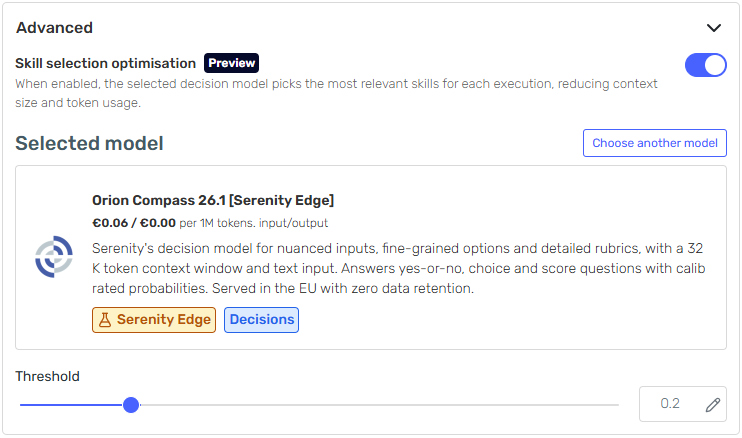
The Advanced section of an agent's skills, with Skill selection optimisation enabled, a Serenity Edge decision model selected and the threshold set


Enhancements βœ¨β€‹

Image to Image in Image Service​

Image generation now accepts a reference image together with the instructions, so you can create variations or edits based on an existing image. This is available for models that support it.
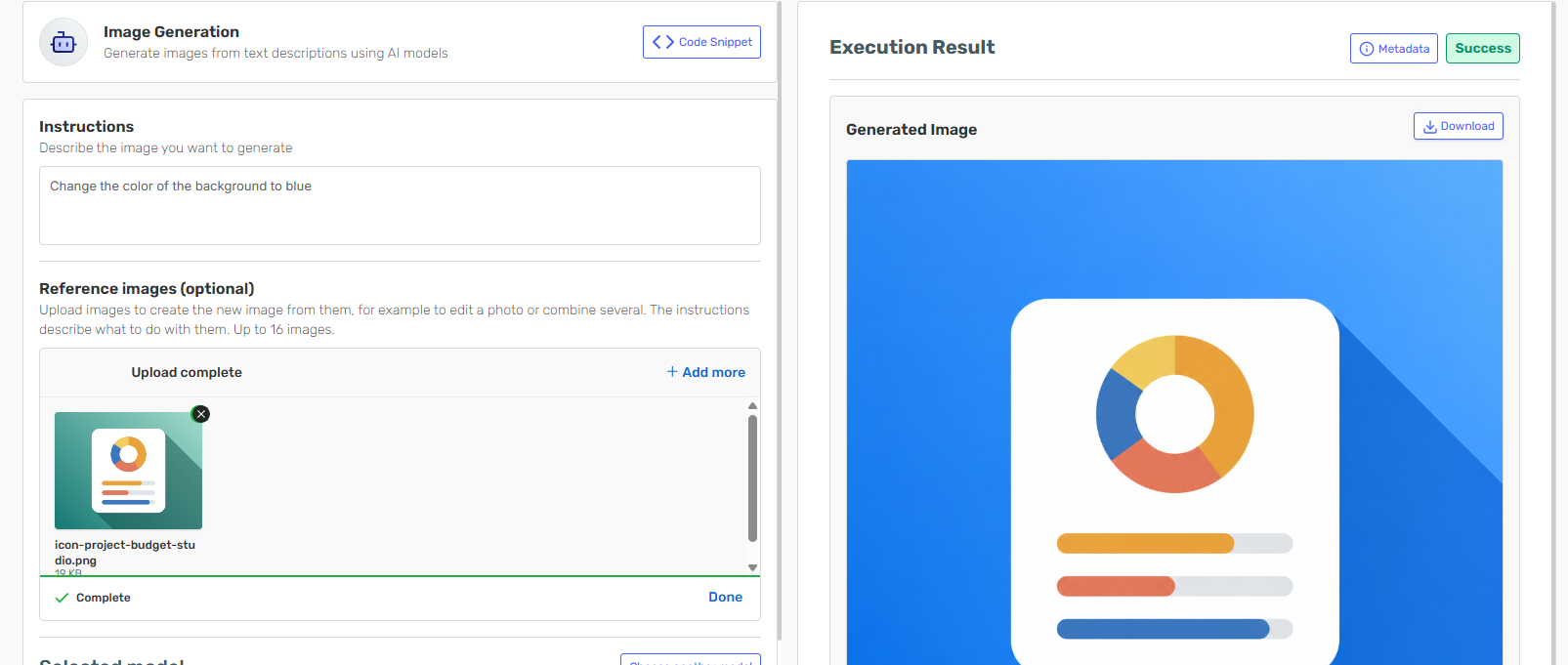
The Image Generation service, with a reference image uploaded, the instruction to change the background to blue and the resulting image

Redesigned Model Catalog​

The Model Catalog has a cleaner, simpler look that makes it easier to find the right model for each task. Filter models by capability, such as chat, audio, decisions, embeddings or image generation, and by provider, then compare prices and providers at a glance. See Available AI Models.
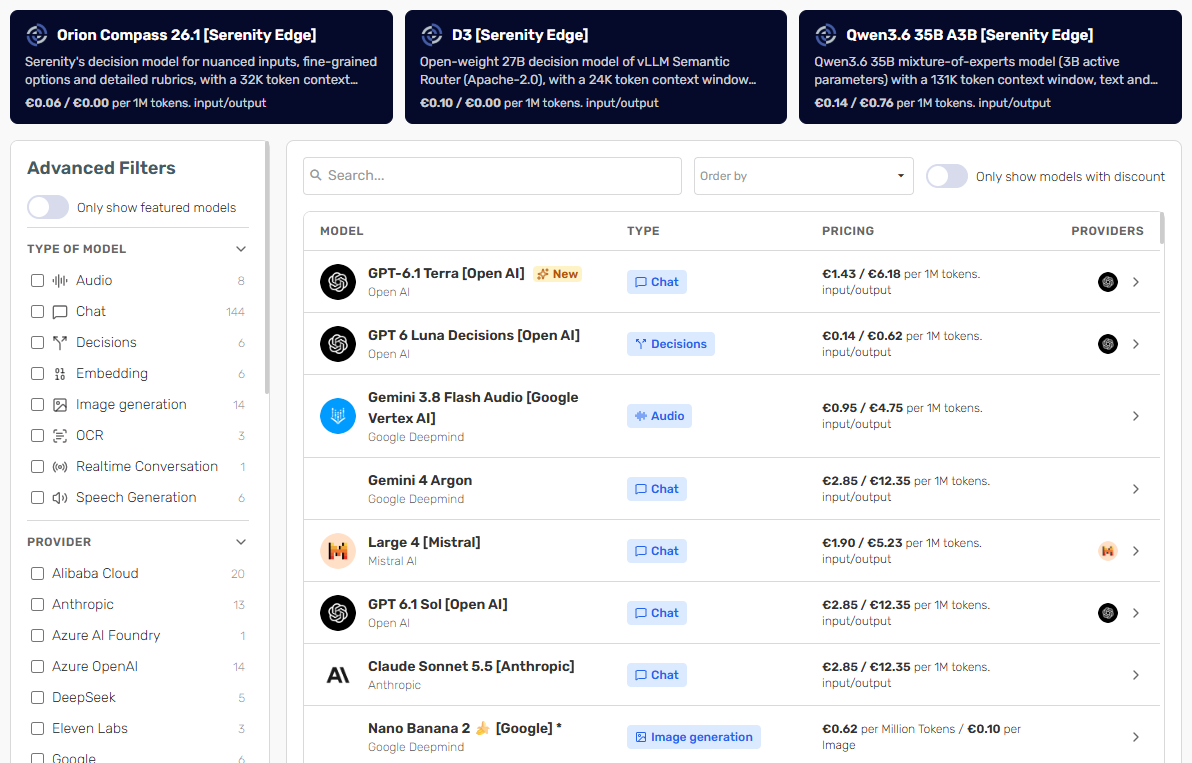
The redesigned Model Catalog, with featured Serenity Edge models, advanced filters and the providers of each model

Volatile Knowledge Files Sent Directly to the Provider​

Volatile knowledge files are now sent directly to the model provider (OpenAI, Anthropic and Google). Instead of receiving text extracted from the file, the model reads the original file itself. This brings:

  • Faster responses, as files no longer need to be processed before they reach the model.
  • Better answers, as the model sees the complete document, including its layout, tables and images.
  • Higher fidelity, as no content is lost or altered when the file is converted to text.

User Interruptions in the Chat Widget​

Users can now send new messages in the chat widget while the agent is still responding, and the agent takes them into account before finishing its response.

Layout Improvements​

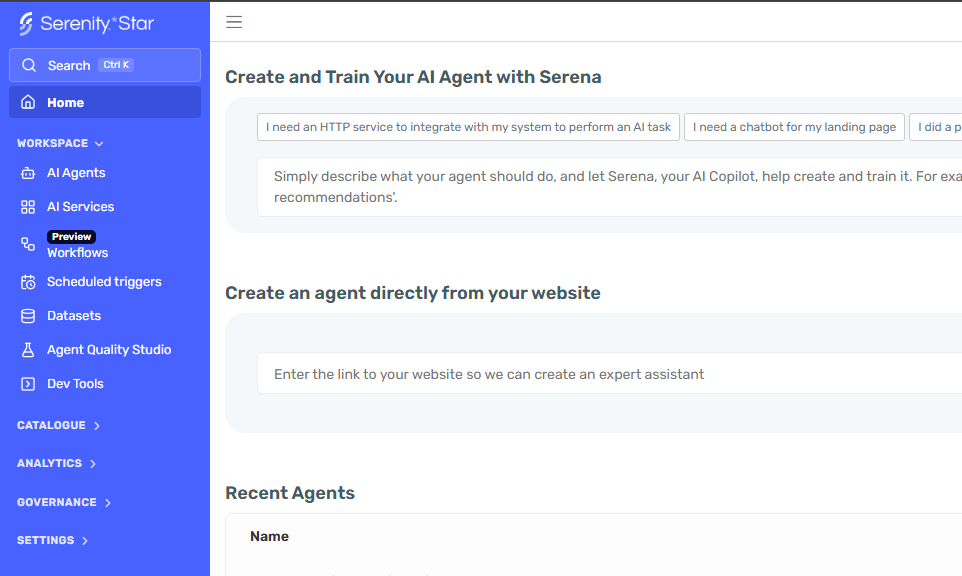
The home page has a new design that gives more balanced space to Recent agents and Start with an agent, so you can get back to your work or start something new more quickly. In the Hub sidebar, you can now add items to your favourites and collapse its sections, keeping the options you use most within reach.
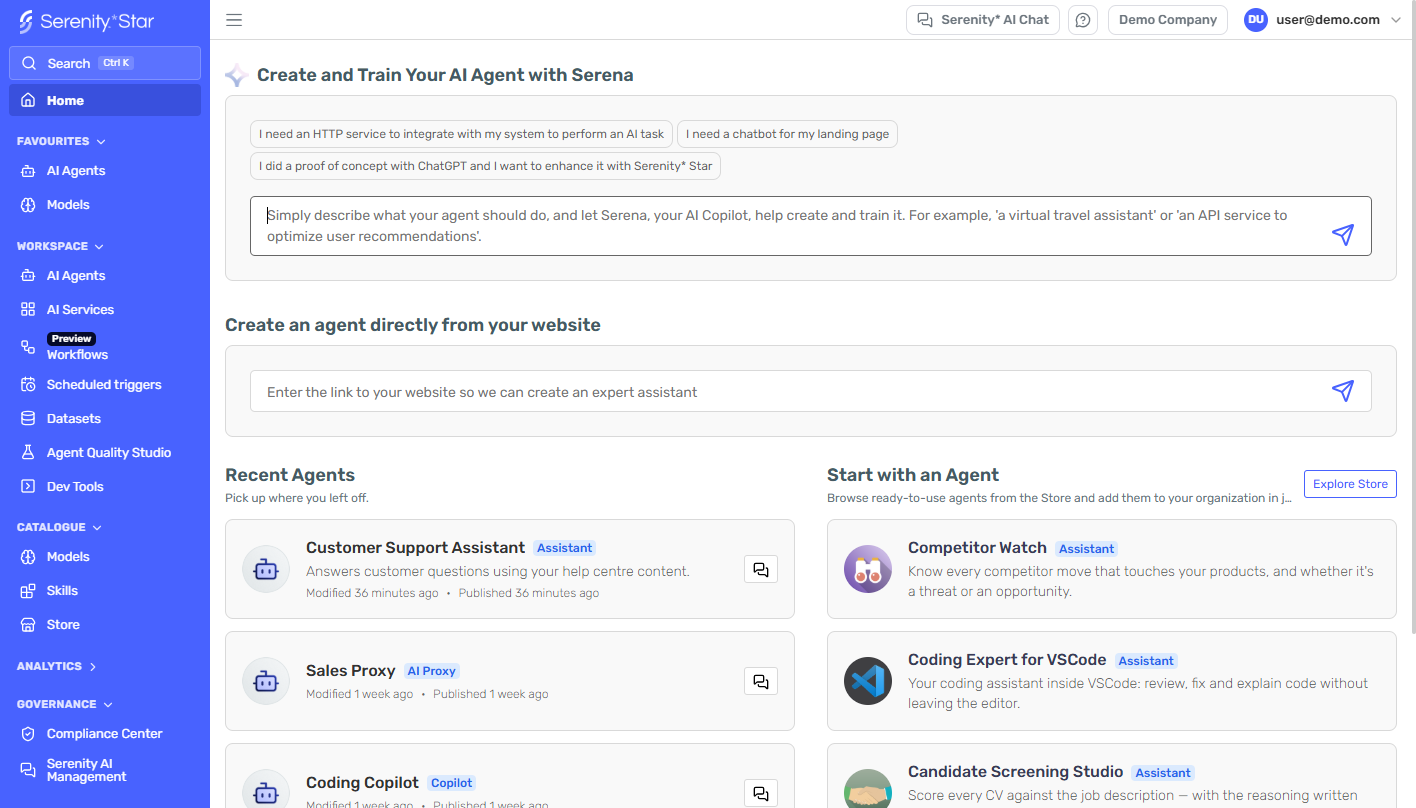
The new home page, with a Favourites section and a collapsed section in the sidebar


Bug Fixes & Minor Improvements πŸ› οΈβ€‹

  • Scheduled triggers can now be run manually.
  • Users with access to two or more subtenants can now choose which one an agent is assigned to when purchasing it from the Agent Store.
  • Draft versions that remain unused for several months are now deactivated automatically and later removed.
  • Agent administrators can now reset the chat widget configuration to its default values.
  • Invoice emails are now also sent to all Tenant Administrators.
  • Token usage is now recorded accurately when an execution is cancelled.
  • Errors returned by the model provider in the Decisions AI Service now include their details.
  • With streaming enabled, audio generated from AI Services can now be played in real time as it is generated.
  • Added support for Google speech-to-text and text-to-speech models.
  • Support for fine-tuning is now deprecated.
  • A simpler and faster model selector.
  • Improved handling of knowledge and volatile knowledge, including synchronisation with the Asset Manager.
  • The Asset Manager now supports .srt files.
  • Added support for new WhatsApp message types.
  • Get It Again in the Store now always starts a new agent configuration.
  • Top-up details now show the currency.
  • Roles are now sorted alphabetically.
  • Improved rounding of figures in the credit configuration.
  • The agent version detail endpoint of the API now returns the agent type.
  • The pricing component in the documentation now shows prices for audio, image and other model types.
  • Updated remaining references to the platform's former brand names.
  • Improved performance and stability of scheduled executions.
  • Strengthened the platform's security measures.
  • Several dark mode, copy and resource improvements.
  • Improved validation of the monthly quota before running an execution.
  • Fixed an issue that prevented most WhatsApp messages from being received.
  • Fixed an error when generating images with prompts longer than 4,000 characters.
  • Fixed a data error when deleting a workflow linked to a Workflow skill.
  • Fixed an issue in the API when linking datasets that were in draft or belonged to another agent.

Release 5.0 2026.10.27.1

Β· 5 min de lectura

New Features πŸš€β€‹

Serena Agent Editor​

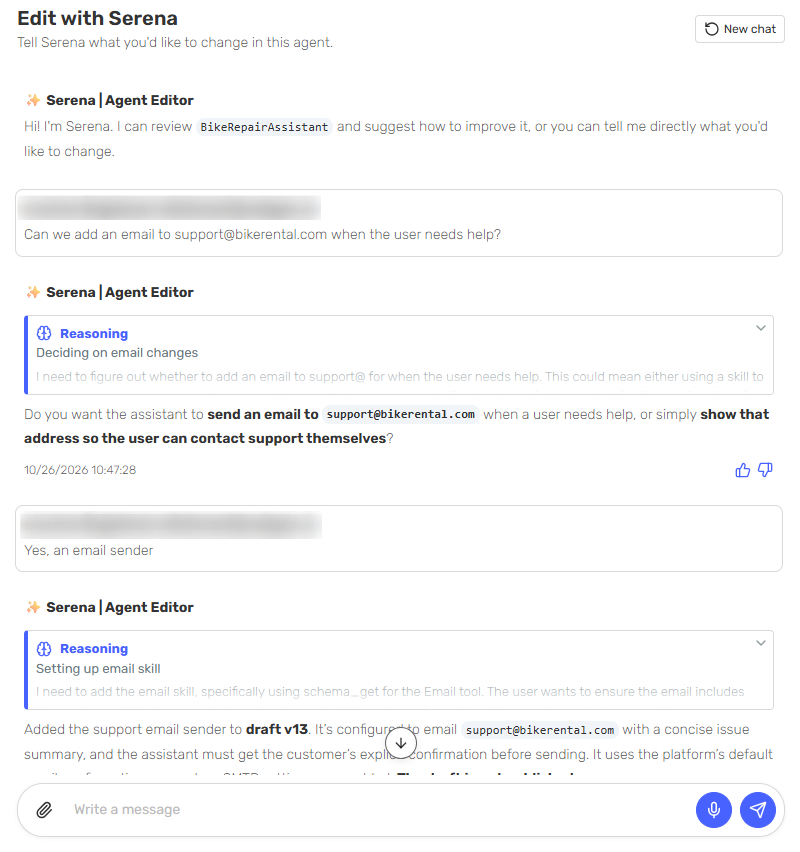
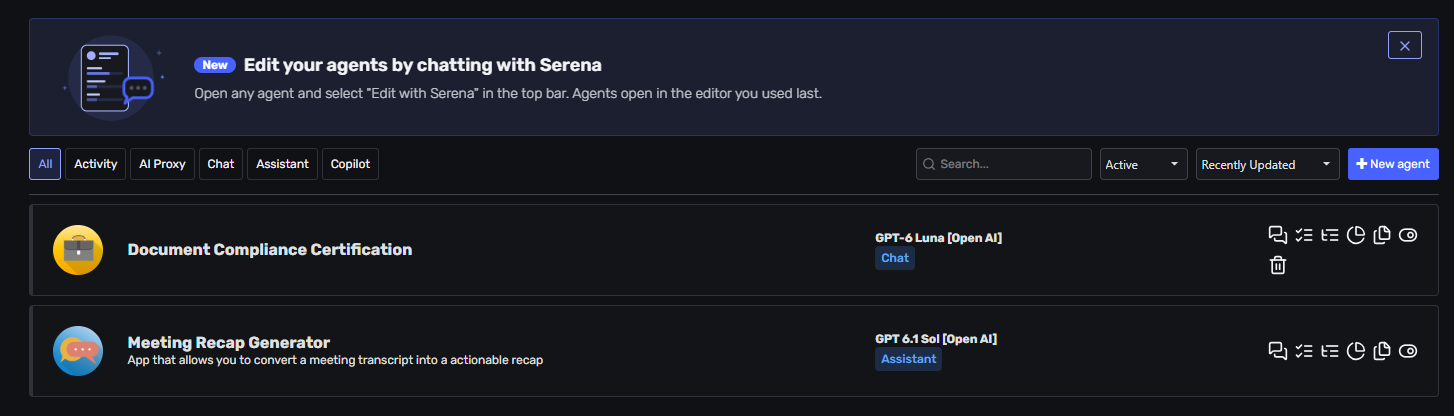
Agents can now be edited by chatting with Serena. Open an agent and select Edit with Serena in the top bar, then describe the changes you need, such as adding a skill or adjusting the instructions. Serena can also review the agent and suggest improvements.

Serena works from the agent's current configuration, asks for clarification when a request is ambiguous, applies the changes to a new draft version and can test them before you publish. Agents open in the editor you used last, so you can switch between Serena and the classic editor at any time.

The banner announcing that agents can now be edited by chatting with Serena

The Edit with Serena panel, where Serena clarifies a request and adds an email skill to a new draft version of the agent

User Interruptions​

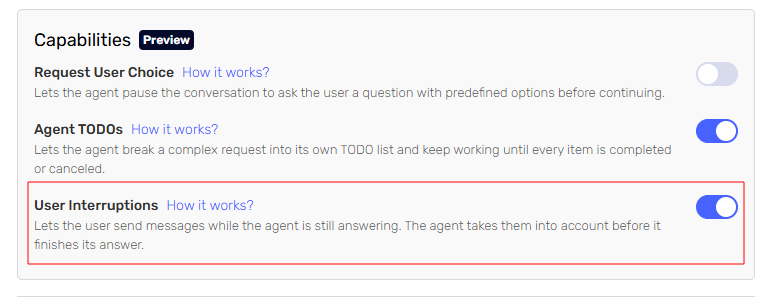
With the new User Interruptions capability, users can send messages while the agent is still answering, and the agent takes them into account before it finishes its response. This makes it possible to correct or refine a request without waiting for the full answer. Interruptions are available in the chat widget, Serenity* AI Chat and through the API.

The Capabilities section of an agent, with the User Interruptions option enabled

Mermaid Diagrams​

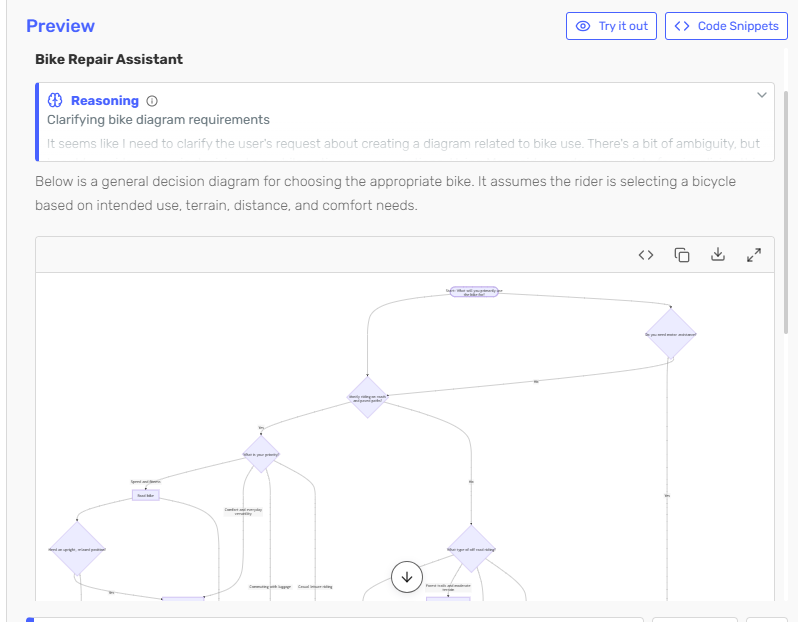
Agents can now produce Mermaid diagrams, either through the Chart Generation skill or directly in their responses. Diagrams are rendered in the chat widget and in Serenity* AI Chat, where they can be viewed as code, copied, downloaded or expanded.

A Mermaid flowchart rendered in an agent's response, with options to view the code, copy, download or expand it

Decisions AI Service​

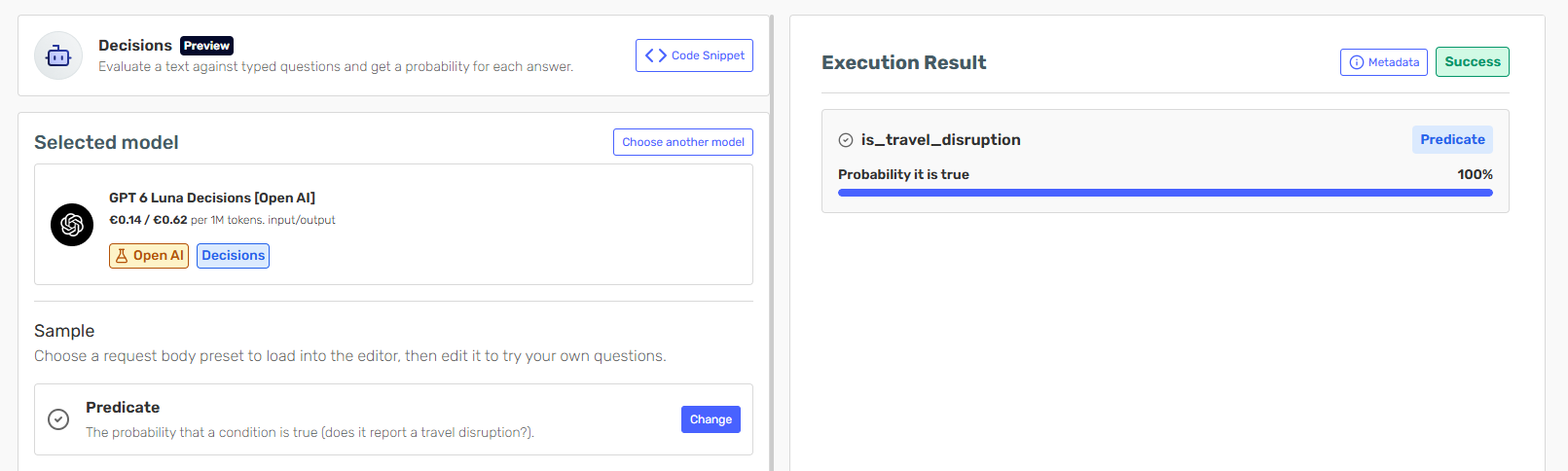
The new Decisions AI Service evaluates a text against a set of typed questions and returns a probability for each answer, for example, how likely it is that a message reports a travel disruption. It supports decision models such as the OpenAI Decisions API and Serenity Edge Compass models, and is available from the AI Services playground and through the API. See the API reference for details.

The Decisions AI Service playground, evaluating a predicate question and returning the probability that it is true

Dark Mode​

The platform now supports dark mode, for a more comfortable experience in low-light environments.

The agents list displayed in dark mode

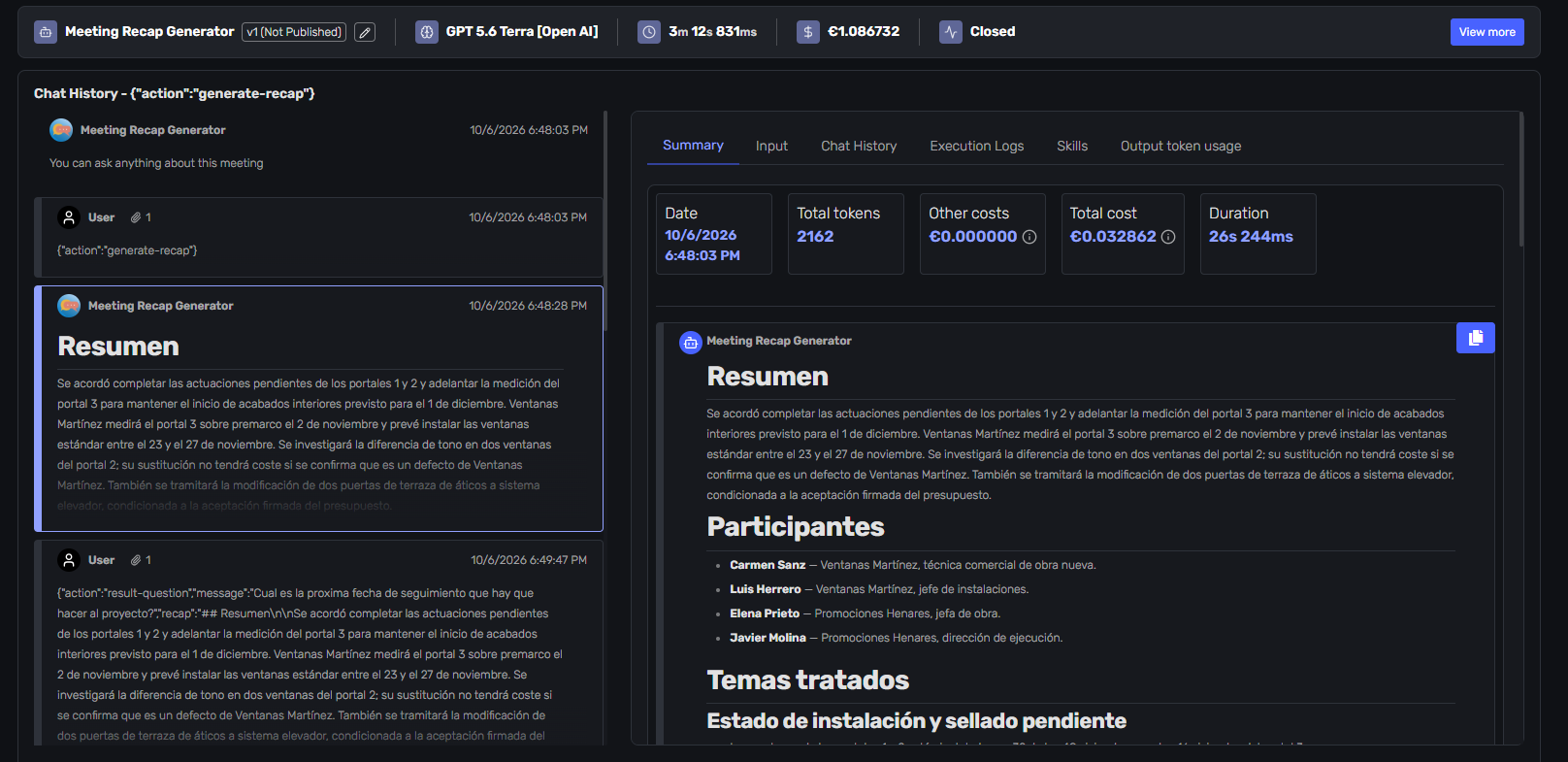
The execution detail of an agent displayed in dark mode


Enhancements βœ¨β€‹

Agent To-Dos in Serenity* AI Chat​

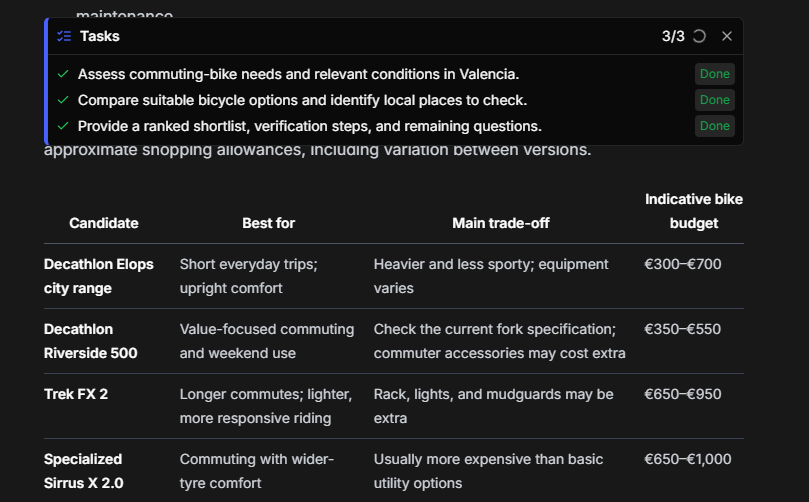
Agent To-Dos are now also available in Serenity* AI Chat, so you can follow the plan an agent builds for a complex request and track its progress step by step.

The Tasks panel in Serenity* AI Chat, with all three tasks marked as Done

View and Edit CSV Knowledge Files​

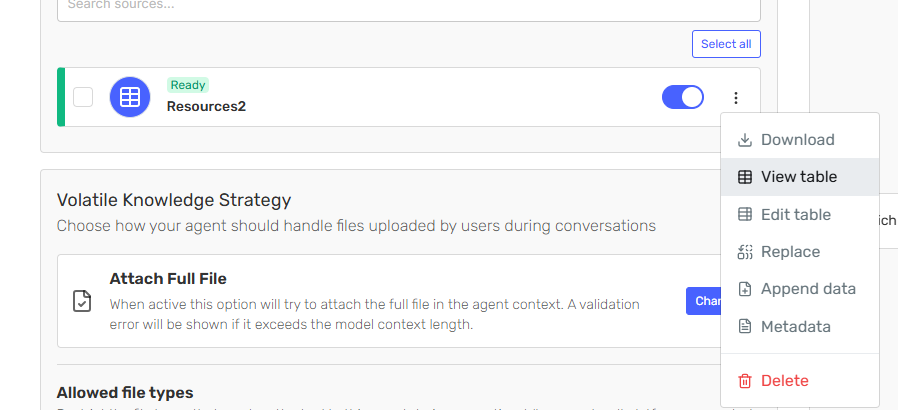
CSV files added to an agent as a knowledge source can now be viewed and edited as a table in a new editor. This makes it easier to understand how the agent reads the data and to correct it without uploading the file again.

The options menu of a CSV knowledge file, including View table and Edit table

A CSV knowledge file opened in the table editor, with search and per-column filters

Download Knowledge Files from the Preview​

Knowledge files marked as available for download can now be downloaded from the citations in the agent preview. This makes it easier to check the sources behind a response before publishing the agent.
Individual Skill Management through the API​

Skills can now be added, updated and removed individually through the API, without having to send the agent's full configuration. See the API reference for details.

Data Obfuscation in AI Chat​

When data obfuscation is enabled in Serenity* AI Chat, the model is now told that it may receive obfuscated data, so it can interpret it correctly and respond accurately.


Bug Fixes & Minor Improvements πŸ› οΈβ€‹

  • Added support for Meta's Muse Spark models.
  • Scheduled triggers can now be run manually.
  • The agent onboarding flow now lets you select a subtenant at the start.
  • Agent admins can now purchase agents priced at zero.
  • Auto top-up now runs as soon as the balance reaches zero.
  • Added WhatsApp signature validation for improved security.
  • Improved feedback for validation errors in the agent designer, which were previously not shown explicitly.
  • Improved search for bring-your-own-key connections.
  • Featured evaluator models are now shown separately in the Model Insights model selector.
  • Image models are now consistent between AI Services and the Image Generation skill.
  • Standardised the response format of the AI Services usage report API.
  • Improved the validation popup in the Privacy Filter service.
  • Improved the chat widget in side panel and floating panel modes.
  • Improved navigation between models, pricing and settings.
  • Terms and conditions now open in a new tab.
  • Several localisation and performance improvements.
  • Fixed an issue where removing an allowed domain from an agent removed the whole list.
  • Fixed an issue where the chat widget did not open expanded automatically.
  • Fixed an issue where the Conversation Summary skill did not respect the model settings configured in the agent.
  • Fixed an error when configuring models and categories in Serenity* AI Chat management.
  • Fixed a banner error in the model categories management screen.
  • Fixed an error when filtering the agent versions table.

Release 5.0 2026.10.06.1

Β· 3 min de lectura

New Features πŸš€β€‹

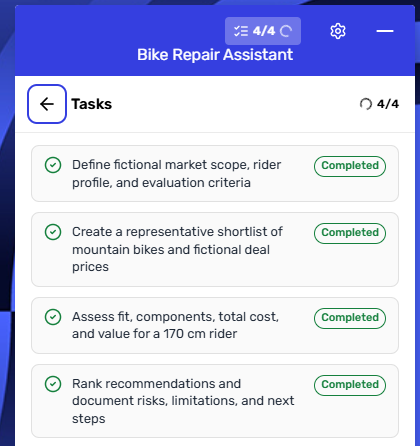
Agent To-Dos in the Chat Widget​

Your users can now see the plan an agent follows to answer a complex request and track its progress step by step. This gives them more transparency and confidence while longer tasks are being completed.

The Tasks panel in the chat widget, listing four tasks marked Completed and a 4/4 counter in the header

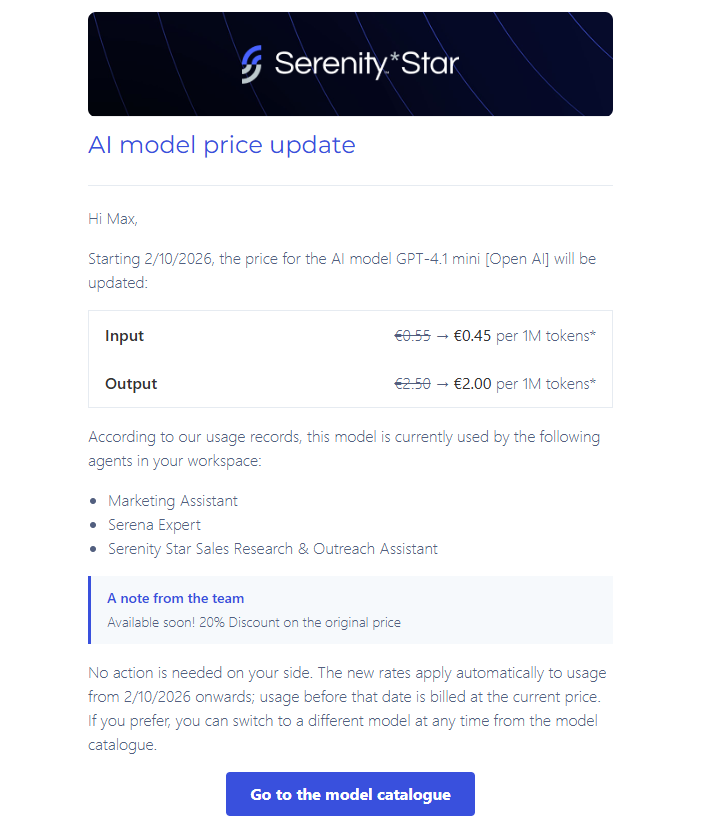
Model Price Change Notifications​

Stay ahead of cost changes: you will be notified in advance whenever the price of an AI model you use changes, along with the agents it affects. This gives you time to review your budget or switch to a different model before the new price applies.

The AI model price update email, showing the old and new input and output prices and the agents that use the model

Prices shown in the image are for illustration purposes only and do not reflect real prices or changes for this model.

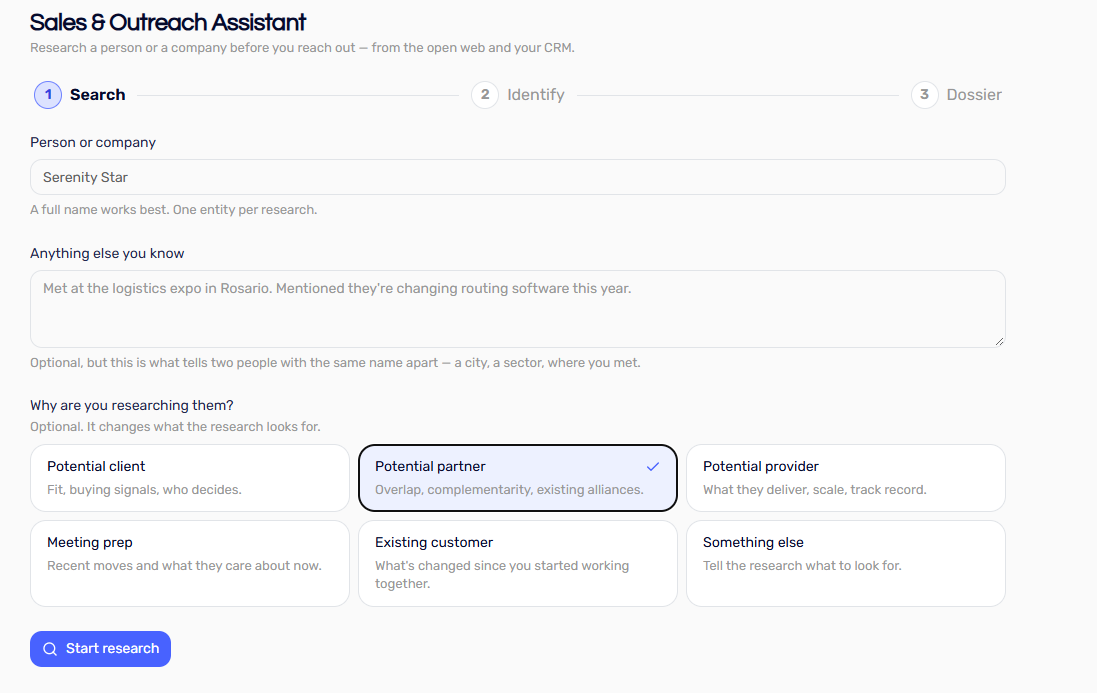
Sales & Outreach App​

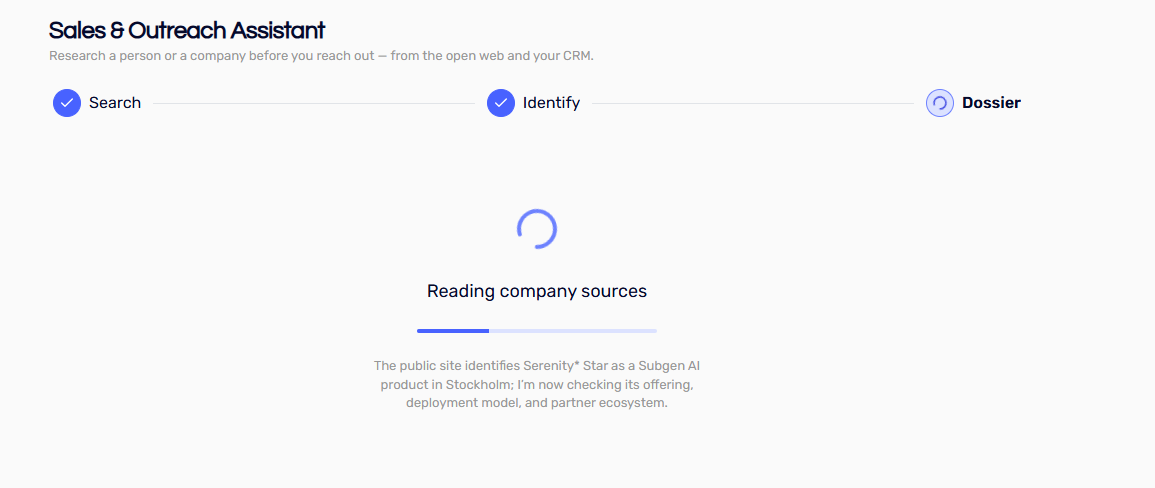
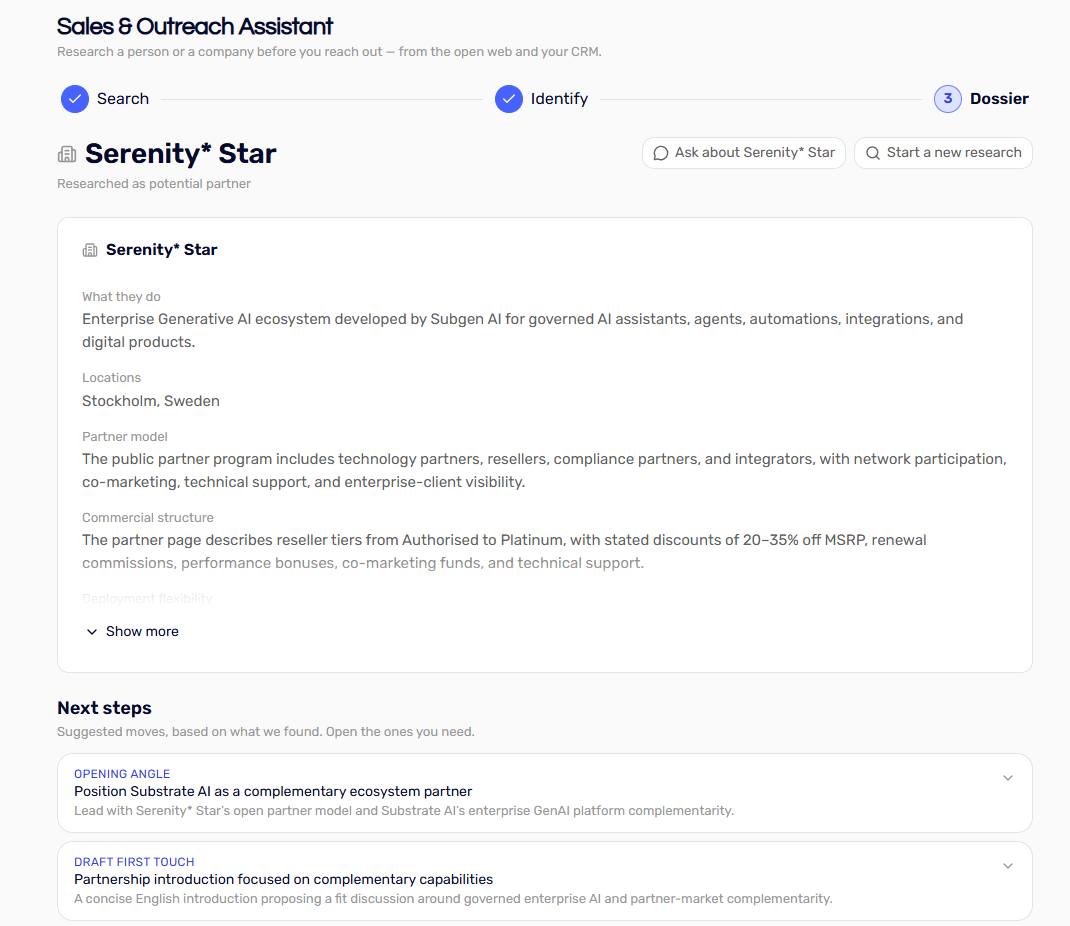
Prepare every sales conversation in minutes. This new Serenity* App researches a person or company across the open web and your CRM, and turns the findings into a ready-to-use dossier with a suggested opening angle and a draft first message, tailored to the purpose of your outreach.

The Search step of the Sales & Outreach Assistant, with the person or company field, optional context and the research purpose options

The Dossier step in progress, showing the sources being read

A completed dossier with the company summary and suggested next steps

Layout Improvements​

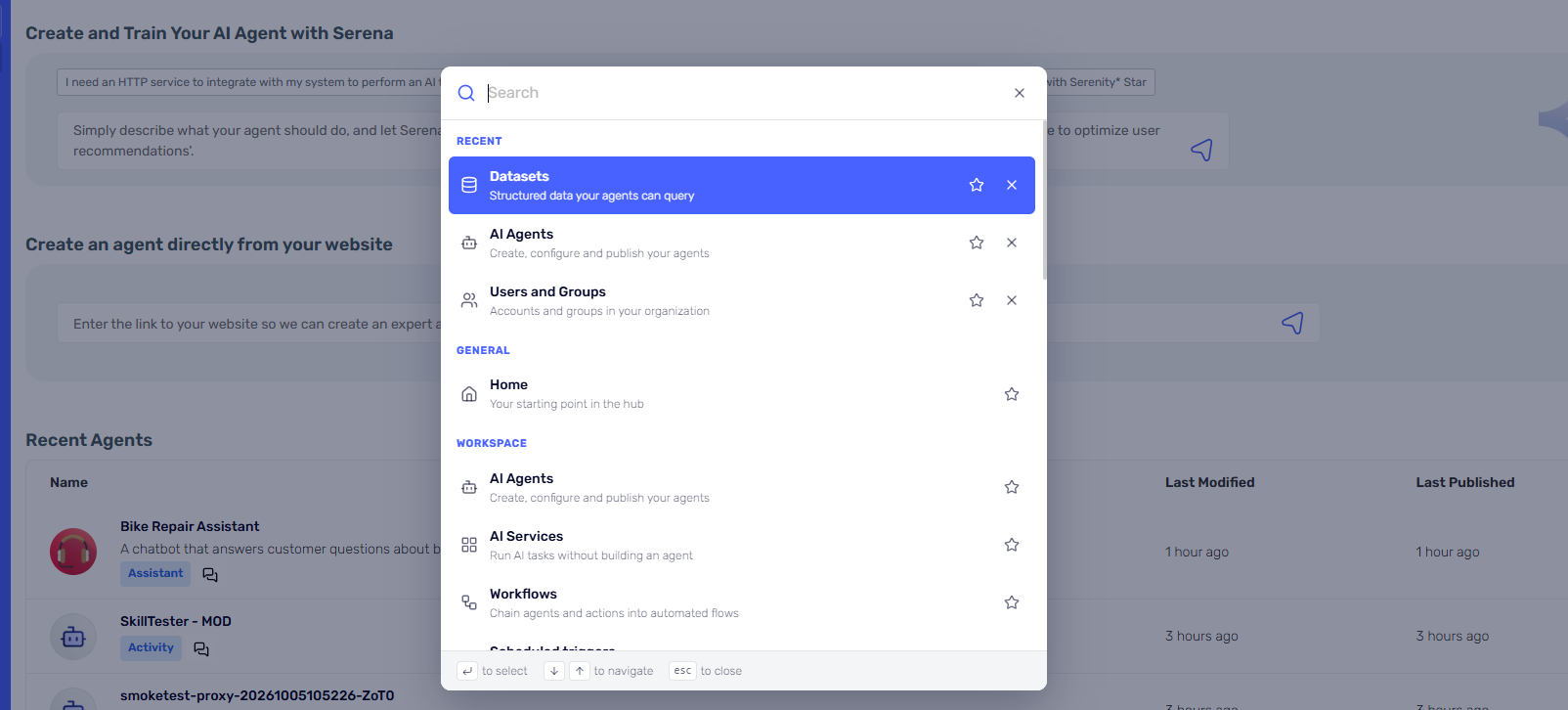
Find what you need faster. The navigation has been reorganised into clear sections, Settings is now also included in the side menu, and a new quick search (Ctrl+K) takes you to any area of the platform in a couple of keystrokes, with your recent and favourite sections always at hand.

The redesigned side menu with the Workspace section expanded and the Catalogue, Analytics, Governance and Settings sections collapsed

The search dialog listing recent sections, with options to mark them as favourites


Enhancements βœ¨β€‹

Input Parameters through the API​

Input parameters can now be defined when creating or updating agents through the API, so agents can be fully configured from your own integrations. See the API reference for details.

User Activation​

Users can now be deactivated and reactivated. This gives you control over who has access to the organisation and helps you manage your seats, while keeping the full audit history of users who are deactivated.

API Error Improvements​

API errors have been reworked to return clearer and more consistent messages, making integrations easier to debug. See API Error Responses for details.


Bug Fixes & Minor Improvements πŸ› οΈβ€‹

  • Added a retry mechanism to the data obfuscation module.
  • Added the option to dismiss a pending agent setup.
  • Apps can now be highlighted in the stores, making the most relevant ones easier to find.
  • UI and colour adjustments in the model catalogue.
  • Adjusted the logic for assigning allowed roles in user management.
  • Improved tooltips and the loading of input parameters in Quality Studio.
  • Style adjustments to data tables.
  • Fixed an error in the AI Services playground with vision that always used the default model instead of the one chosen in the model selector.
  • Added a call to action to configure usage limits when auto top-up is enabled.
  • Shared datasets can now be used by agents in any subtenant.
  • Improved role-based access control in the datasets section.
  • Datasets can now be cloned between subtenants.

Release 5.0 2026.09.22.1

Β· 3 min de lectura

New Features πŸš€β€‹

Receipt Analysis App​

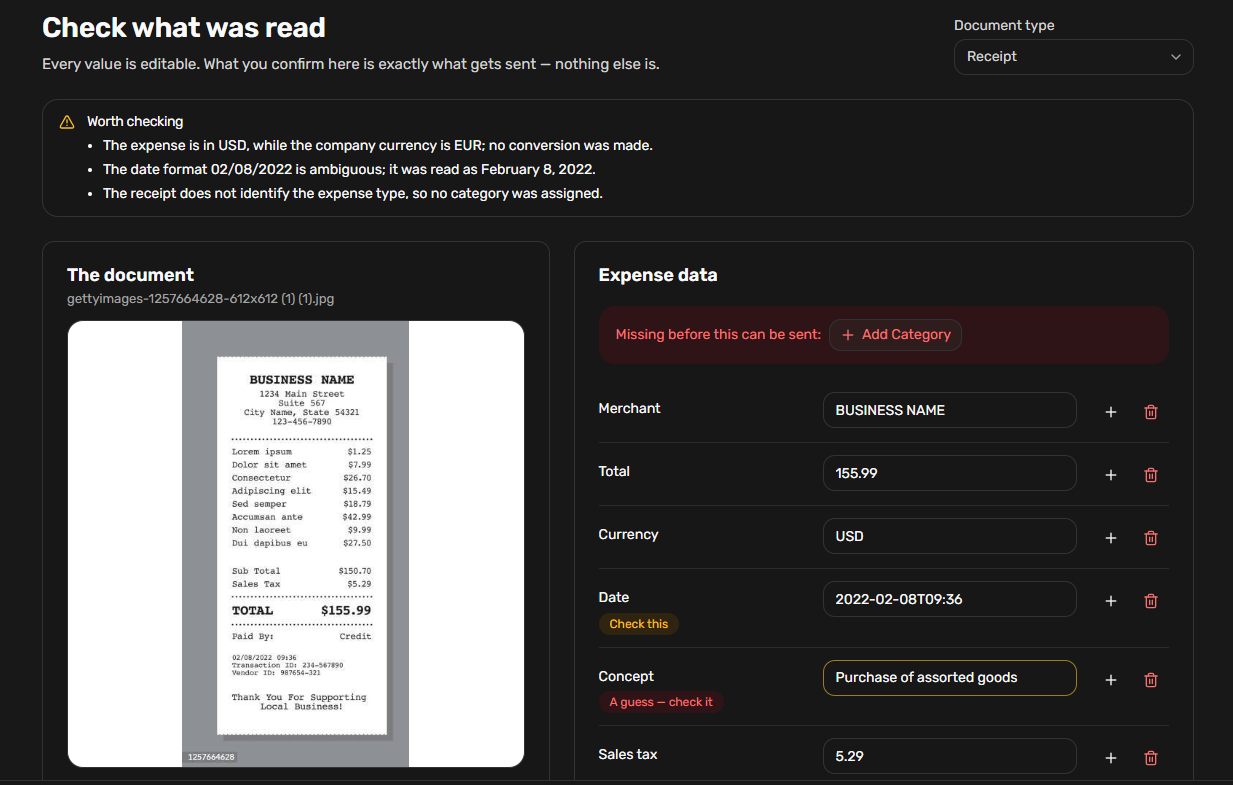
A new Serenity* App that extracts the expense data from an uploaded receipt: merchant, total, currency, date, concept and tax. The values are editable, and the app marks the ones it could not determine with certainty before the expense is submitted.

The Check what was read screen, with the scanned receipt beside the extracted expense data


Enhancements βœ¨β€‹

Skills Improvements​

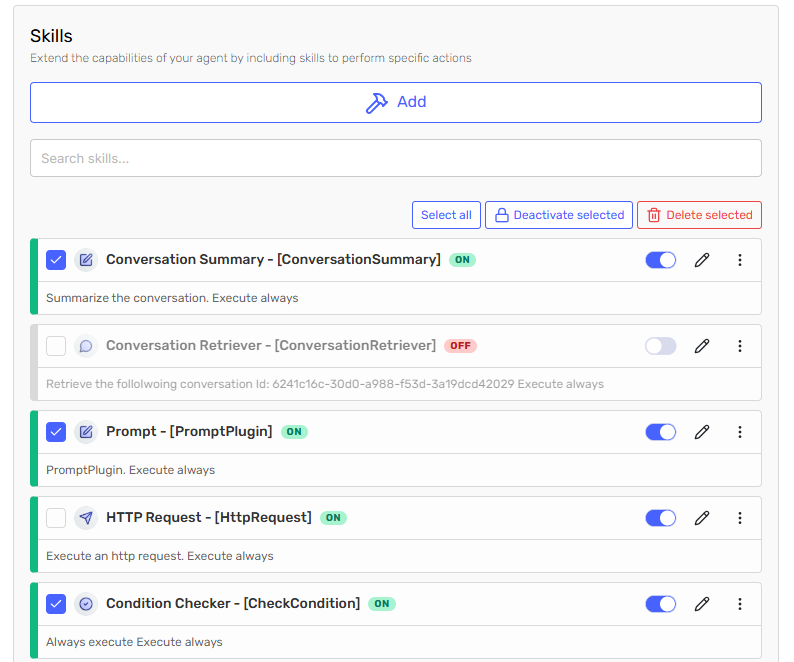
Skills can now be selected in bulk and deactivated or removed in a single action, and the list shows the state and configuration of each skill more clearly.

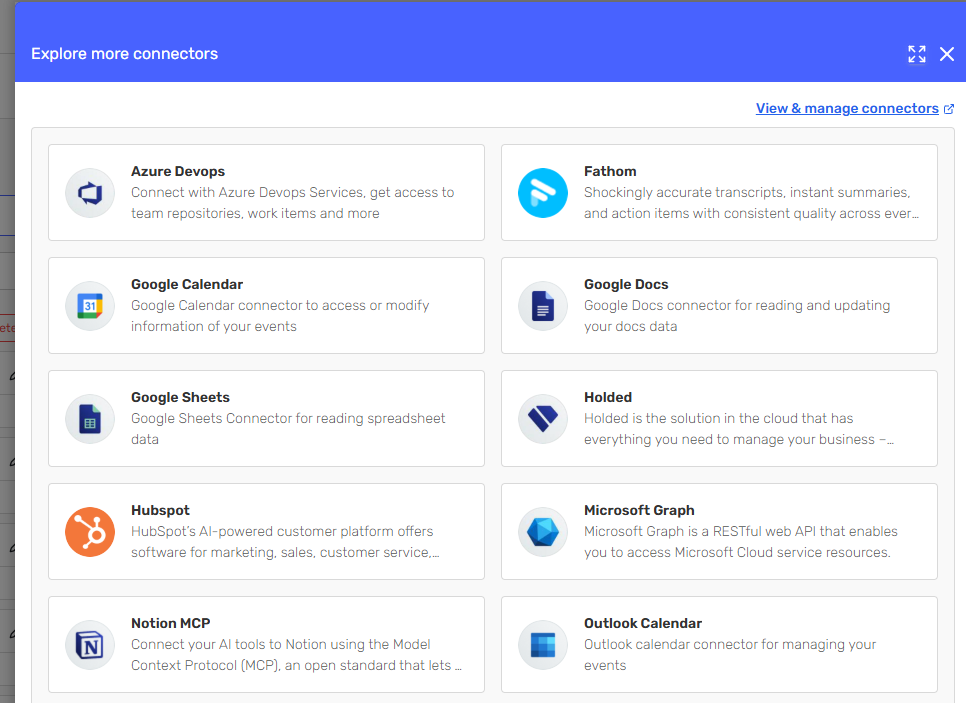
Navigation through the connector catalogue has also been improved, making it easier to browse the available connectors and manage them.

The Skills section of an agent, with a search box, Select all, Deactivate selected and Delete selected actions

The Explore more connectors dialog, listing the available connectors

Instance Detail​

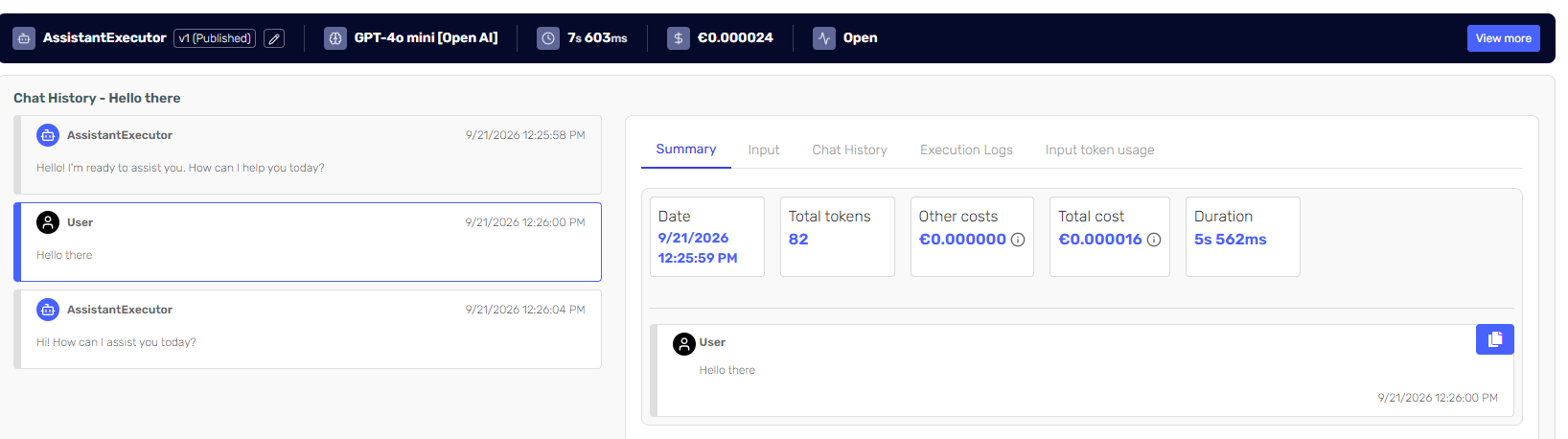
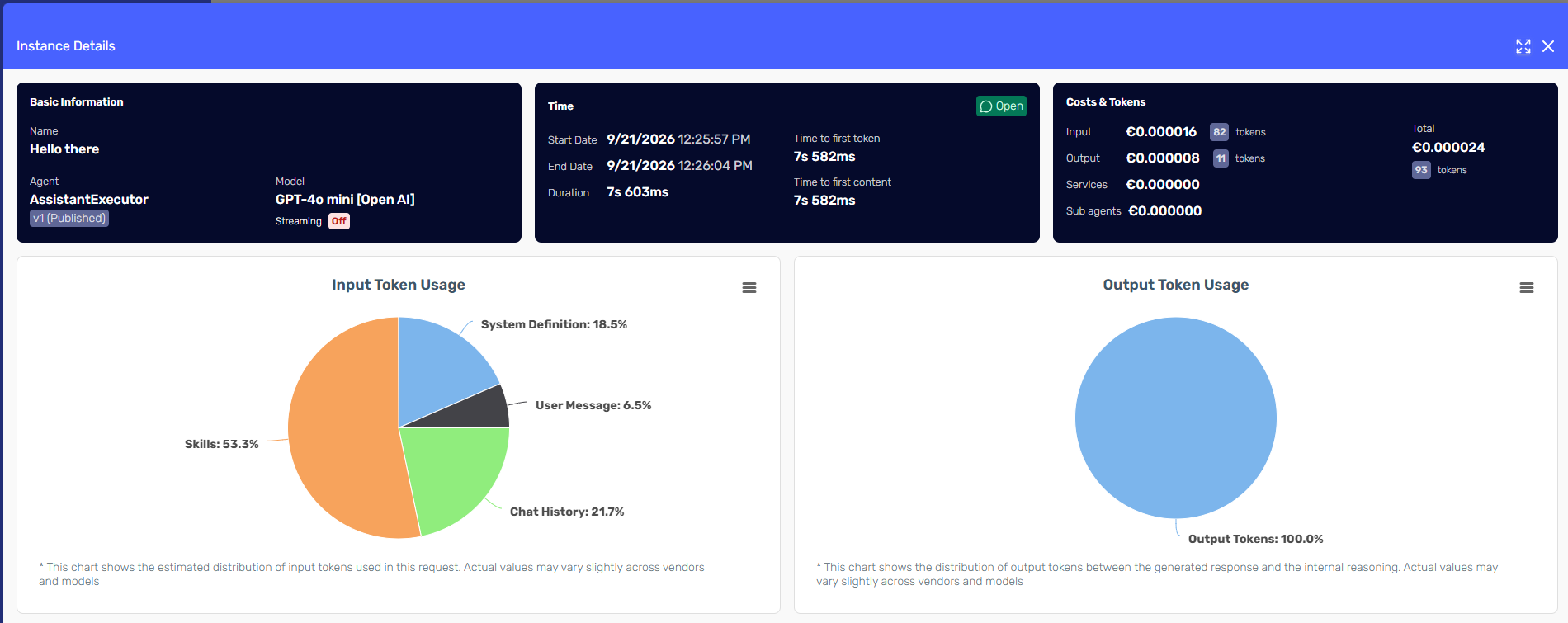
The instance detail has a redesigned interface, with less visual noise and a clearer hierarchy, so the detail of an execution is quicker to review.

The instance view with a summary header above the chat history and the execution tabs

The Instance Details panel showing basic information, timings, costs and tokens, and the token usage charts

Connectors during Onboarding​

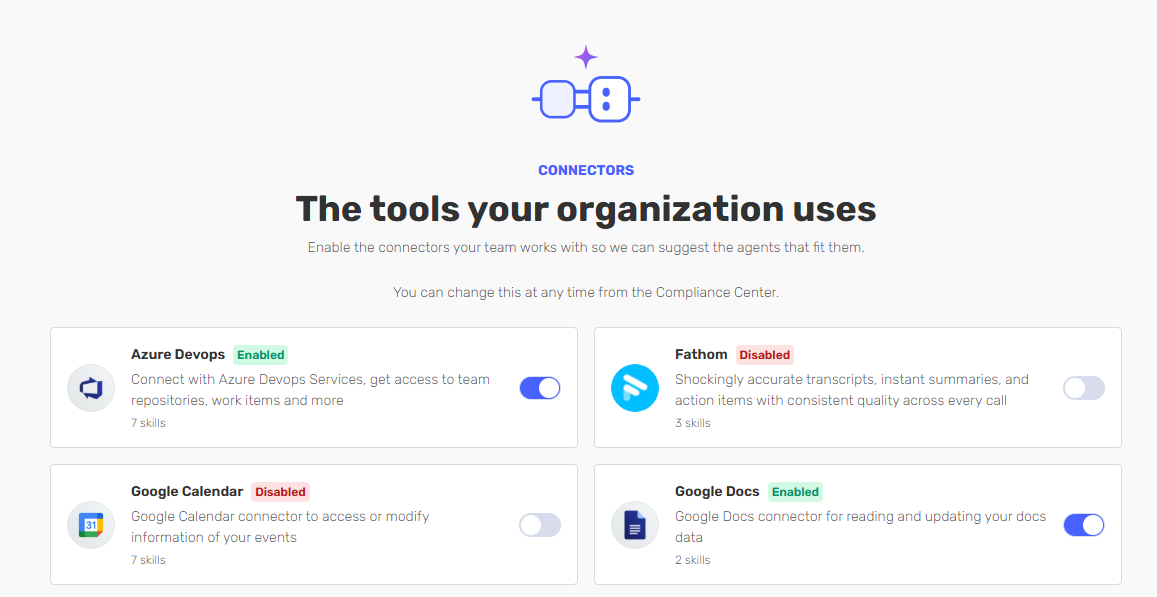
Connectors can now be enabled during onboarding rather than afterwards. The selection can be changed later from the Compliance Center.

The onboarding step listing connectors with an enable toggle each

Sub-Agent Execution Tracking​

Executions that call sub-agents now link to the resulting instances, so a parent execution can be traced to the sub-agent executions it triggered.

Data Obfuscation Improvements​

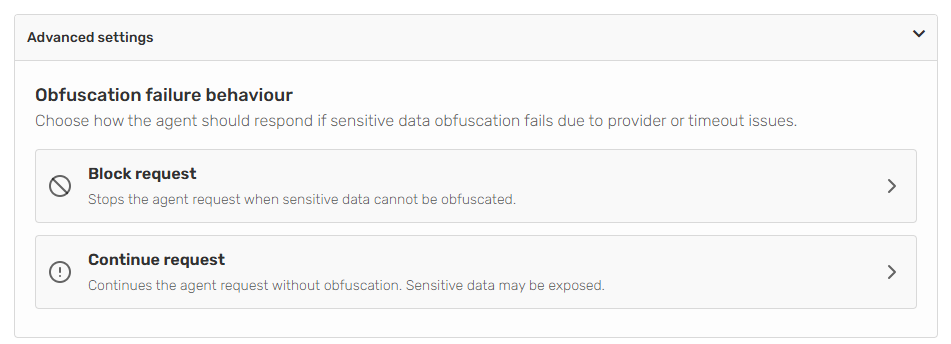
You can now choose what happens when data obfuscation fails: block the request, or continue without obfuscation. Obfuscation performance has also been improved.

The Obfuscation failure behaviour setting, offering Block request and Continue request

Agents Pending Configuration​

Agents missing required configuration are now listed in a Pending setup section at the top of the agents grid, with a link to complete the setup.

The Pending setup section above the agents grid, showing an agent marked Pending with a Set up action


Bug Fixes & Minor Improvements πŸ› οΈβ€‹

  • The Text to Speech service now supports streaming.
  • Improved navigation between the cards and sections of the Agent Design Studio.
  • Fixed a validation error in the onboarding process.
  • Improved the feedback given in the preview when a message is cancelled or when the agent returns a partial response.
  • Removed unnecessary cache token properties from the API response.
  • Added an action to bulk delete all the metadata of an agent's knowledge files.
  • Fixed calculation errors in the average time to first content and average time to first token.
  • Fixed an error that allowed isolated skills of an inactive agent to be executed.
  • Added support for image models under the Google provider.
  • Fixed an error that did not create a link between agent instances and audio generation service instances when used through a Speech Generation Skill.
  • Added a new setting in the chat widget channel to customise the colour of links.
  • Fixed an error that prevented the payment from proceeding when navigating back and forth between plan selection screens several times.

Release 5.0 2026.09.08.1

Β· 7 min de lectura

New Features πŸš€β€‹

Agent To-Dos [Preview]​

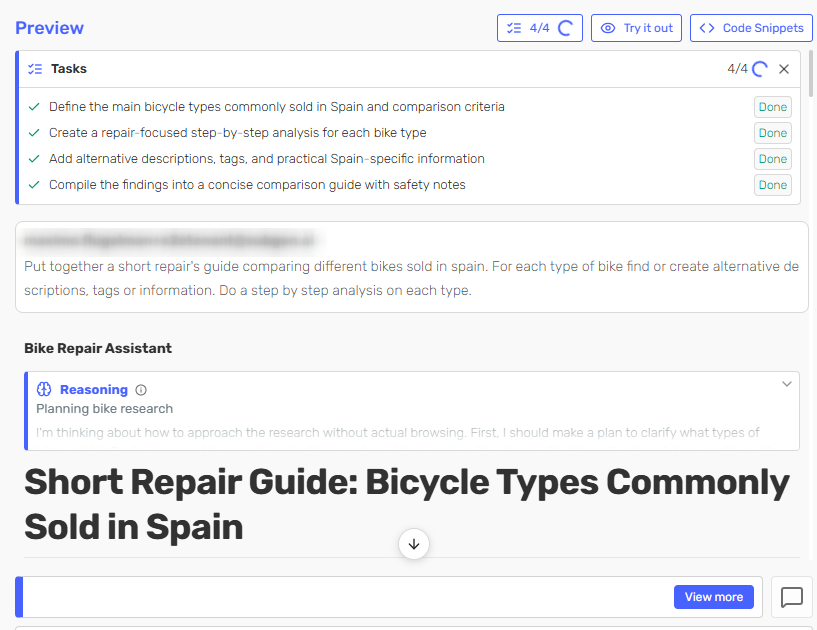
Agents can now break a request down into a task list and work through it step by step, reporting progress as each item is completed. This makes long, multi-step executions easier to follow.

An agent preview showing a Tasks panel with four completed items, each marked Done, above the generated guide

This feature is currently in preview.

User Choices [Preview]​

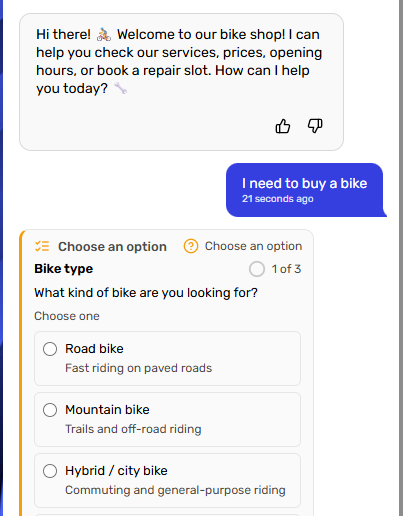
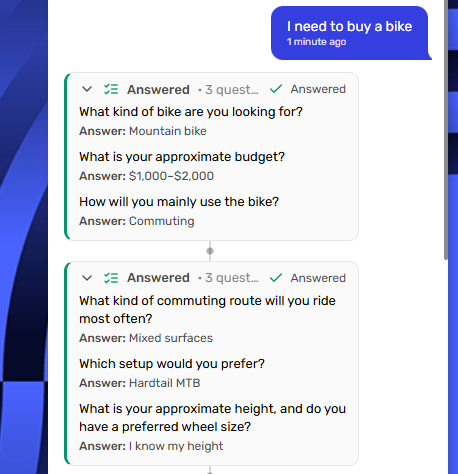
Agents can now pause and ask the user to pick from a set of options before continuing. The choices are presented as selectable buttons in the conversation, enabling richer interactions and ease of use. Available in the Chat Widget and the Serenity* AI Chat. See Human-in-the-loop for integration guides.

A chat asking Choose an option, with the question What kind of bike are you looking for? and the options Road bike, Mountain bike and Hybrid / city bike

Two answered question groups in the conversation, each collapsed into a summary of the questions and the answers given

This feature is currently in preview.

Agent Onboarding​

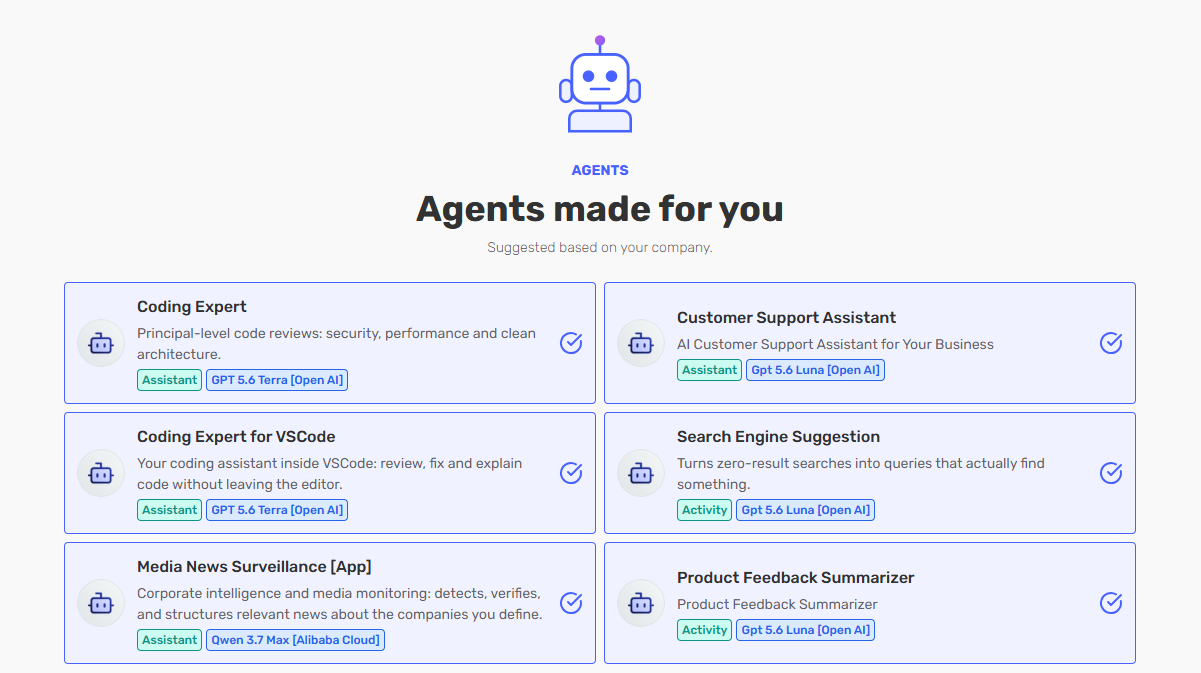
The onboarding flow now recommends the agents that best fit your organisation's profile, so a new tenant can start from a relevant set of agents rather than from an empty workspace. Pick the ones you want and they are created in your tenant, ready to use.

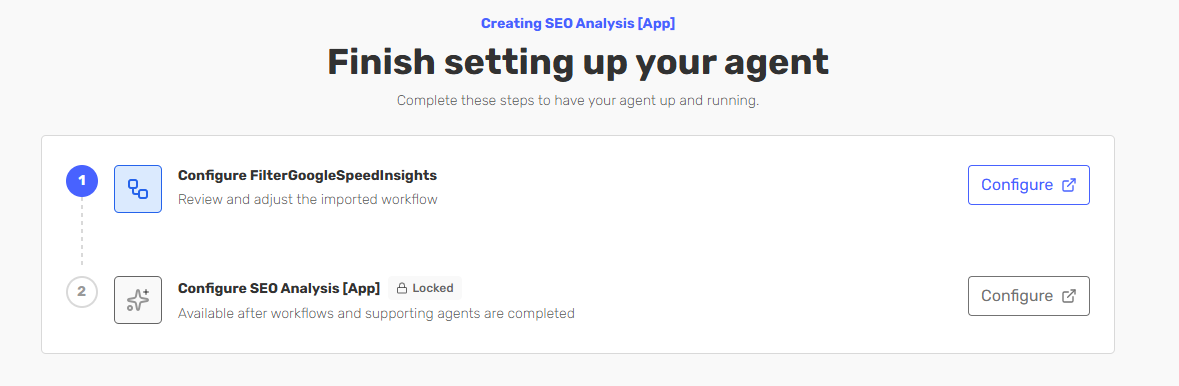
Agents that come with supporting functionality, such as workflows or supporting agents, can now be configured through a step-by-step flow when you get them from the Store. Making it faster to set up and ensures no required configuration is left out.

The Agents made for you onboarding step, suggesting agents such as Coding Expert and Customer Support Assistant based on your company

The Finish setting up your agent screen for SEO Analysis, showing the configuration it still needs

Inference Endpoints for All Models​

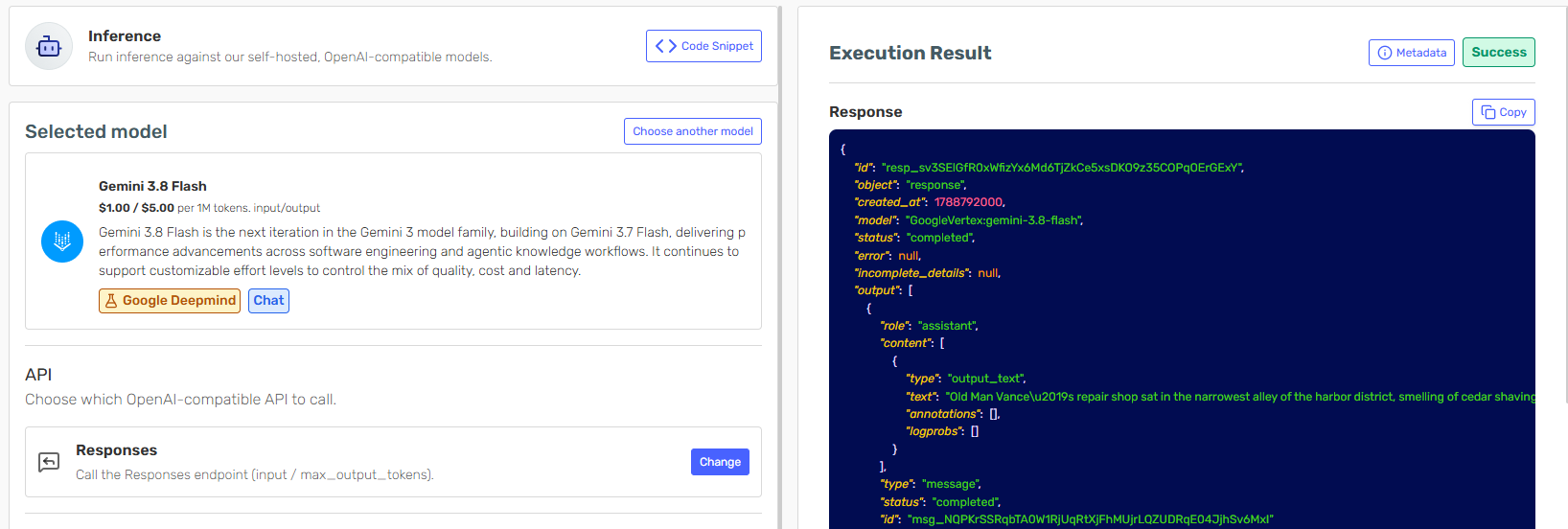
OpenAI-compatible inference endpoints are now available for every model in the catalogue, so any model can be called directly from your own code with the same interface.

The Inference playground with Gemini 3.8 Flash selected and the Responses API chosen, beside a successful execution result

OpenAI Privacy Filter​

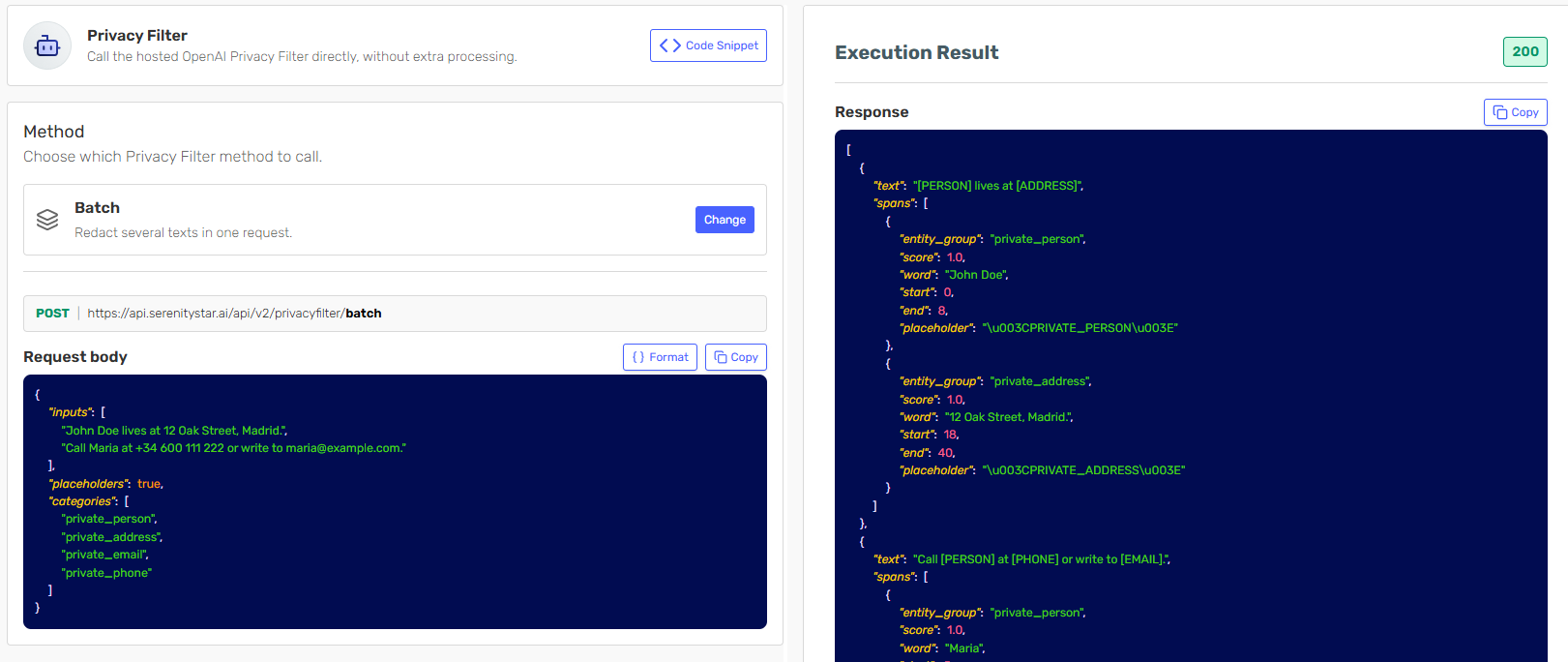
The OpenAI Privacy Filter is now fully available as an AI Service. Instead of hosting your own implementation, you can call our hosted Privacy Filter directly to detect and redact personal data such as names, addresses, emails and phone numbers, either one text at a time or in batches.

The Privacy Filter playground calling the batch method, with a request redacting names and addresses and the redacted response beside it


Enhancements βœ¨β€‹

Request Access to Connectors​

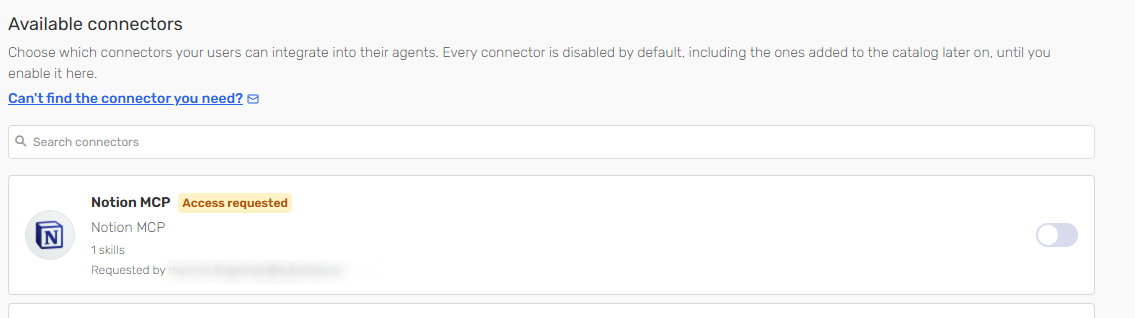
When a connector is not enabled for your company, users can now request its activation from within the platform. Administrators review and approve the request, which complements the connector policies defined in the Compliance Center.

The Available connectors list showing Notion MCP marked Access requested, with the name of the user who requested it

Comments on Message Feedback​

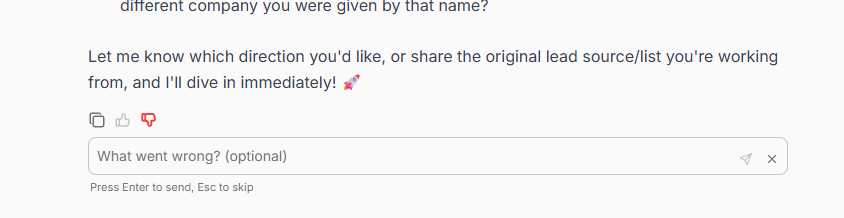
Feedback on an agent message can now include a comment explaining the rating, instead of only a positive or negative signal. Available in the Chat Widget, the Serenity* AI Chat and the feedback endpoint.

An agent message rated negatively, with an optional What went wrong? comment box below it

Reasoning Effort and Output Format in Proxy Agents​

Proxy agents now accept the reasoning effort and the response format parameters, keeping compatibility with the OpenAI request schema and giving you control over structured outputs and how much the model reasons.

Cost Savings in Billing​

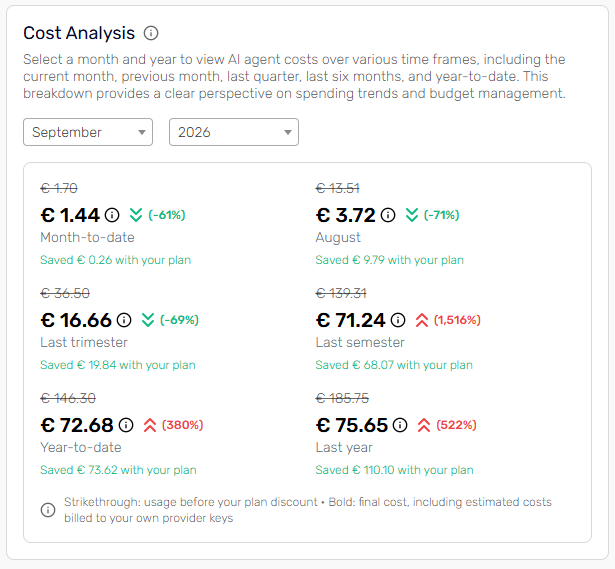
The billing screens now report the savings obtained through your plan, the credits billed to your Serenity* account and the estimated usage when the Bring Your Own Key feature is in use.

The Cost Analysis panel showing, for each period, the cost before the plan discount struck through, the final cost and the amount saved with your plan

Time to First Content​

Executions now report the time to first content, which measures how long a user waits before seeing the first part of a response. This complements total execution time when diagnosing perceived latency.

The executions grid with the new Time to first content column highlighted beside Time to first token

Active and Inactive Agent Versions​

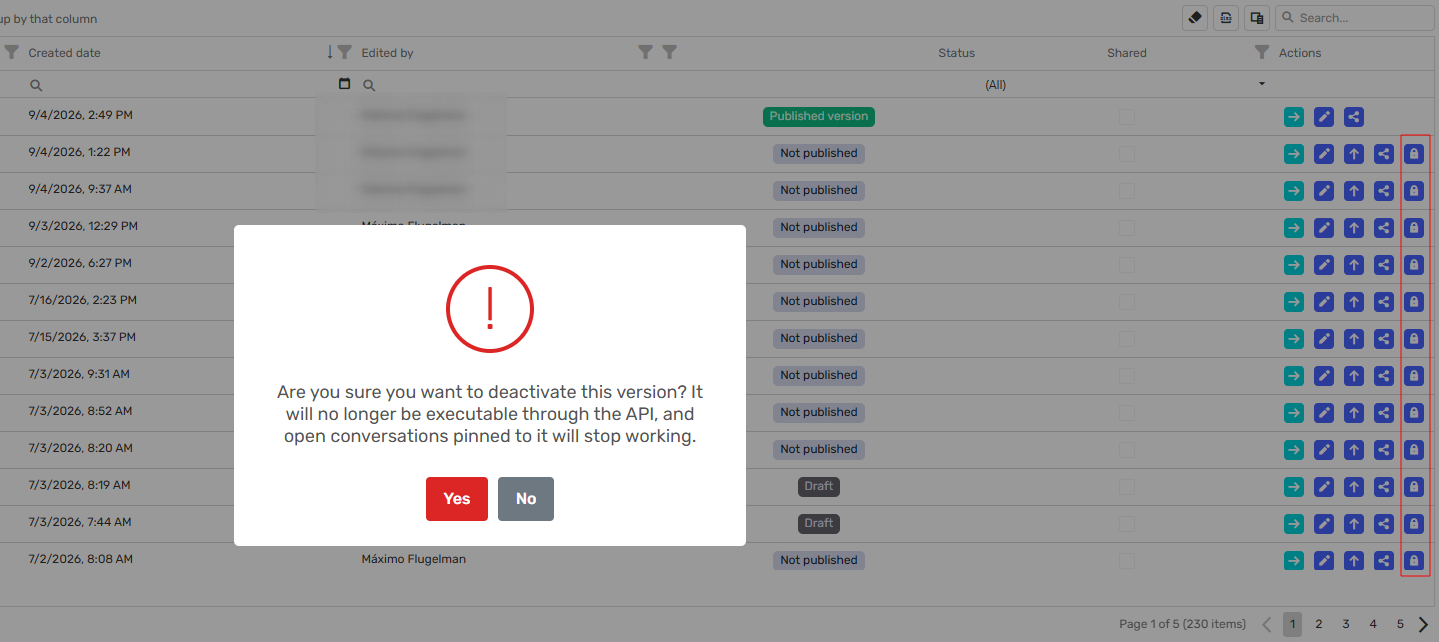
Agent versions can now be activated and deactivated, so a version can be taken out of service and avoid unwanted use of stale versions.

A confirmation dialog warning that a deactivated version will no longer be executable through the API and that open conversations pinned to it will stop working

Downloadable Knowledge Files​

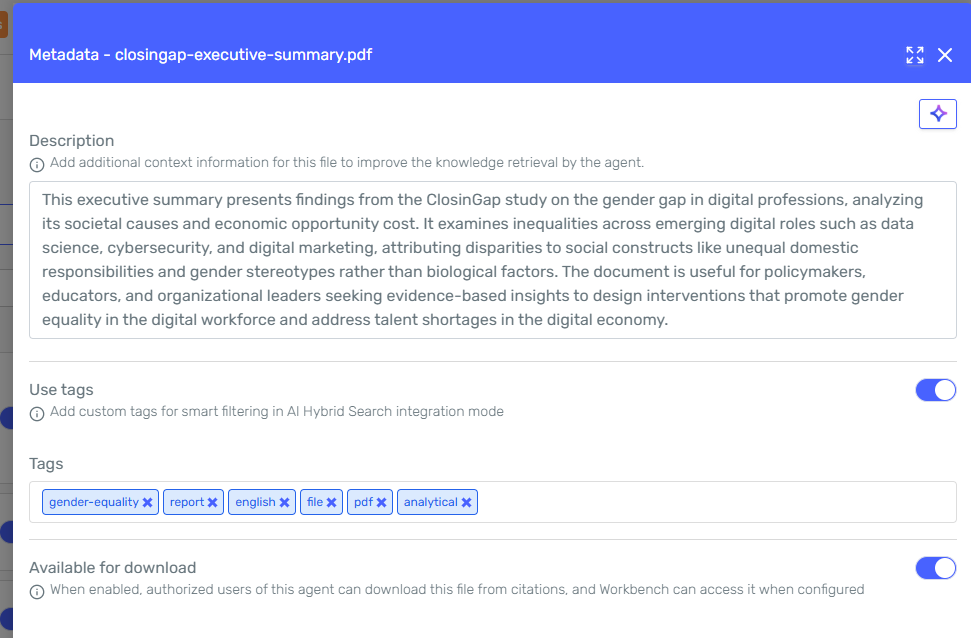
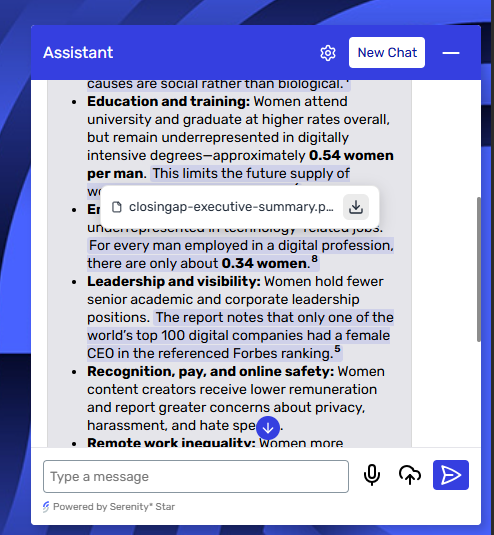
Knowledge files can now be marked as available for download, which makes them accessible from citations so logged-in users or clients can open the cited file. Downloading files from citations is supported in the Chat Widget and the Serenity* AI Chat.

Files marked as available for download are also added automatically to the workbench session, so the agent can work with them directly.

Configure download availability through the knowledge metadata in the Agent Design Studio.

The knowledge file metadata dialog, with the Available for download toggle enabled below the description and tags

A citation in the chat widget showing the cited PDF with a download button beside its name


Bug Fixes & Minor Improvements πŸ› οΈβ€‹

  • Knowledge sources can now be used as system parameters with {{system.knowledge}}.
  • Improved error handling in the AI steps of the tenant onboarding.
  • Improved error handling in the dynamic content generation of HTTP Request skills.
  • Fixed the client-side colour configuration in the chat widget.
  • Fixed an error that prevented quotas from being set on tenants without an assigned plan.
  • Fixed an error in the discounts management screen that allowed 0% discounts to be added.
  • Permission selectors no longer list system users such as api-key-user.
  • Improved the pending changes indicator when sharing a version.
  • Fixed an error that prevented a file from being uploaded to the dropzone if the same file had been uploaded, removed and uploaded again.
  • Fixed the count of agents using a connection in My Connections.
  • Added an endpoint to query the tenant's monthly usage.
  • Fixed an error in Long Term Memory that generated two identical slugs.
  • Improved texts, captions and calls to action across several areas of the platform.
  • Improved the tooltips in the Agent and Cost Manager dashboards.
  • Internal plugins are now hidden from the skills catalogue API.
  • Fixed a null reference exception returned when executing the /conversation endpoint with an Activity Agent.
  • Fixed an issue in the Inference Playground code editor that made the page unresponsive when streaming very long responses.
  • Improved ElevenLabs vendor billing by using the Credit dimension.
  • Fixed an error in WhatsApp when sending a PDF with no text in the user's message.
  • Fixed an error in the datasets skill where a value was treated as required when it was not.
  • Fixed an error in the manual renewal of a subscription that did not regenerate the tokens included in the plan.
  • AI Service executions and workflow instances are now cleaned up based on the tenant's subscription plan settings.
  • Compatible web search models now execute as provider server tools.

Release 5.0 2026.08.25.1

Β· 4 min de lectura

New Features πŸš€β€‹

Long Term Memory [Preview]​

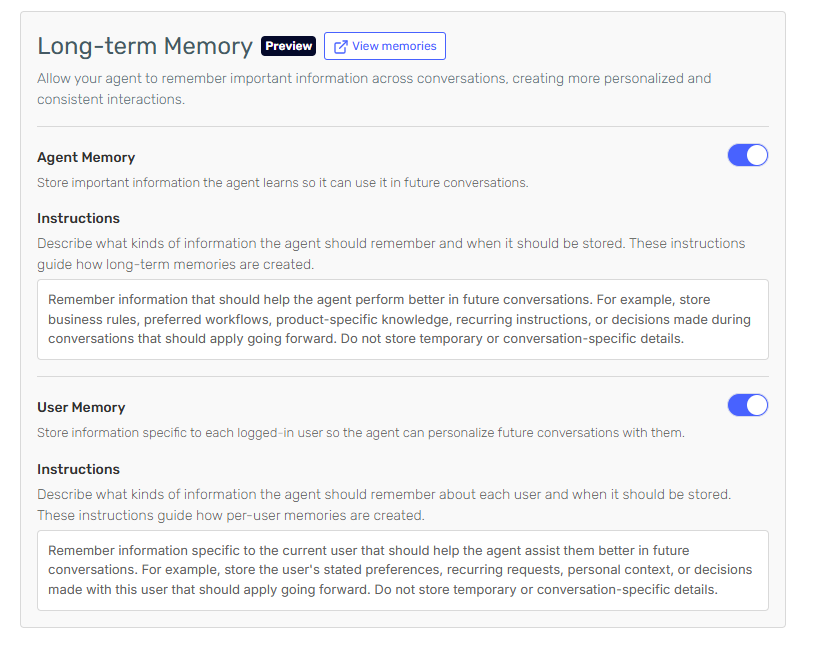
Agents can now retain relevant information across conversations. Enable User or Agent long term memory from the Agent Design Studio: user memory retains context about each individual, while agent memory retains context shared across everyone who interacts with the agent. See Long Term Memory for the available configuration, and My Memories for how each user reviews what an agent stored about them.

Long-term Memory settings with Agent Memory and User Memory enabled, each with its own instructions

This feature is in preview and requires the Long Term Memory feature in your subscription plan.

Skill Approvals​

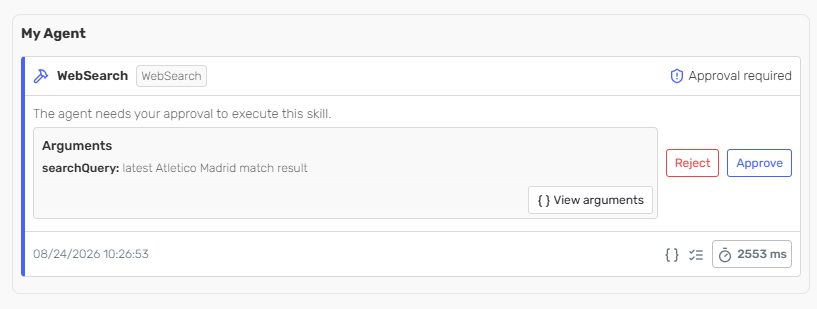
Sensitive skills can now require explicit approval before they run. When the agent calls a skill marked for approval, execution pauses until the request is approved. See Skill Approvals for the available configuration.

A WebSearch skill call marked Approval required, showing its arguments with Reject and Approve buttons

Connector Policies​

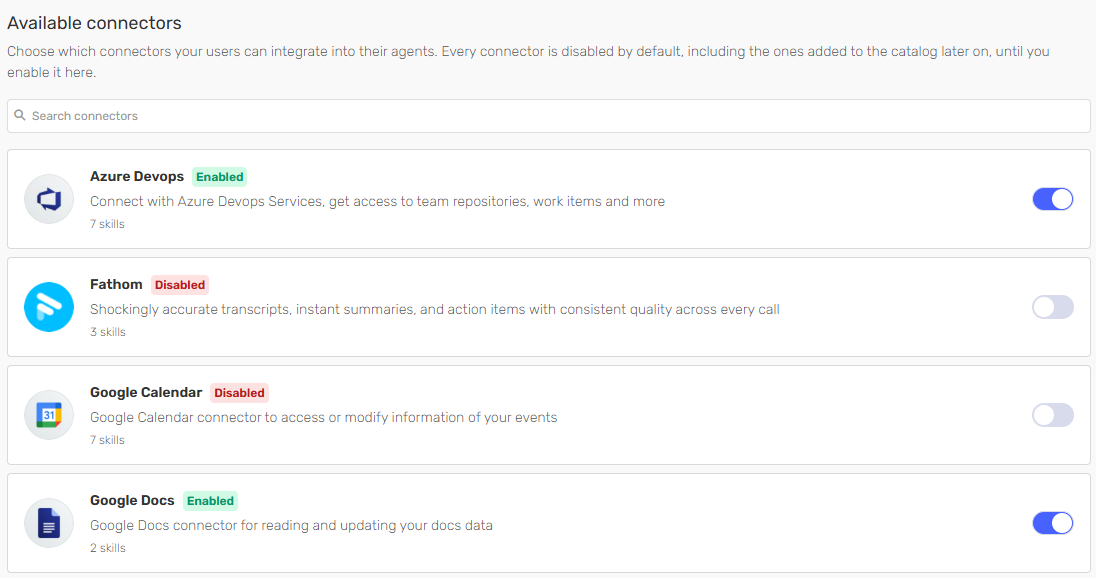
You can now define which connectors are enabled for your company, controlling which external systems your agents and users can reach. Connectors excluded from the policy are unavailable across all agents and the Serenity* AI Chat. You can manage the policy from the Compliance Center.

The Available connectors list in the Compliance Center, with each connector toggled enabled or disabled

Serenity* Apps​

Finance App​

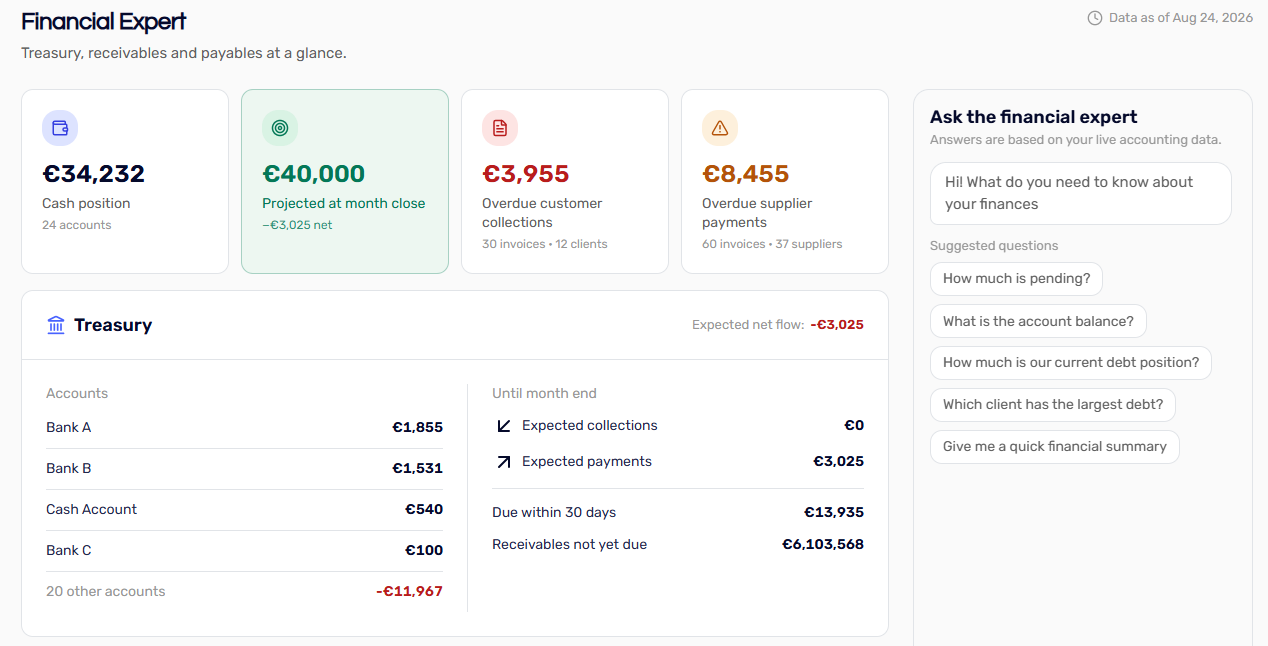
Integrated with Holded, the Finance app provides a dashboard with key business metrics: current balance, expected cash flow to the end of the month, and upcoming expenses and income. An agent analyses the same data and reports the main insights alongside the figures.

The Financial Expert dashboard showing cash position, projected month close, overdue collections and payments, a treasury breakdown and a panel to ask the financial expert

Internal Knowledge Chat App​

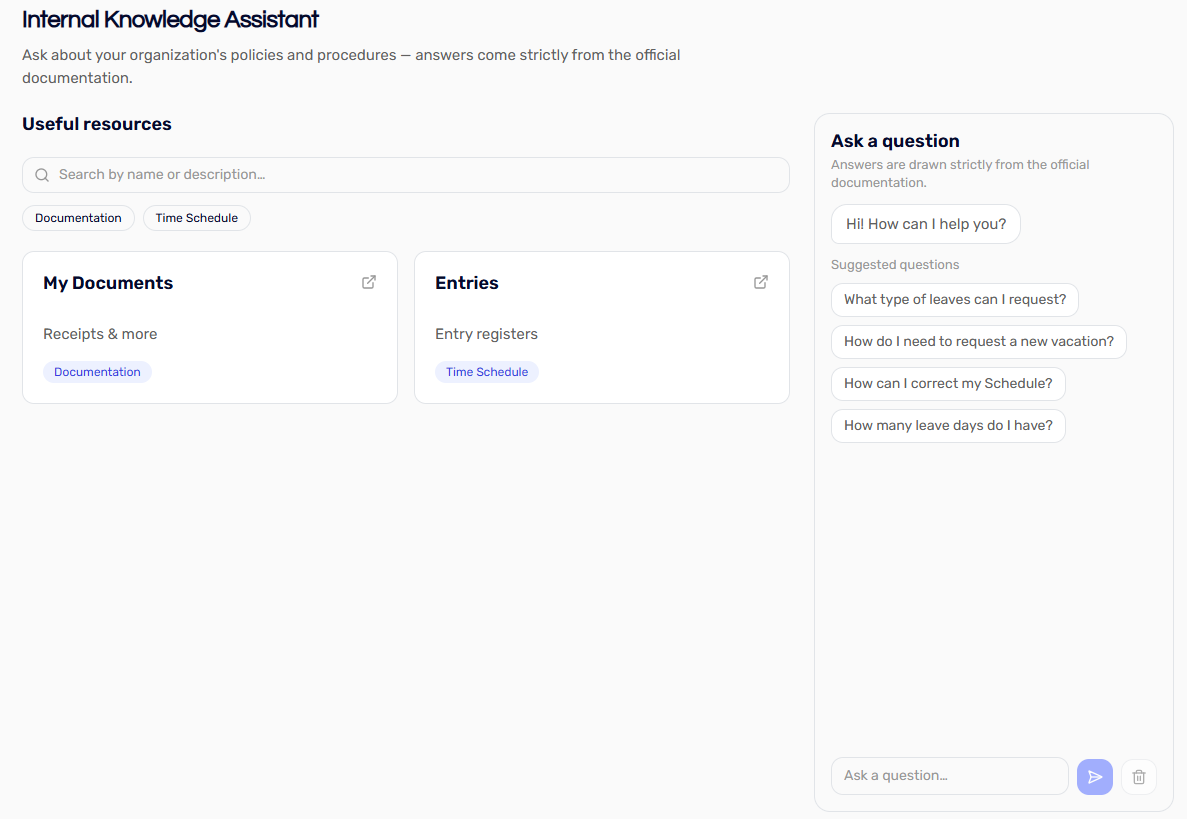
The Internal Knowledge app provides a chat interface over your agent, with accompanying links and resources, from internal documents to external references. Answers are grounded only in cited text from your knowledge base, which suits areas such as HR or Quality that answer recurring questions based on written policies.

The Internal Knowledge Assistant, with a searchable list of useful resources beside a question panel offering suggested questions

Media Content Generation App​

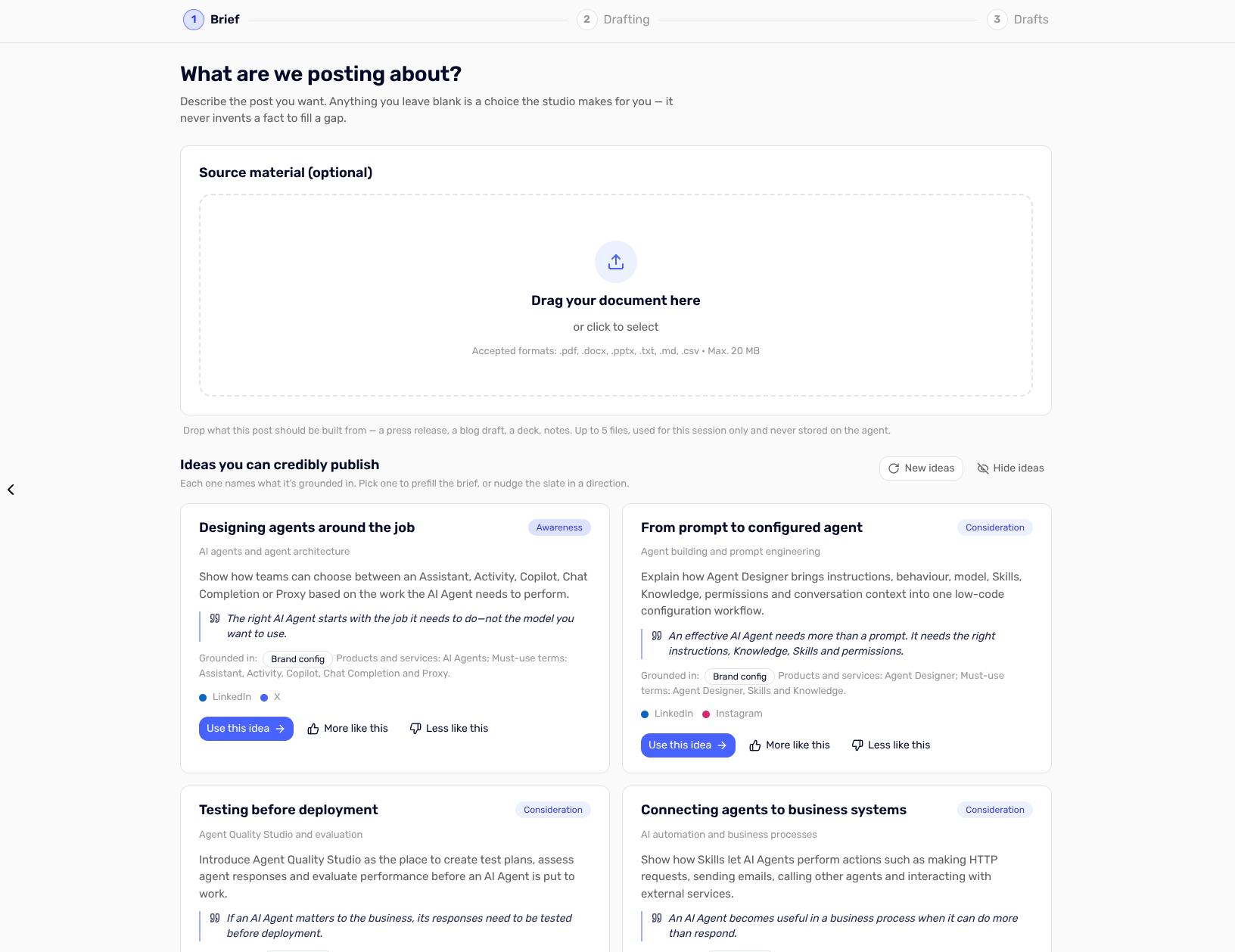
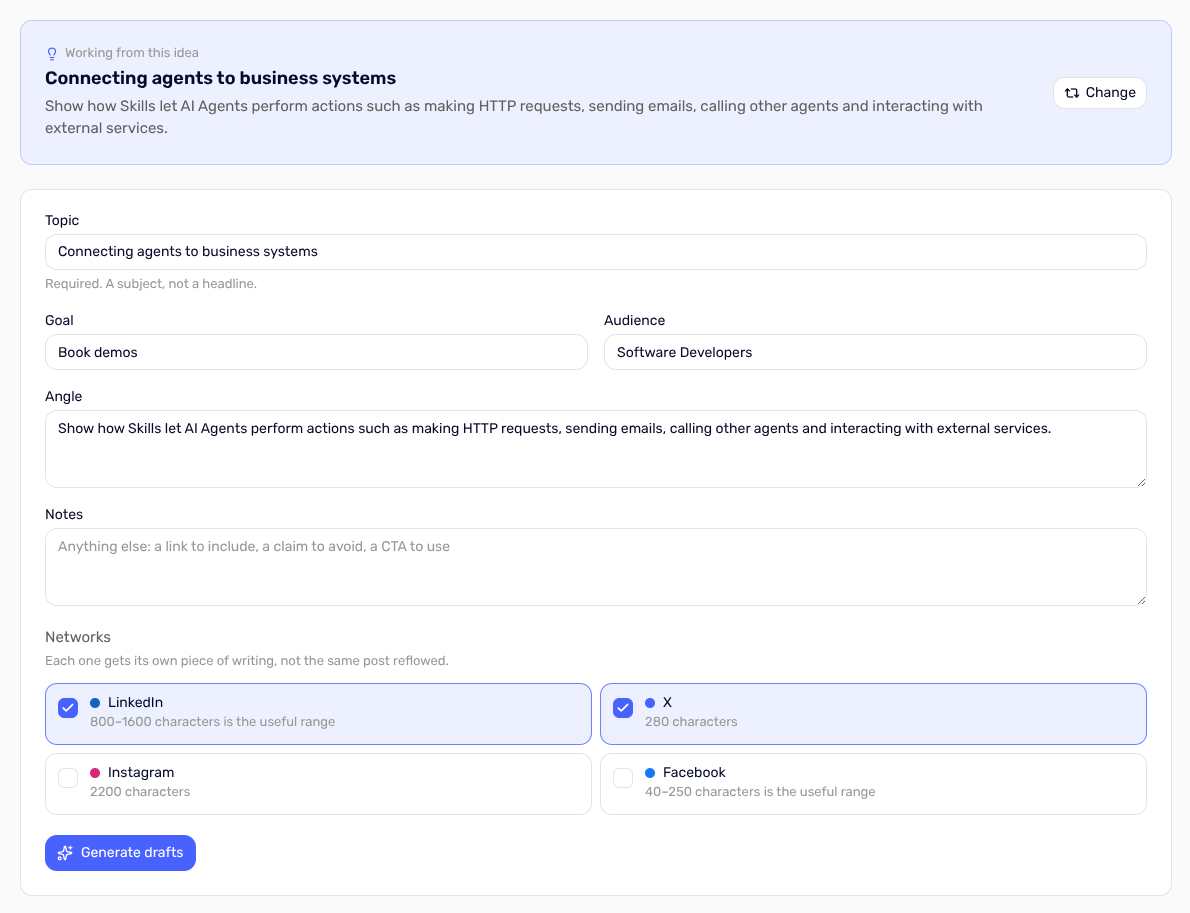
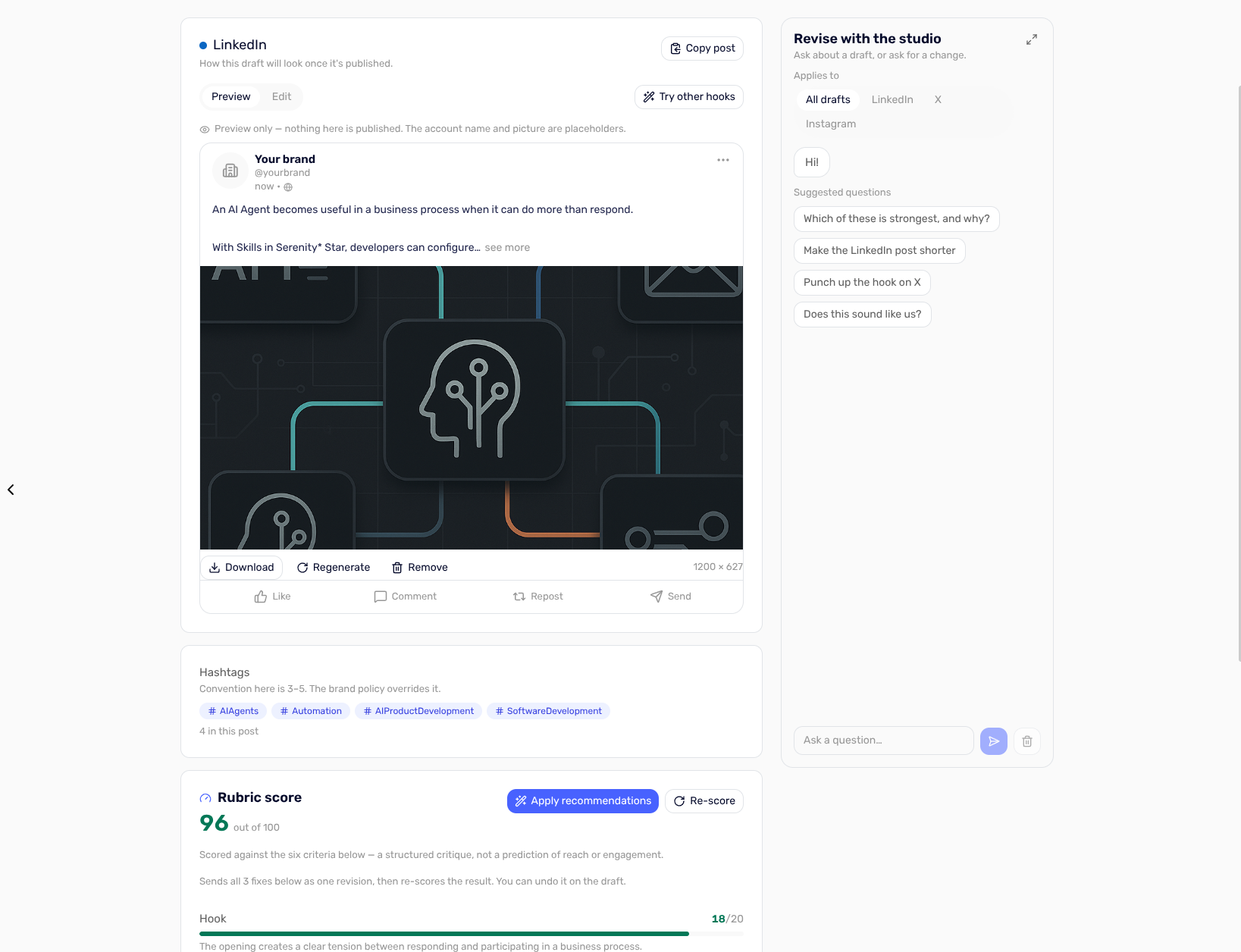
Generate content adapted to each platform, including LinkedIn, Twitter and Facebook, from a single brief.

alt text

alt text

alt text


Enhancements βœ¨β€‹

Bulk Operations on Knowledge​

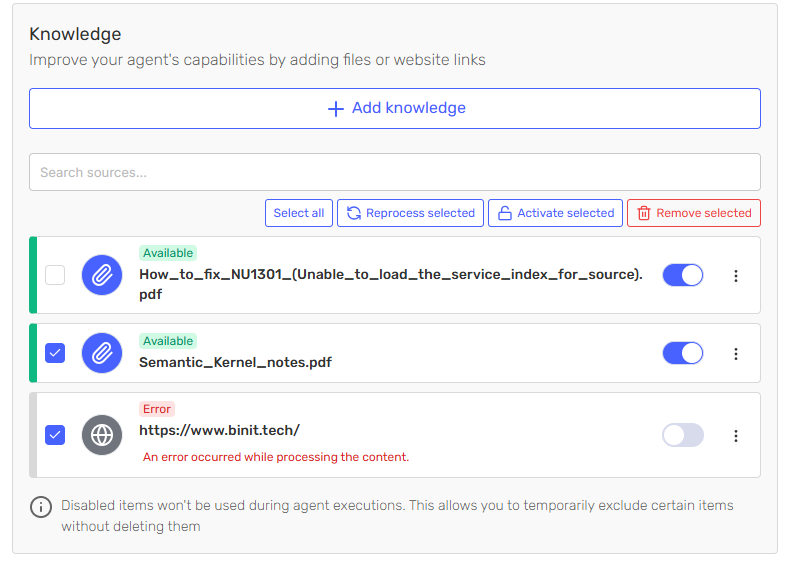
The Knowledge section now supports bulk operations. Select several sources and reprocess, activate or remove them in a single action.

The Knowledge section with sources selected and the bulk actions Reprocess selected, Activate selected and Remove selected

Users Onboarding​

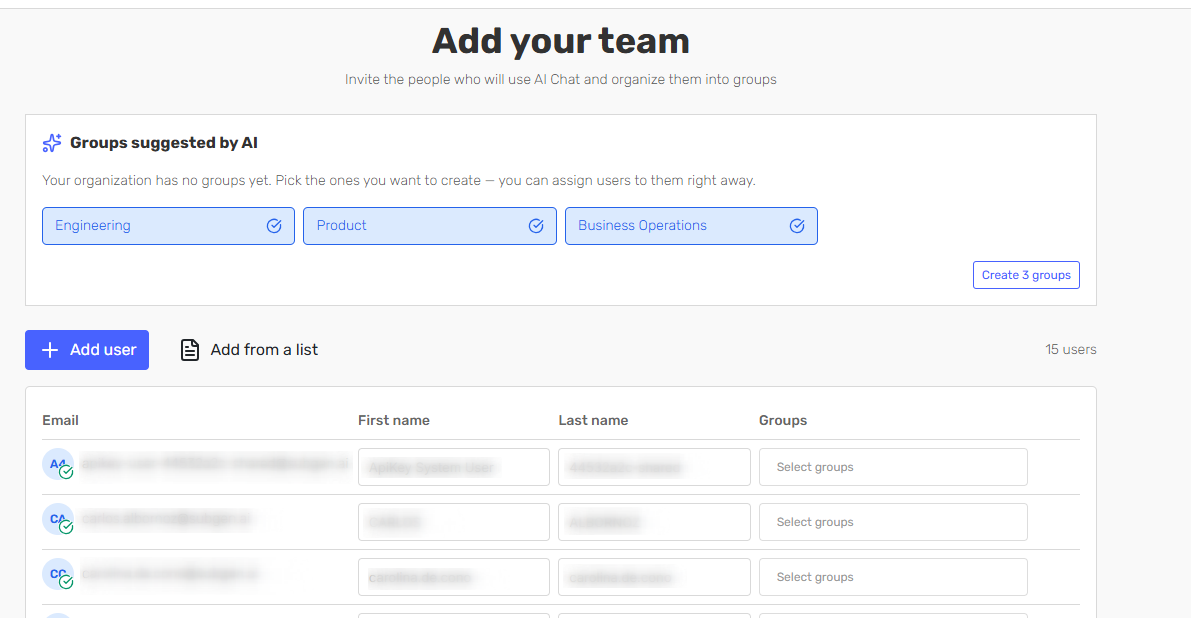
You can now create users and groups directly from the onboarding flow. Groups are suggested automatically based on your organisation's preferences.

The Add your team onboarding step, with AI-suggested groups above a table for adding users and assigning them to groups

Cancelled Request Detail per Client​

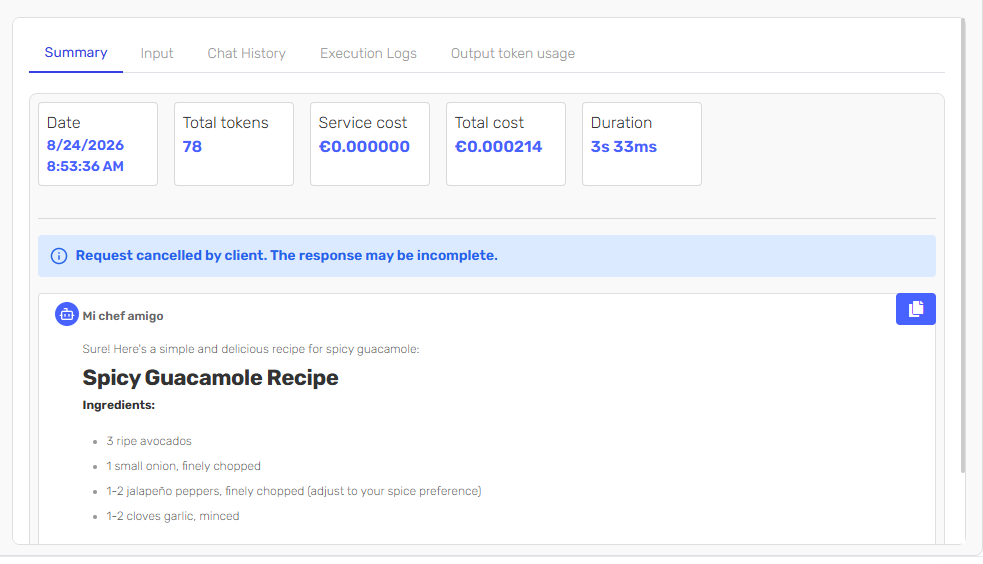
Requests cancelled by the client are now reported in the instance detail, so they can be distinguished from failures when reviewing an execution.

An instance summary reporting that the request was cancelled by the client and the response may be incomplete

Automatic Conversation Names in AI Chat​

Conversations in the Serenity* AI Chat are now named automatically, which makes earlier conversations easier to identify.

Agent Message Feedback via API​

Feedback on agent messages can now be submitted through the API, so quality signals can be collected from your own front end. See Submit feedback for an agent message in the API reference.

Reasoning Configuration in Serenity* AI Chat​

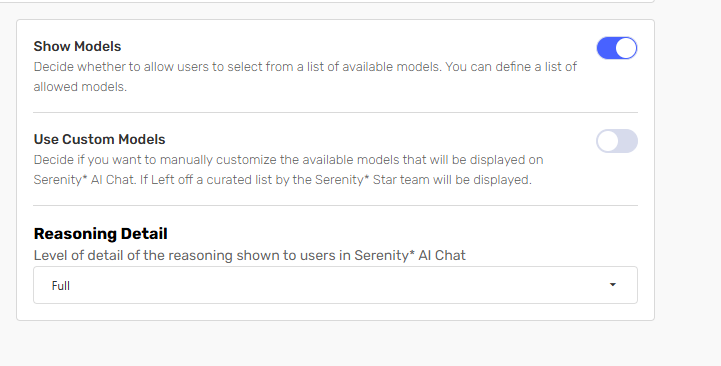
Reasoning detail can now be configured for the Serenity* AI Chat, defining how much of the model's reasoning is exposed to users.

Serenity* AI Chat settings with the Reasoning Detail selector set to Full


Bug Fixes & Minor Improvements πŸ› οΈβ€‹

  • Added a search box for the skills already loaded on an agent.
  • The proportional consumption chart tooltips now also show the total.
  • Input parameters created from the system definition are now created as optional.
  • Serena now recommends templates.
  • Fixed an error in the creation of the Trial Page.
  • Improved and isolated the styles of the Pricing component used on the landing page.
  • Fixed an error that prevented certain text documents from being processed (for example, Teams transcriptions downloaded in Word format).
  • Implemented a more robust parser in the data obfuscation module for encoded line breaks.
  • Isolated skills can now be executed by passing an explicit user connection.
  • Chat widget allows for custom status messages to be defined during agent skill execution.
  • Agent Quality Studio now lets you re-run an evaluation or analyse only part of it, so a single change can be verified without repeating a full run.

Release 5.0 2026.08.11.1

Β· 3 min de lectura

New Features πŸš€β€‹

AI Services​

Serenity* Star keeps expanding the AI Services available through its API, so your AI solutions can rely on the platform for more than agents alone.

Anonymizer​

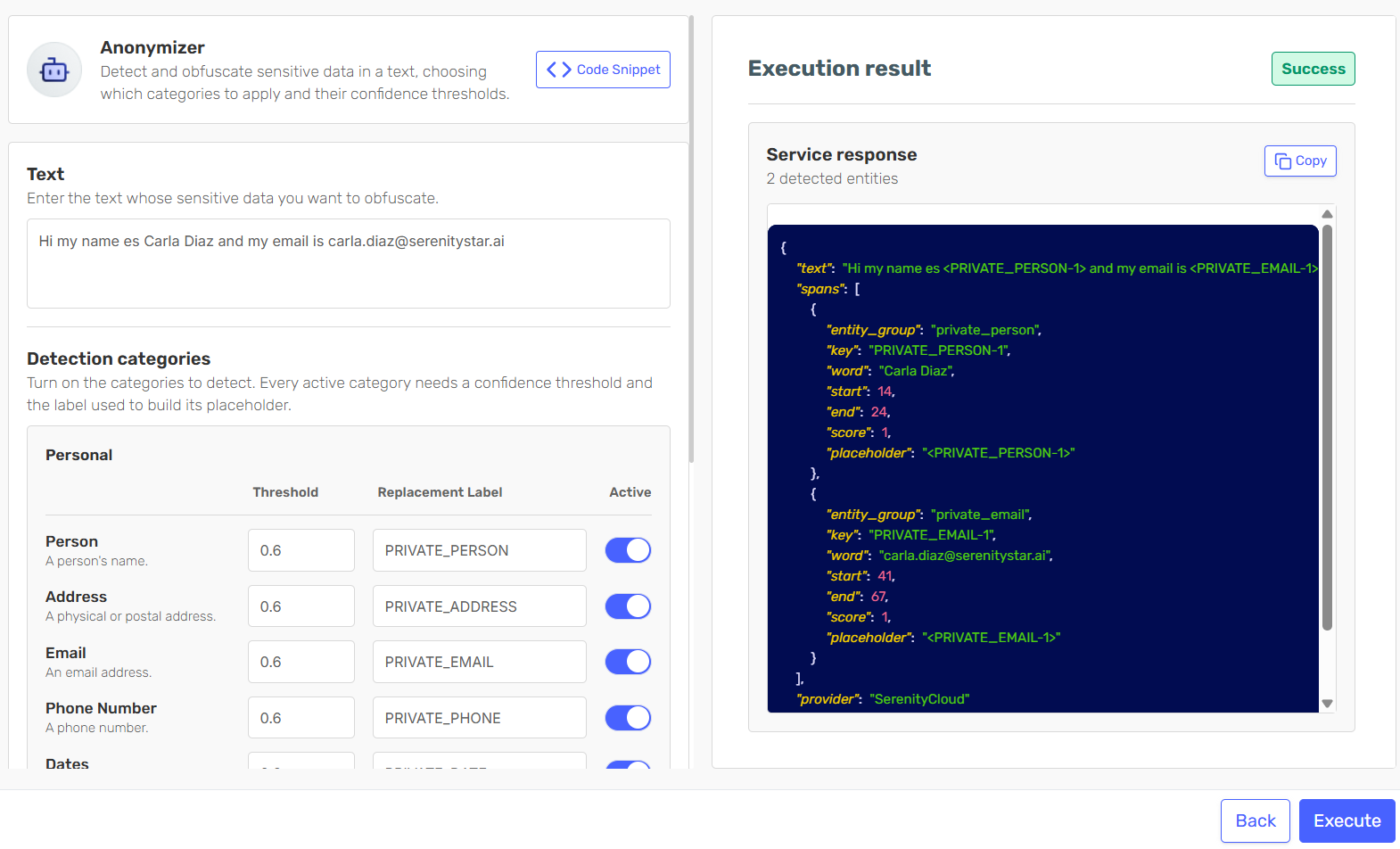
The new Anonymizer service detects and obfuscates sensitive data in any text. You decide which categories to detect (person, address, email, phone number, dates and more), the confidence threshold for each one and the replacement label used to build its placeholder. The service returns the obfuscated text together with every entity it detected, and it runs in a secure local environment, so you can redact personal data before sending it to an external LLM.
alt text

Inference Playground​

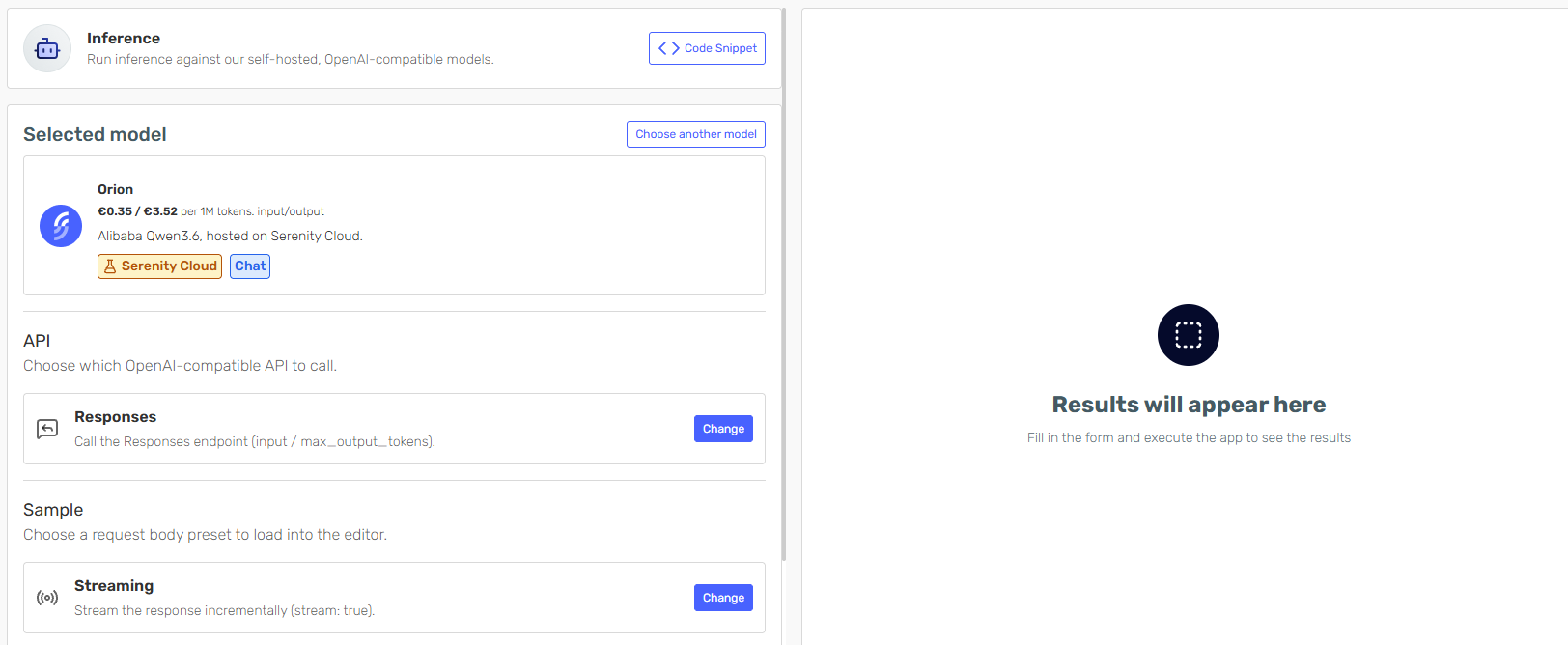
The Inference service now comes with a playground, so you can test it straight from the web app. Choose a protocol, pick an example such as streaming or vision, and get instant responses without writing a line of code.

alt text

Serenity* Apps​

SEO Analysis​

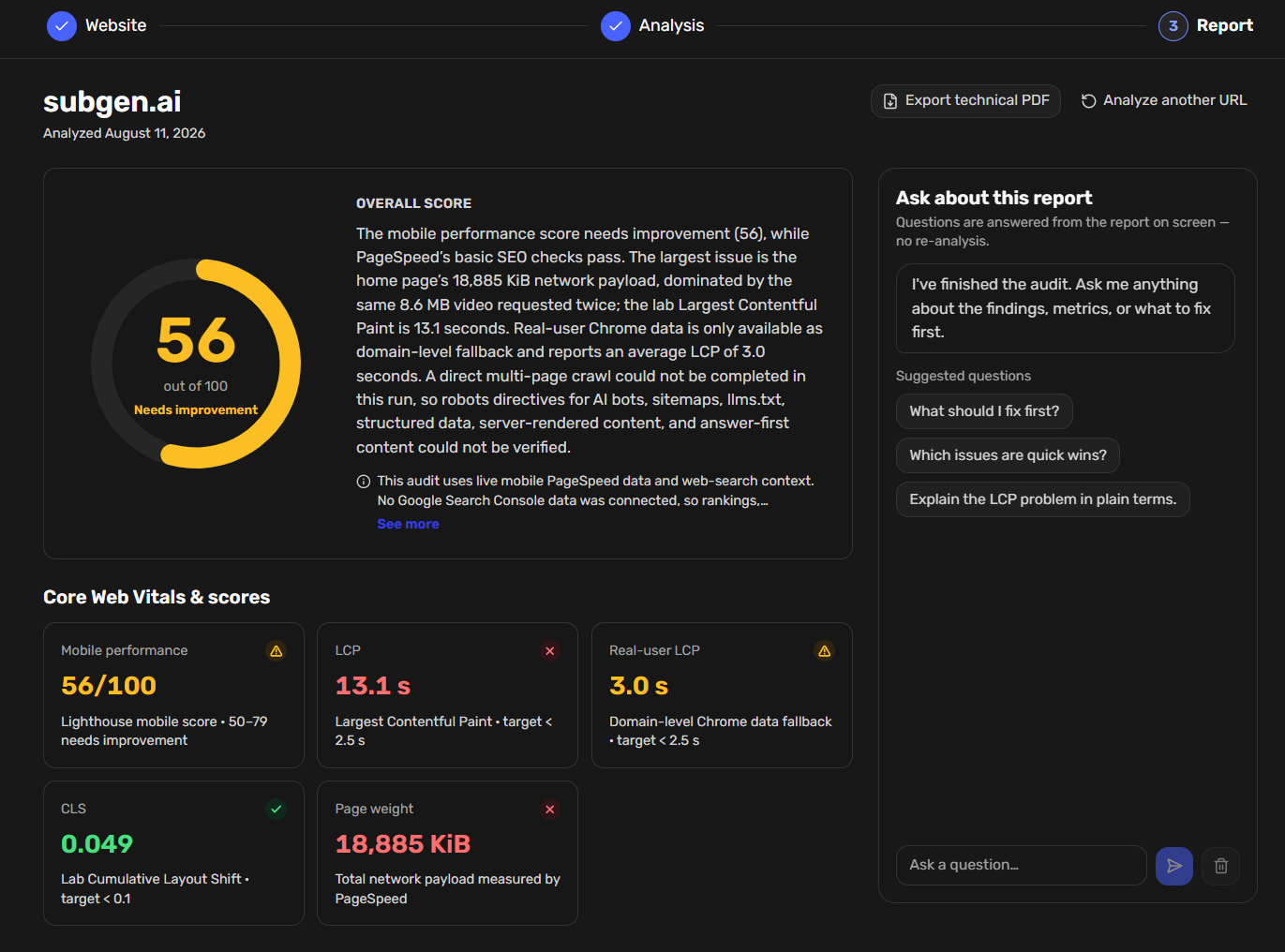
The SEO Analysis app gives you an at-a-glance view of your site's exposure, together with insights into your SEO and GEO positioning. It surfaces actionable items so you can improve your position quickly and easily, without relying on an external agency.

alt text

Meeting Minutes​

The Meeting Minutes app turns a meeting transcript into structured minutes, covering what was discussed, the decisions taken and the action items that came out of them. Share the result with your team so nothing agreed in the meeting is lost.

alt text


Enhancements βœ¨β€‹

Execution Naming​

Agent instances are now named automatically, giving you the context of what happened in each conversation at a glance and making executions much easier to track on the grid.

alt text

Onboarding​

Company onboarding now lets you add relevant files and choose which skills are available in the AI Chat, all from a single simplified view.

alt text

alt text

Agent Reasoning Detail​

The new reasoning detail configuration lets you decide how much of your agent's reasoning is exposed, from short summaries to full explanations.

Only available on models that support reasoning.

New Agent Templates​

We have reworked how agent templates are offered, so you can start your AI journey with more powerful agents that take advantage of the full set of Serenity* Star features.

Knowledge Performance Improvement​

The agent Knowledge section has been optimised for large numbers of files. No more laggy screens, just a smoother working experience.


Bug Fixes & Minor Improvements πŸ› οΈβ€‹

  • Fixed the autosize behaviour of the JSON output format field when an agent is loaded.
  • Improved validation in the OCR service.
  • Improved validation when uploading images for the chat widget icon, along with an informative caption describing the recommended image format.
  • Fixed an issue where the permissions selector did not load users on Proxy agents.
  • Agent permission policies are now applied to the OpenAI-compatible proxy endpoints.
  • Improved dataset schema validation when replacing and appending tables.
  • Fixed an issue when copying the Serenity* AI Chat channel on Chat agents.
  • An invalid request body now returns a bad request error from the API instead of an internal server error.
  • Added a new endpoint to retrieve the details of a conversation instance, with optional includes.
  • Improved the feature validator when purchasing an agent from the store.
  • Fixed an error when retrieving an agent version through the API when its skills had no AI models configured.

Release 5.0 2026.07.28.1

Β· 3 min de lectura

New Features πŸš€β€‹

Media Monitoring App​

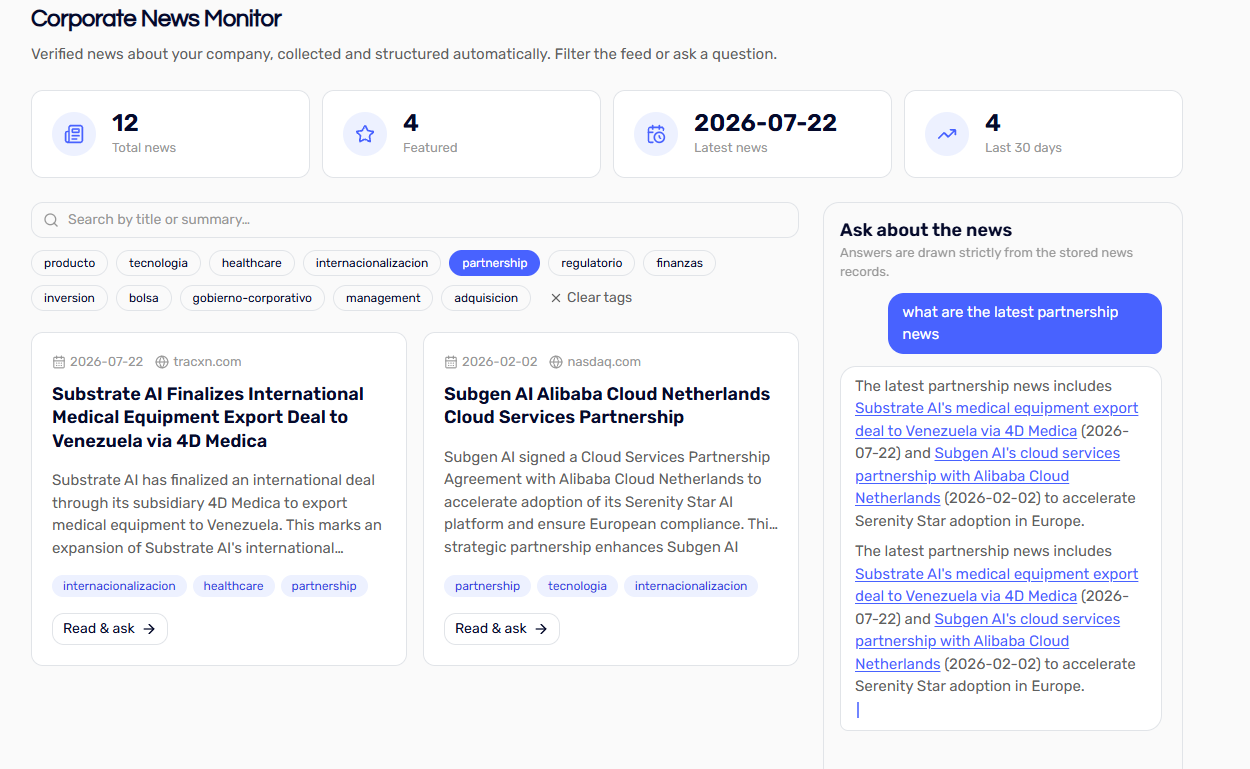
The Media Monitoring App is a new addition to the Serenity* Apps catalog. An agent carries out daily media surveillance on your behalf and presents the results in a detailed dashboard covering relevant news, media updates and more.

With a purpose-built interface, competitive analysis and media trend exploration are easier than ever, with no prompt engineering required.

alt text

OCR Service​

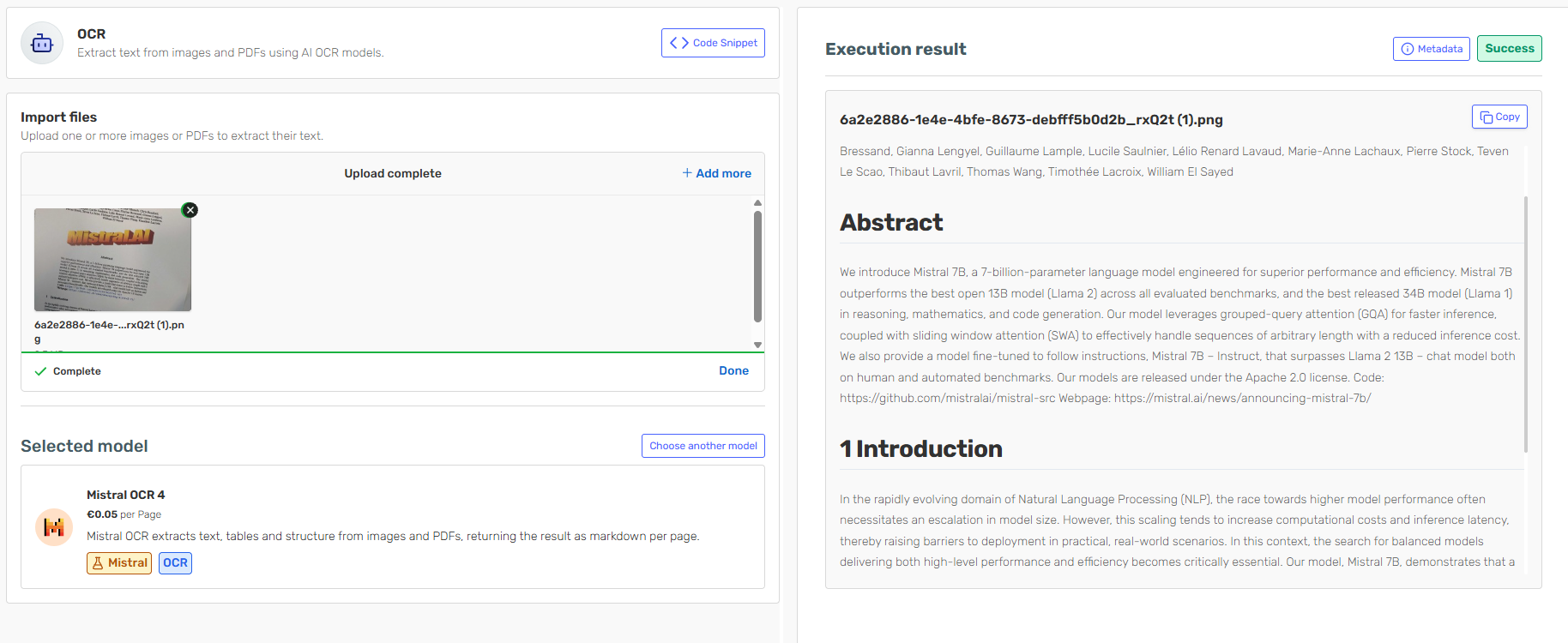
A new dedicated AI Service brings AI-powered OCR to Serenity* Star. Extract text, tables, formulas and detailed information from image files, and feed the results straight into your AI Workflows.

alt text

Onboarding​

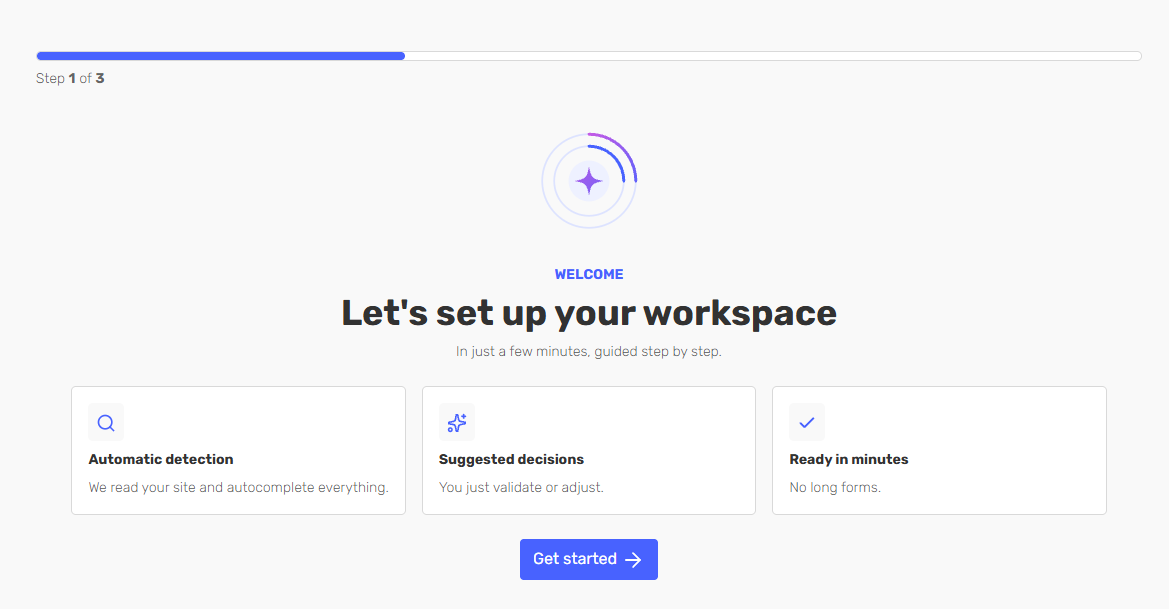
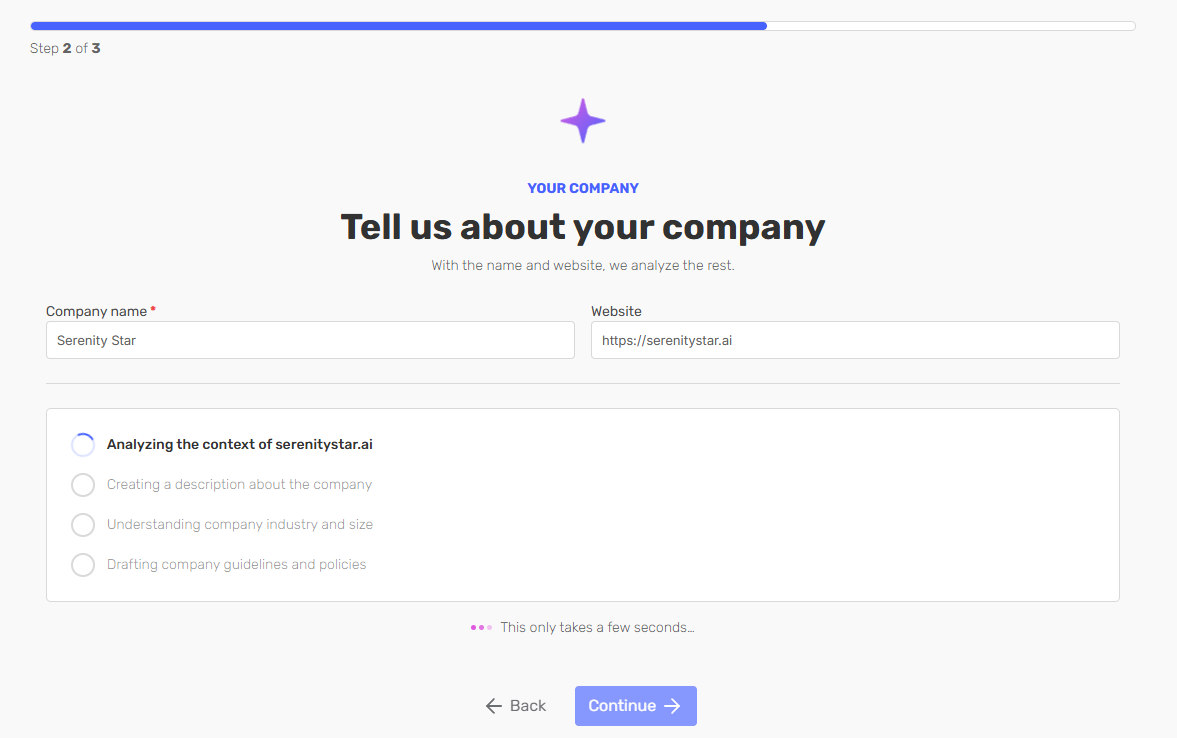
Setting up your organisation in Serenity* Star is now much simpler. Configure your company information, AI guidelines and more from a single guided flow, so your team starts from a well-configured workspace and gets more out of the platform's AI tools from day one.

alt text

alt text


Enhancements βœ¨β€‹

Agent Design Studio Performance Improvement​

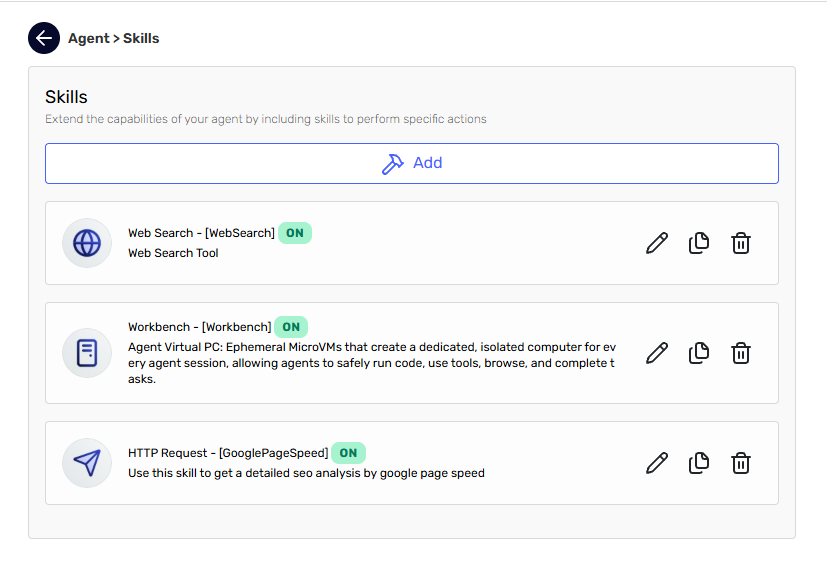
The Skills section of the Agent Design Studio has been completely redesigned for optimal performance. No more sluggish UI when working with large numbers of skills and data.

alt text

Anthropic via Azure​

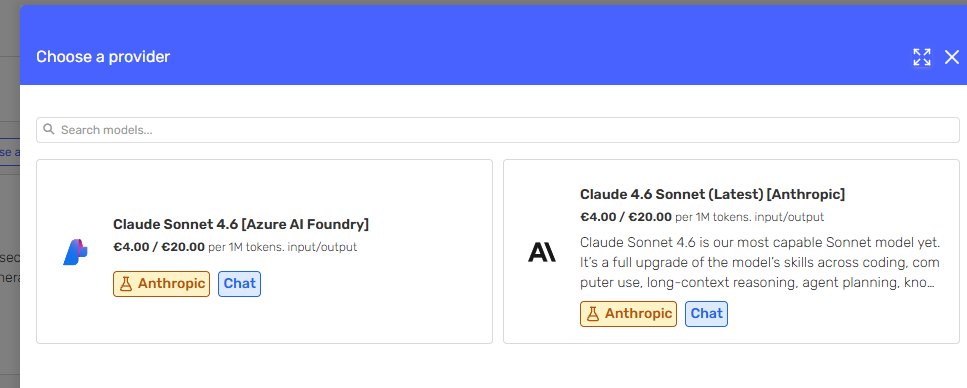
Anthropic models can now be used through Azure AI Foundry, either as your main model, as a fallback, or with your own API key.

alt text

Chat Widget​

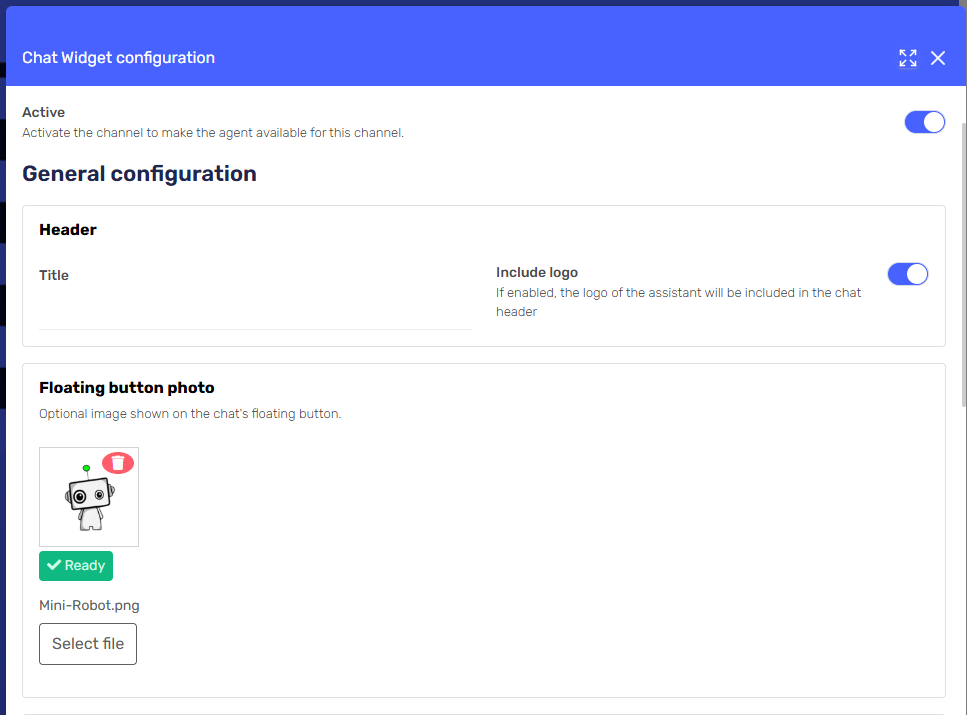
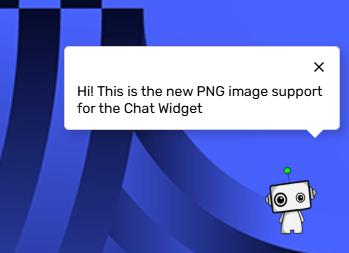
The chat widget's floating action button can now be customised with your own image or GIF, so the agent on your website matches your branding.

alt text

alt text​

Bug Fixes & Minor Improvements πŸ› οΈβ€‹

  • Improved the JSON extractor used on agent responses.
  • Improved the JSON extractor's handling of Markdown links inside JSON content responses.
  • Fixed an issue with Knowledge on Demand skills when the agent did not complete the relevant tags.
  • Fixed access to the code snippets in the API Integration section for Activity and Chat agents.
  • Fixed an encoding issue in Agentic RAG when the agent generated accented characters.
  • Improved the preview feedback shown when a very large volatile knowledge file is uploaded and consumes the entire context window.
  • Unsupported parameter warnings are now cleared when the model of an agent is changed.
  • Improved the mapping of Anthropic vendor errors.
  • Fixed a warning notification in the Copy to Clipboard in the agent instance details.
  • Improved dataset schema validation when replacing and appending tables.
  • Fixed an issue that prevented conversation starters from being used in the Agent Design Studio after changing the model.
  • An email is now sent to the tenant whenever a renewal attempt fails.
  • Fixed an issue where a green tick was shown in the agent's View More even when a skill had failed.
  • UI improvements to the API key components for obfuscation and display.
  • Improvements to the extra body implementation on the OpenAI-compatible endpoints.
  • Fixed an issue when duplicating agents that had the AI Chat channel enabled.
  • Fixed an issue in proxy agents that took max_completion_tokens as 0 when it was not explicitly sent in the request.

Release 5.0 2026.07.14.1

Β· 3 min de lectura

New Features πŸš€β€‹

Proxy Agents as OpenAI-Compatible Endpoints​

Serenity* Star Proxy Agents are now available through OpenAI-compatible Responses and Chat Completions endpoints. Use any model in Serenity* Star through a familiar interface, and plug your agents straight into Copilot Chat or any OpenAI-compatible client with no custom integration work.

Every request keeps full audit tracking inside Serenity* Star and runs through Content Safety, Skills and usage limits, so you get the reach of an open standard with the governance and control of the platform.

Serenity* Apps​

Serenity* Star now supports integrated Apps inside Serenity* AI Chat. Apps are a new way to work with agents: instead of a plain conversation, each agent gets a streamlined, purpose-built interface focused on the task at hand. By putting value and functionality first, Apps make it easier for your organisation to turn agents into everyday productivity tools.

Compliance Document Certification App​

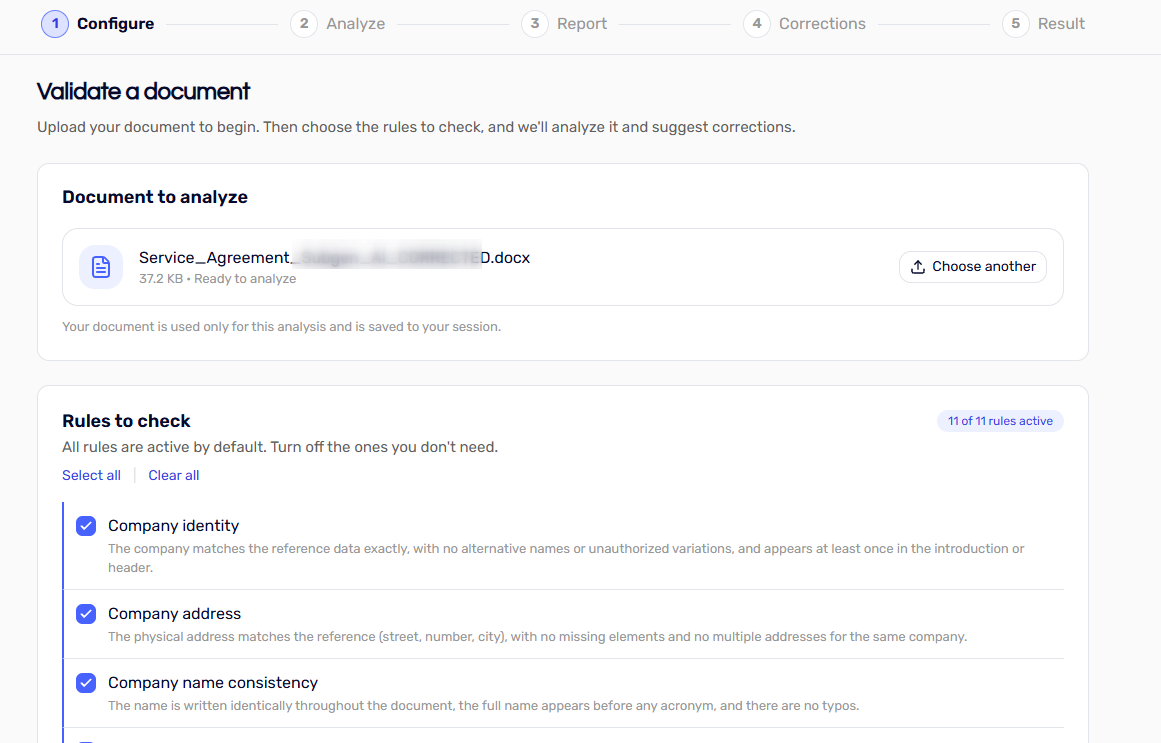
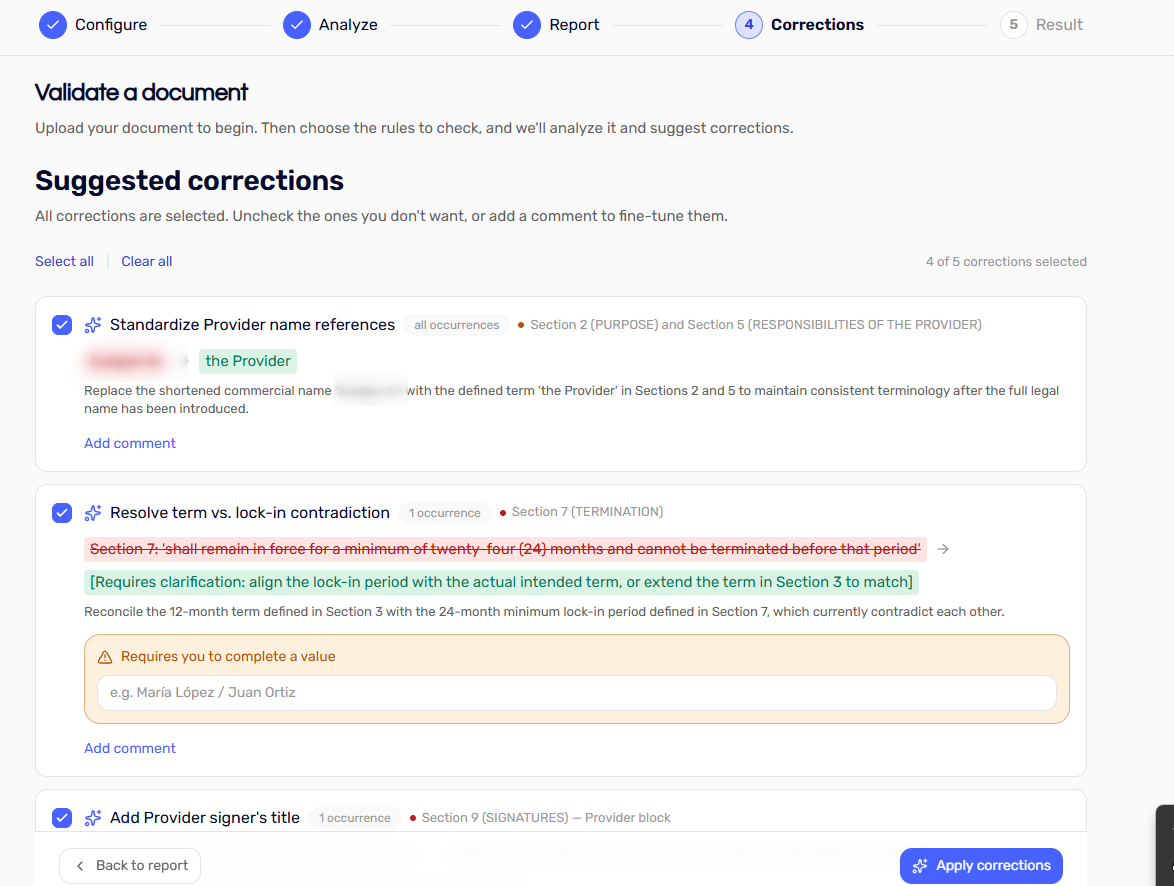
The first App in the catalog is the Compliance Document Certification App. Upload a document, contract, or any internal file and validate it against a defined set of rules.

An AI agent evaluates the document and returns supported corrections grounded in its content and the applicable rules. Iterate on the document, apply corrections, and explore suggested edits until it meets your compliance standards.

alt text alt text


Enhancements βœ¨β€‹

Model Update Notifications​

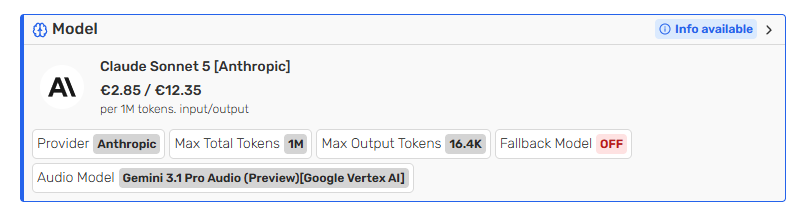
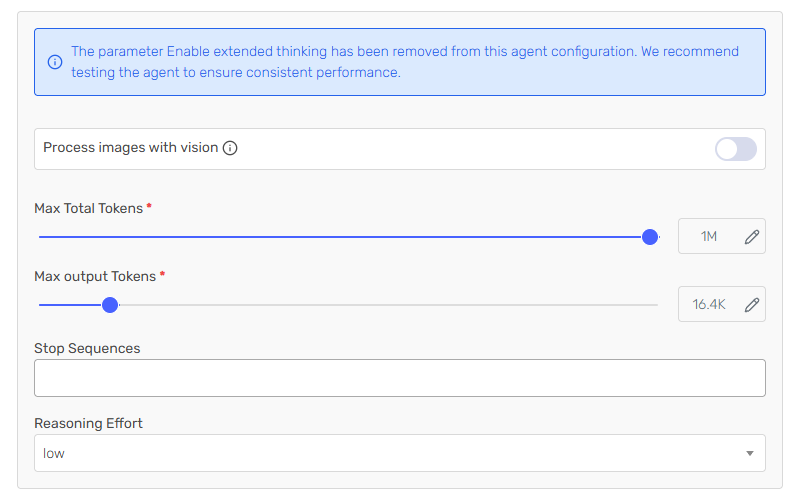
Stay informed when model provider changes affect your agents. If a parameter your agent uses is no longer supported, you'll receive an email, and recommended configurations are shown clearly in the UI so you can keep your agents performing at their best.

alt text alt text

Runtime Skill Execution​

Control exactly which skills an agent can use on a per-execution basis. Include or exclude skills at runtime by specifying them in the request, and the agent will use only the ones you allow, giving you precise control over agent behaviour for each call.

Sensitive Data Obfuscation​

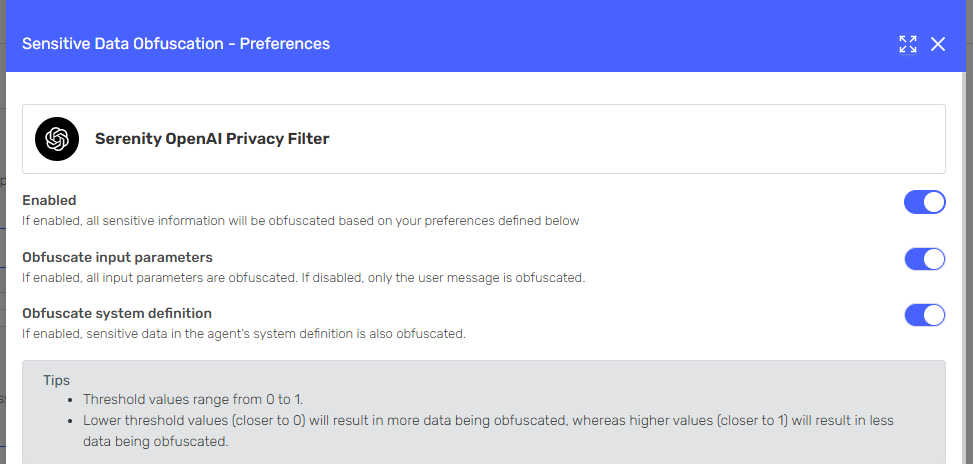
Sensitive data obfuscation now offers finer-grained control. Enable obfuscation individually for agent behaviour or for input parameters, giving you more flexibility and ensuring consistent, predictable handling of sensitive data.

alt text

Context Improvements​

The context engine has been revised to allocate unused space more intelligently. Smarter budget handling lets agents produce better responses without compromising the context they rely on.

Security​

We remain committed to continuously strengthening security across every layer of the platform. HTTP requests and file uploads via URL are now protected against untrusted sources, further safeguarding your data throughout Serenity* Star.


Bug Fixes & Minor Improvements πŸ› οΈβ€‹

  • Updated the AI Chat default models for skills to more recent and powerful models.
  • Fixed an error in the model selector side panel in the Vision service view.
  • Improved image visualisation in the Bring Your Own Model functionality.
  • Audio generation instances are now shown with the correct service type.
  • The service instances grid now shows the model used in each execution.

Release 5.0 2026.06.30.1

Β· 4 min de lectura

New Features πŸš€β€‹

New AI Services​

Vision Service​

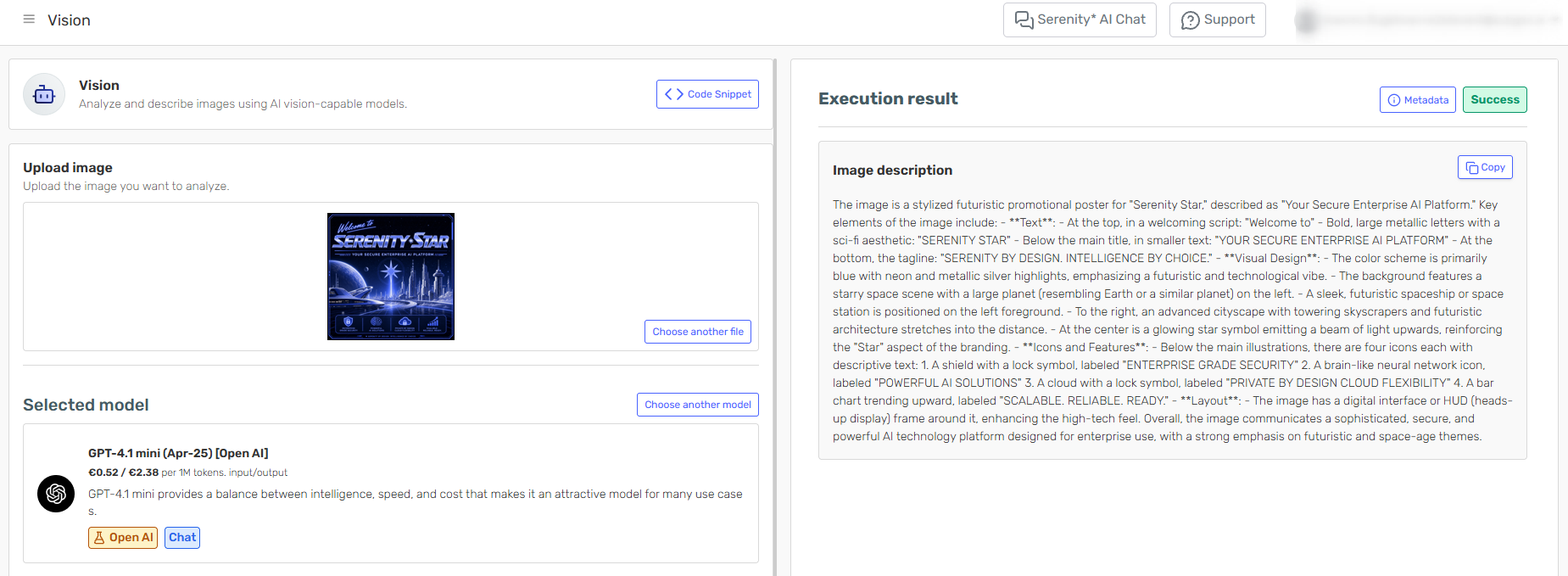
Serenity* Star now includes a dedicated Vision service you can use directly from the API or in the playground. Automate image analysis and get detailed, structured insights without wiring up a full agent. It's a fast way to add image understanding to your workflows and integrate the results into your own applications.

alt text

Text to Speech​

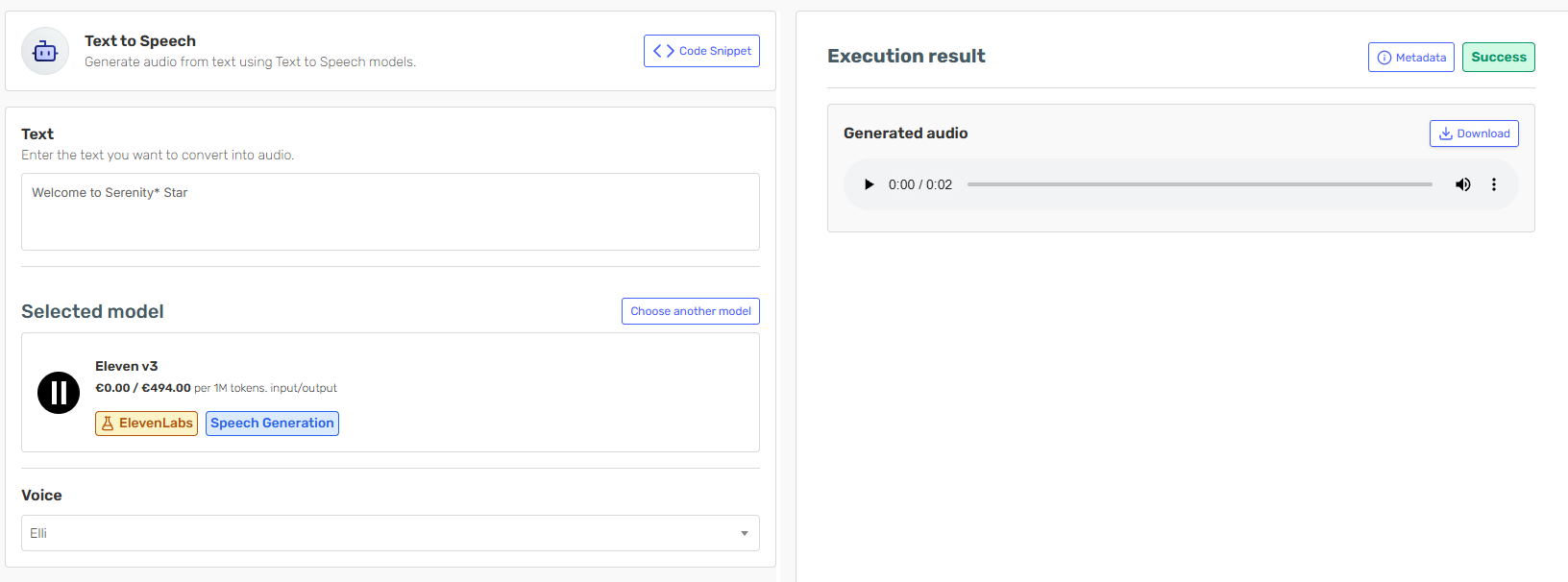
A new Text-to-Speech service lets you generate high-quality speech audio files straight from the API or in the playground. Turn any text into natural-sounding audio on demand.

alt text

Skills​

Prompt Skill β€” New Mode​

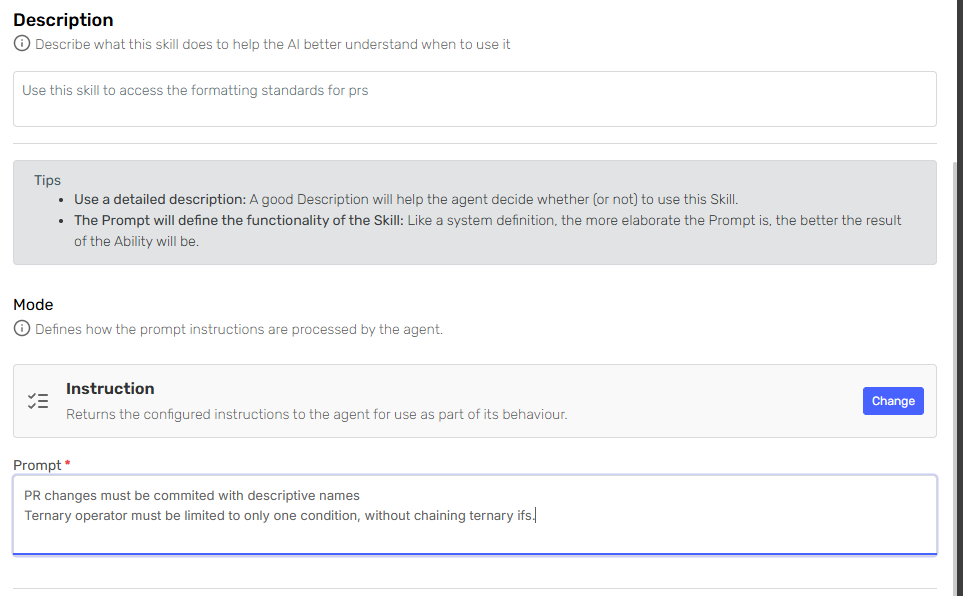
The Prompt skill now supports a new Instruction Mode. It lets the agent read additional instructions on demand for extra context. This keeps your main behaviour lean while still giving the agent the guidance it needs, exactly when the situation calls for it.

alt text

Vision Skill​

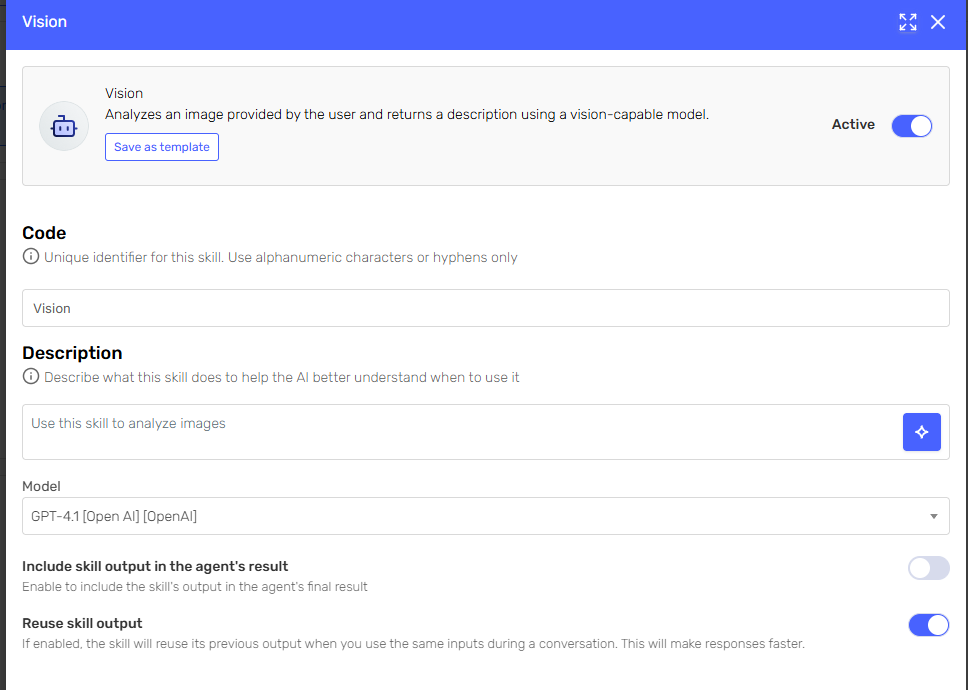
The new Vision skill gives any agent the ability to analyze and understand images within its flow. Add vision to models that don't support it natively, or bring in a more capable vision model when the situation calls for it. Your agents can now inspect screenshots, documents, and photos as part of a task and act on what they see.

alt text

Chat Widget Reasoning​

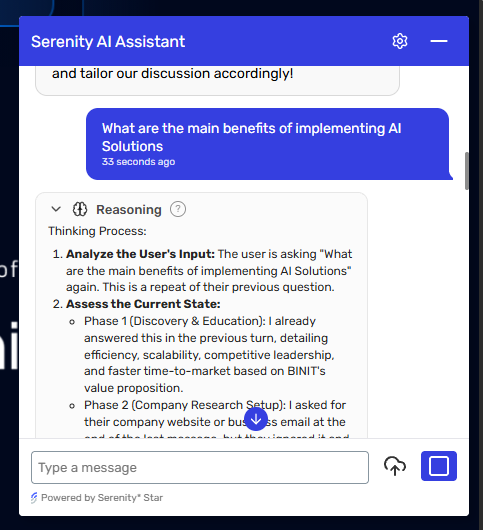
The Chat Widget now can show the agent's reasoning, giving end users better insight into how each response was produced. Showing the steps behind an answer builds trust and helps users understand the logic that led to it, right inside the conversation.

Showing reasoning must be enabled in the Chat Widget channel configuration.

alt text


Enhancements βœ¨β€‹

Web Search β€” New OpenAI Models and Citations​

Web Search now supports the latest OpenAI models, bringing more capable and up-to-date reasoning to your agents' searches. Answers that draw on Web Search results are supported for in citations, so users can trace each response back to its sources and verify where the information came from.

Reasoning Tokens in Instances​

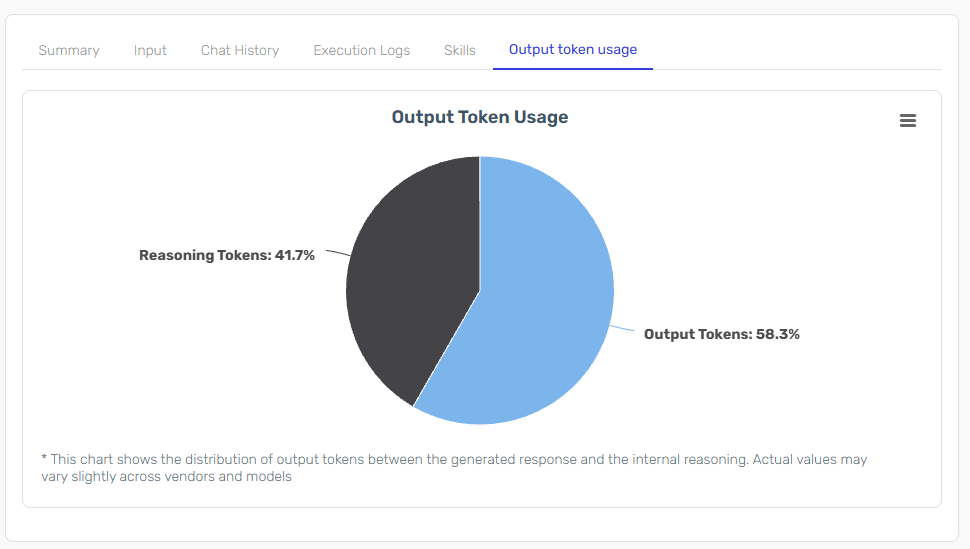
The instance detail now reports reasoning tokens, giving you clearer visibility into how reasoning models consume tokens. With this breakdown you can better understand and forecast the cost of reasoning-heavy executions across your agents.

alt text

Successor Model Email Notifications​

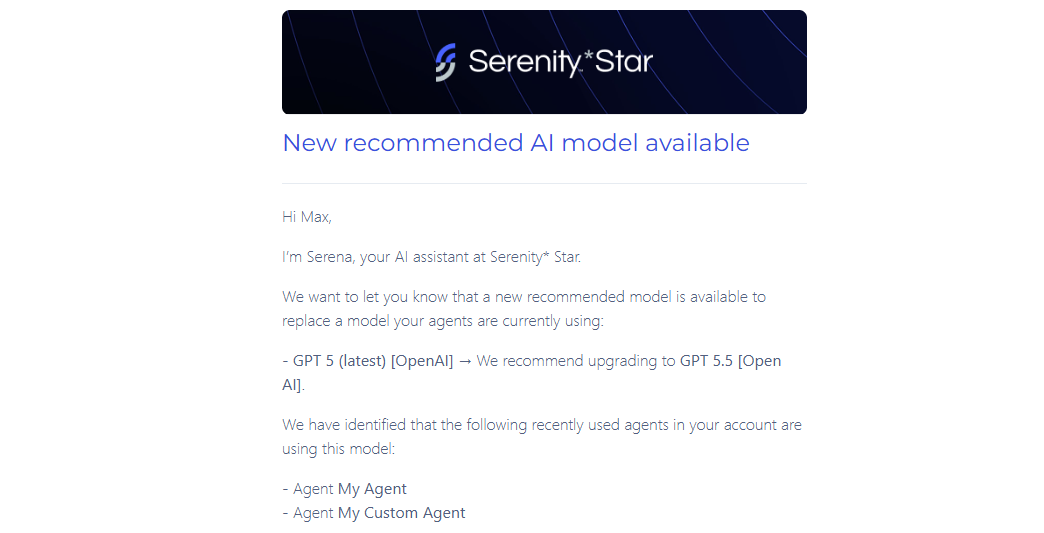
Get notified by email when a successor model is announced, keeping you up to date with the latest, state-of-the-art models. Plan your migrations ahead of time and adopt newer, better-performing models before older ones are retired.

alt text

Volatile Datasets and Excel Support​

Datasets now support Excel files. Compatible CSV and Excel files attached as volatile Knowledge are automatically converted, when their schema is suitable, into a volatile dataset that the agent can query on demand, improving accuracy, context usage, and response quality.

alt text

Bring Your Own Embedding Model​

The Bring Your Own Model feature now supports embedding models through OpenAI-compatible endpoints. Connect your own embedding infrastructure to power Knowledge search keeping data within your control, strengthening compliance and governance.


Bug Fixes & Minor Improvements πŸ› οΈβ€‹

  • Updated the JavaScript and .NET SDKs to use the new per-agent Volatile Knowledge endpoints.
  • Improved handling of vendor errors.
  • Improved logging of skill failures caused by unhandled errors.
  • Fixed an incorrect Knowledge separator indicator that was not producing section breaks.
  • Fixed an issue with enabling/disabling "enable thinking" on Alibaba models.
  • Performed a full review of AI model configurations to ensure all capabilities are up to date, and fixed several vendors to support advanced thinking capabilities.
  • The Demo Page side panel now shows a link to copy the page URL.
  • Added a streaming indicator in the instance detail.
  • Fixed an issue that prevented sorting by price in the Store.
  • Enabled Adaptive Thinking configuration for Anthropic models.
  • Added the ability to delete your own models when they haven't been used, along with the option to enable/disable them.
  • Fixed an issue that prevented loading the same AI model with a different mode for a vendor.
  • Adjusted the services catalog to group services by type.
  • Improved JSON extraction for the jsonContent field in agent responses.
  • Fixed an issue with the fallback model when the same vendor was configured for both models.
  • The Serenity* Store now supports Markdown in your listings for clearer, richer presentation.
  • API Key Pooling is now available for embedding services, providing more stable operation.
  • We continue to strengthen platform security, with enhanced encryption of sensitive data throughout Serenity* Star.
  • Serenity* AI Chat now initializes with ready-to-use skills, with no manual configuration needed.