Release 5.0 2026.10.06.1
New Features 🚀
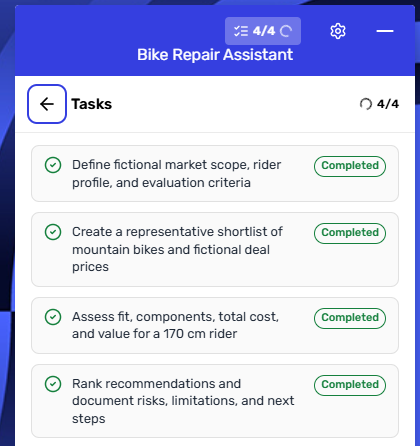
Agent To-Dos in the Chat Widget
Your users can now see the plan an agent follows to answer a complex request and track its progress step by step. This gives them more transparency and confidence while longer tasks are being completed.
Model Price Change Notifications
Stay ahead of cost changes: you will be notified in advance whenever the price of an AI model you use changes, along with the agents it affects. This gives you time to review your budget or switch to a different model before the new price applies.
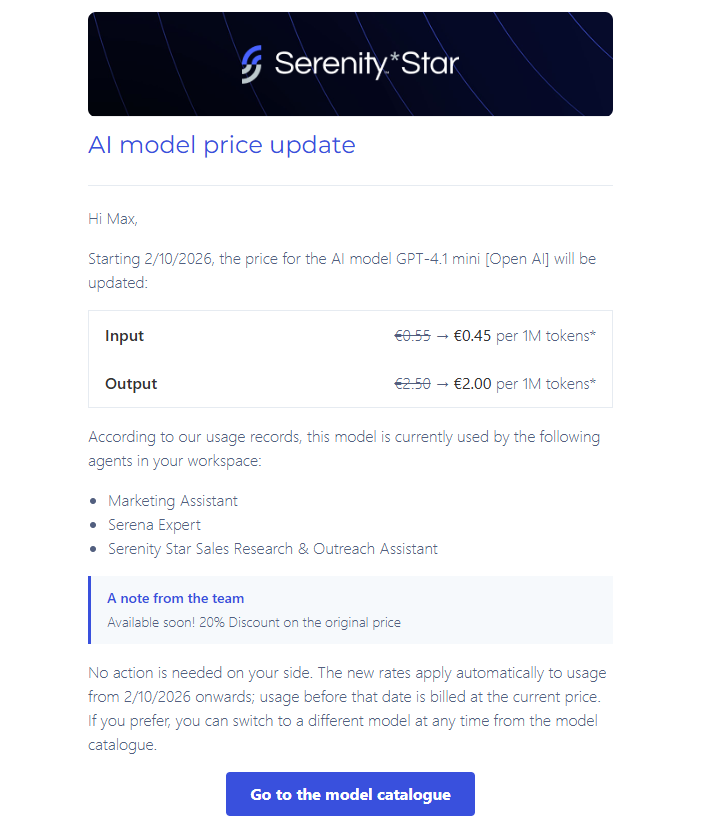
Prices shown in the image are for illustration purposes only and do not reflect real prices or changes for this model.
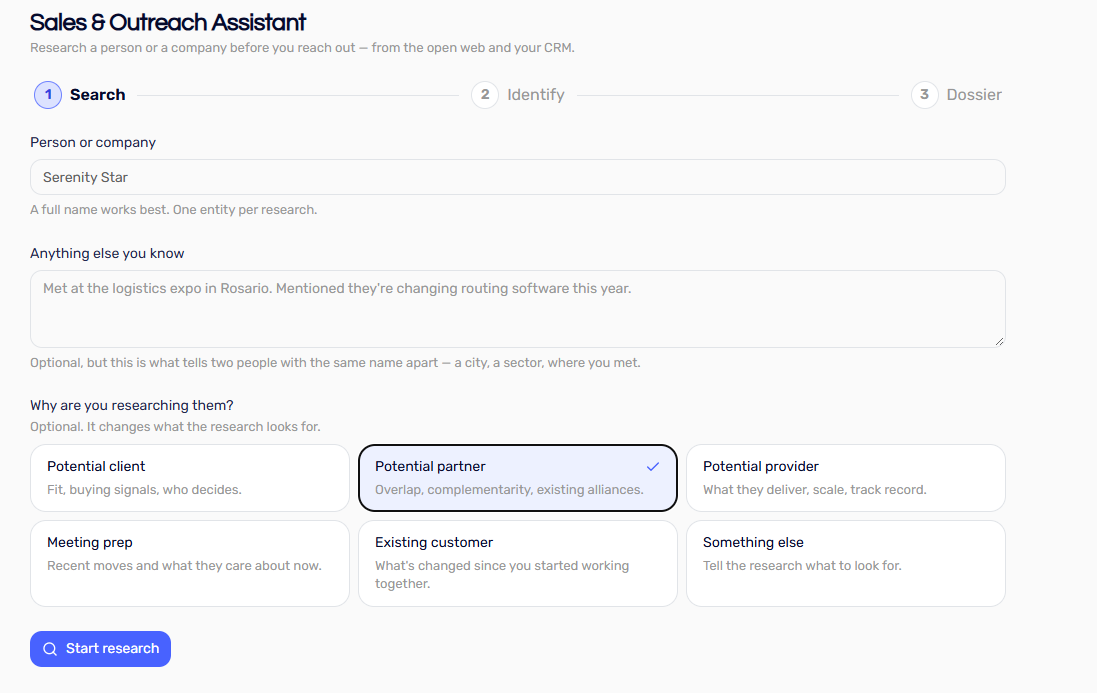
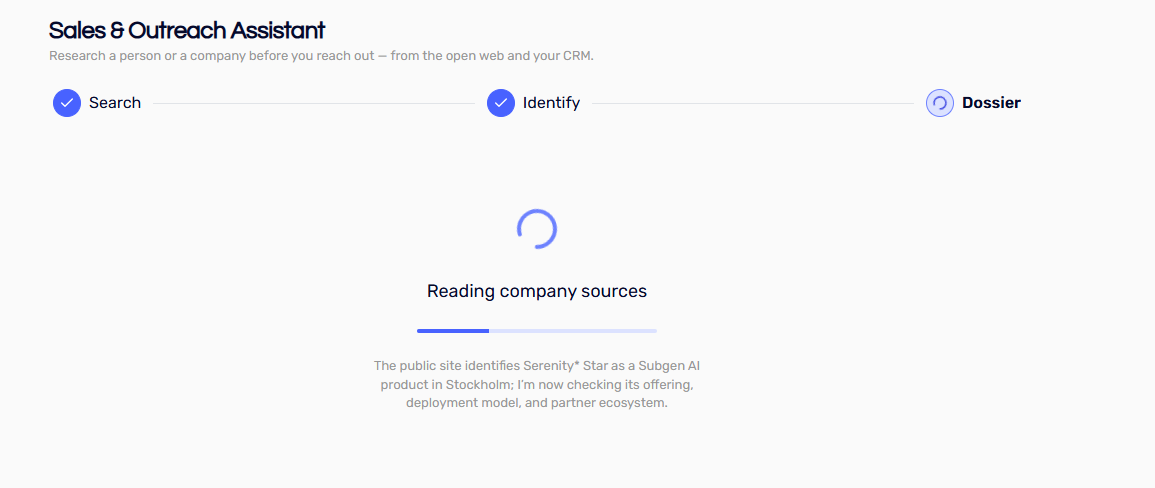
Sales & Outreach App
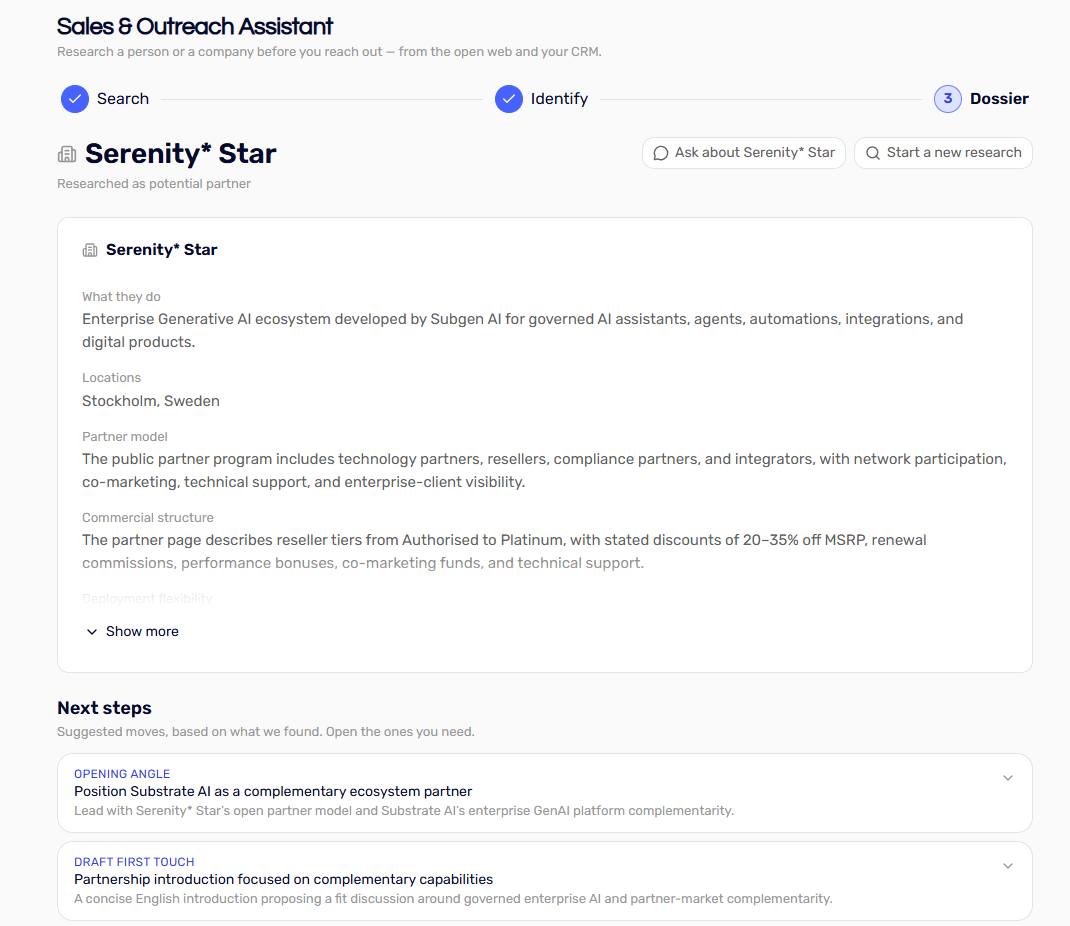
Prepare every sales conversation in minutes. This new Serenity* App researches a person or company across the open web and your CRM, and turns the findings into a ready-to-use dossier with a suggested opening angle and a draft first message, tailored to the purpose of your outreach.
Layout Improvements
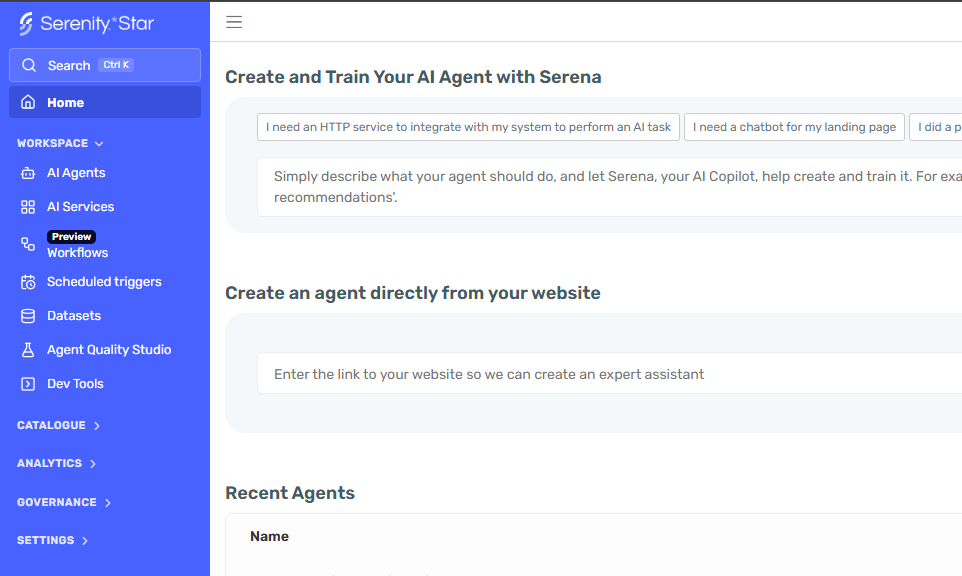
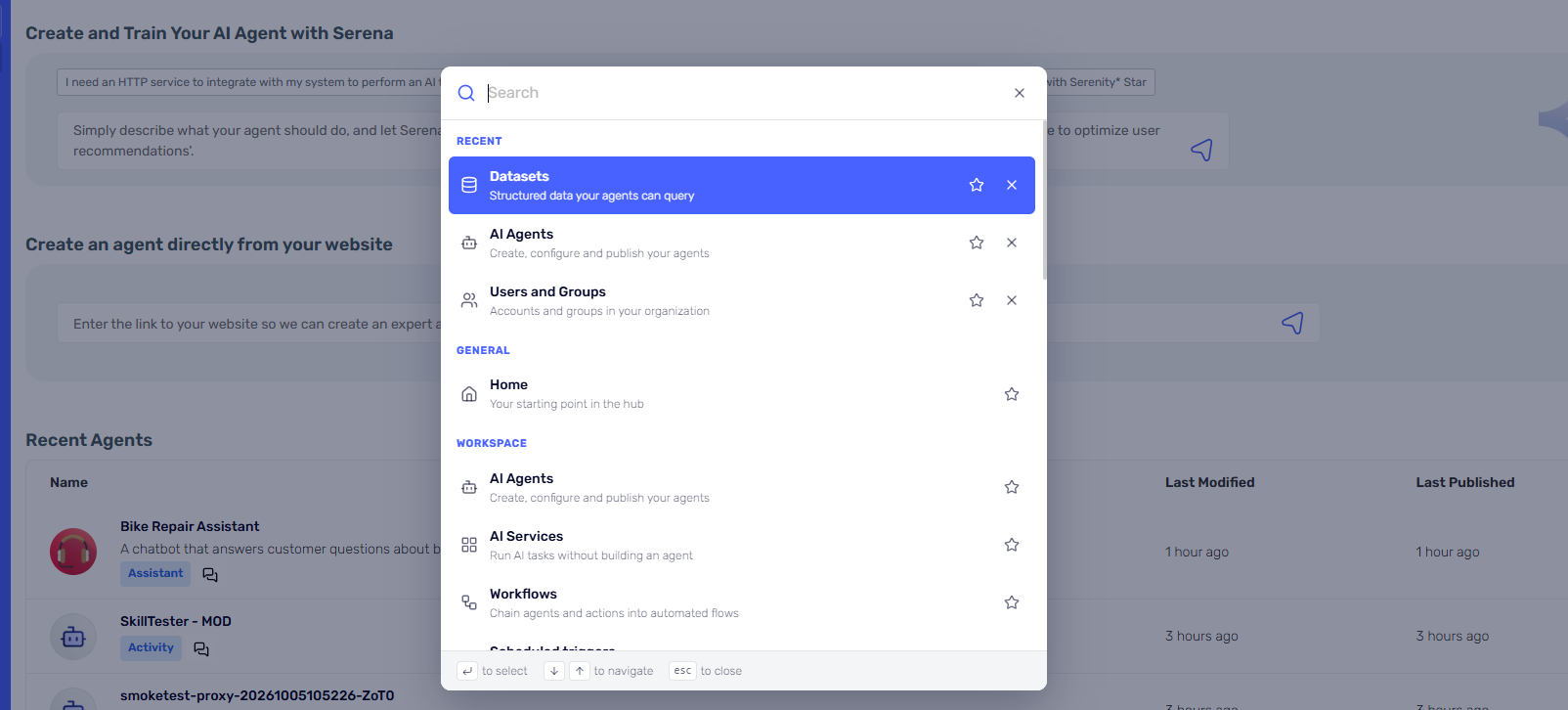
Find what you need faster. The navigation has been reorganised into clear sections, Settings is now also included in the side menu, and a new quick search (Ctrl+K) takes you to any area of the platform in a couple of keystrokes, with your recent and favourite sections always at hand.
Enhancements ✨
Input Parameters through the API
Input parameters can now be defined when creating or updating agents through the API, so agents can be fully configured from your own integrations. See the API reference for details.
User Activation
Users can now be deactivated and reactivated. This gives you control over who has access to the organisation and helps you manage your seats, while keeping the full audit history of users who are deactivated.
API Error Improvements
API errors have been reworked to return clearer and more consistent messages, making integrations easier to debug. See API Error Responses for details.
Bug Fixes & Minor Improvements 🛠️
- Added a retry mechanism to the data obfuscation module.
- Added the option to dismiss a pending agent setup.
- Apps can now be highlighted in the stores, making the most relevant ones easier to find.
- UI and colour adjustments in the model catalogue.
- Adjusted the logic for assigning allowed roles in user management.
- Improved tooltips and the loading of input parameters in Quality Studio.
- Style adjustments to data tables.
- Fixed an error in the AI Services playground with vision that always used the default model instead of the one chosen in the model selector.
- Added a call to action to configure usage limits when auto top-up is enabled.
- Shared datasets can now be used by agents in any subtenant.
- Improved role-based access control in the datasets section.
- Datasets can now be cloned between subtenants.