Request User Choice
This feature is currently in preview. Its behaviour and interface may change.
Introduction
Sometimes an agent needs the user to decide something before it can continue: pick a tone, choose one of several drafts, or select which items to act on. The Request User Choice skill lets an agent pause and ask the user one or more questions with predefined options (single- or multi-select), and resume only once the user has made their selection.
The agent decides when a decision is needed and what to ask. You do not script the questions: the model writes the questions, options, and whether each is single- or multi-select.
Enable Request User Choice on Conversational Agents
Request User Choice is a native agent setting, turned on or off directly from the Agent Design Studio.
-
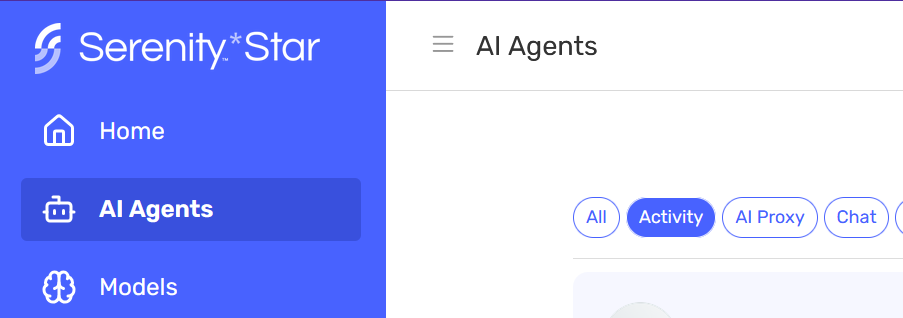
Navigate to the Agents grid
-
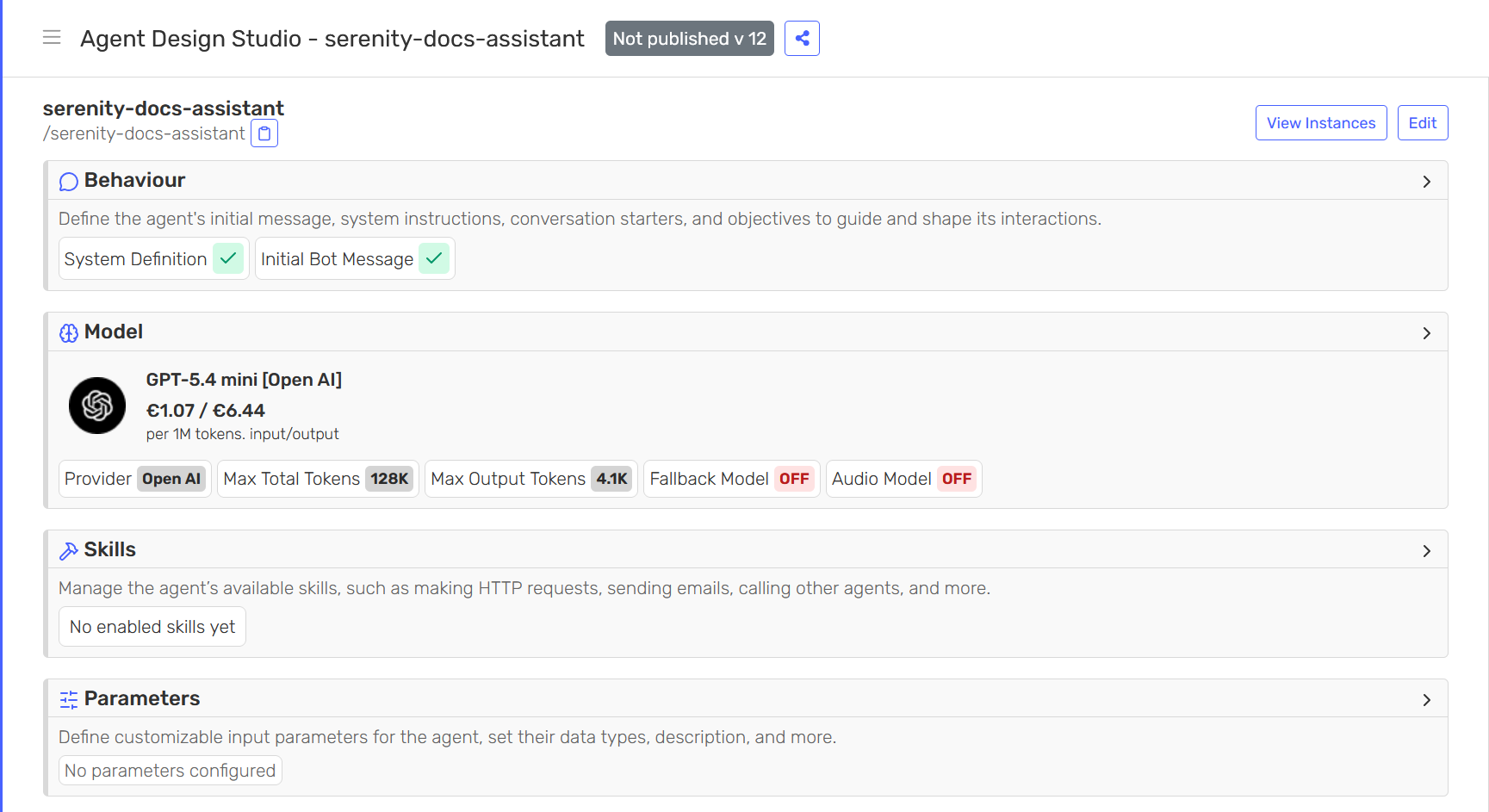
Select an Assistant or Copilot agent to open the Agent Design Studio
-
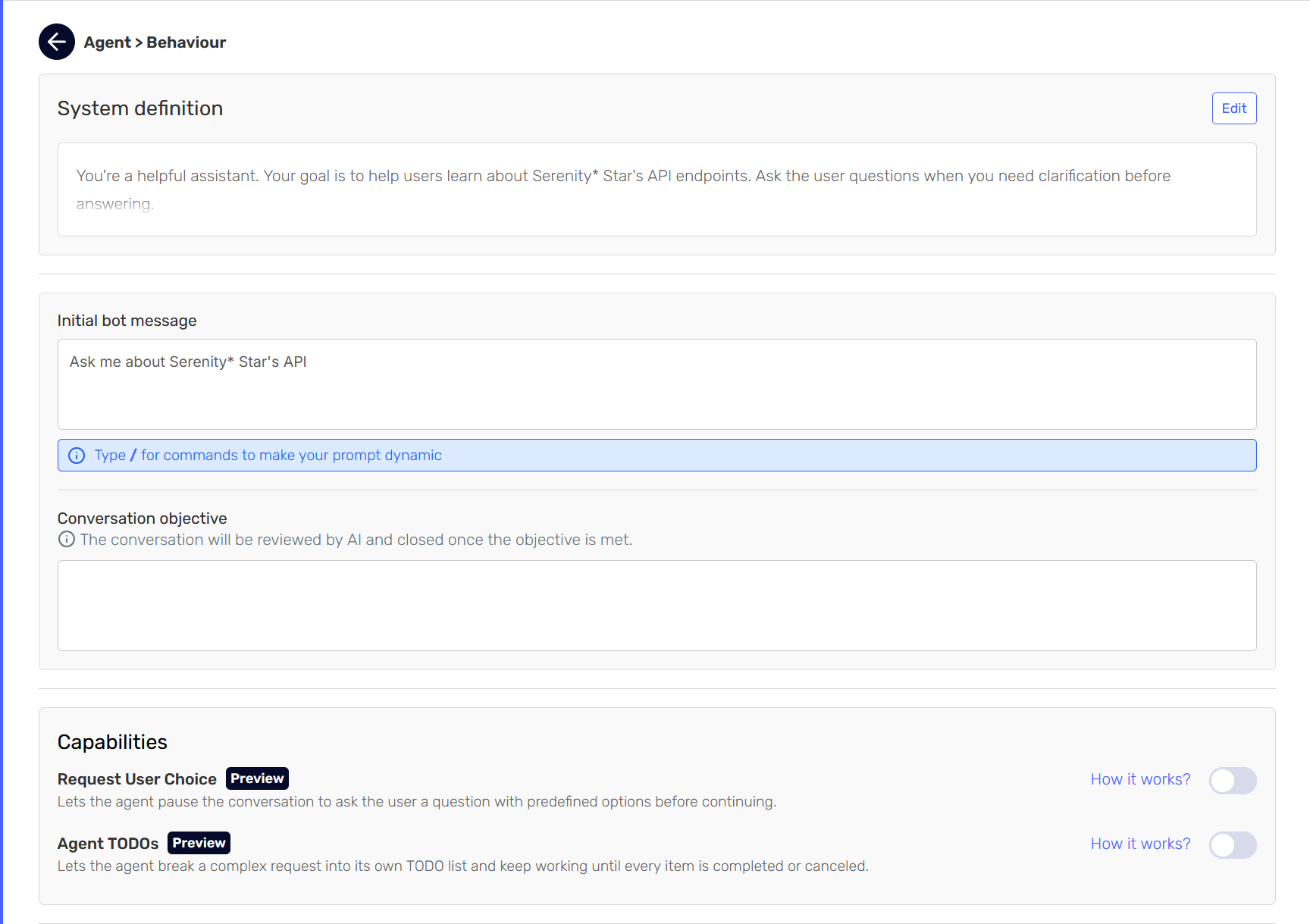
Open the Behaviour card
-
Scroll down to "Capabilities" and enable the "Request user choice" switch

-
Confirm the change and save
When enabled, the agent will be able to decide when it needs more information from the user and generate multiple-choice questions.
Keep in mind, since this is a behaviour feature, it will be affected by your agent's system definition. If you expect your agent to ask more questions, or questions about specific topics, you may need to include that.
A few example chunks you can add to the system definition to steer this behaviour:
-
Ask more often when unsure
When a request is ambiguous or could be reasonably interpreted in more than one way, pause and ask the user to choose before continuing, rather than assuming what they meant.
-
Ask about a specific topic
Before scheduling any meeting, ask the user to choose the time slot and who should be invited. Do not pick these details on their behalf.
-
Offer a set number of options
When you ask the user to choose, offer between two and four concrete options, and include a short description for each so the choice is clear.
-
Ask less often
Only ask the user to choose when the decision is irreversible or costly. For low-stakes decisions, proceed with a sensible default and mention what you assumed.
Each question can be single-select (the user picks one option) or multi-select (the user picks several). The model decides which to use per question, so keep this in mind when steering the behaviour through the system definition: if a decision should let the user pick more than one option, say so and the model can present it as a multi-select. For example:
When you ask the user which items to include, let them select as many as apply rather than forcing a single choice.
Try it out in the Agent Design Studio
Once the capability is enabled and the system definition adjusted as needed, you can try the feature straight from the Agent Design Studio's preview, without wiring up a channel or client.
Ask the agent for something that requires clarification, and it will pause and present its question with the predefined options. Pick one of the options (or type your own answer in the "Something else?" field) and select Submit to let the agent continue.
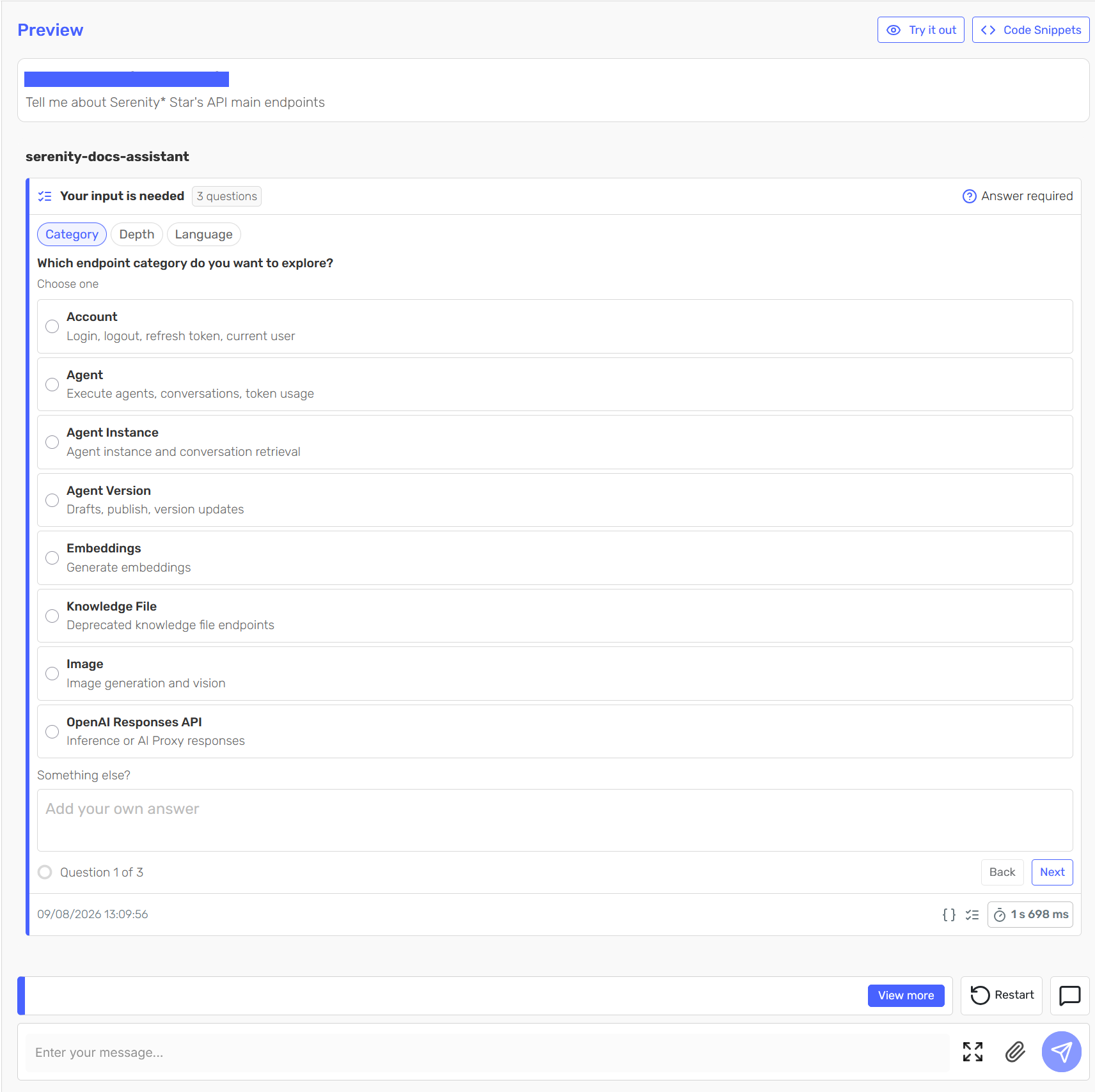
The agent can also ask more than one question at a time. In the example above it asks about the Category, Depth and Programming Language all in the same card, so the user can resolve every decision in a single step before the agent continues.
Serenity channels
If your agent runs in a Serenity channel, user choices work end-to-end with no integration work. The questions are rendered for you and the whole round-trip is handled automatically. The channels that support this feature are:
-
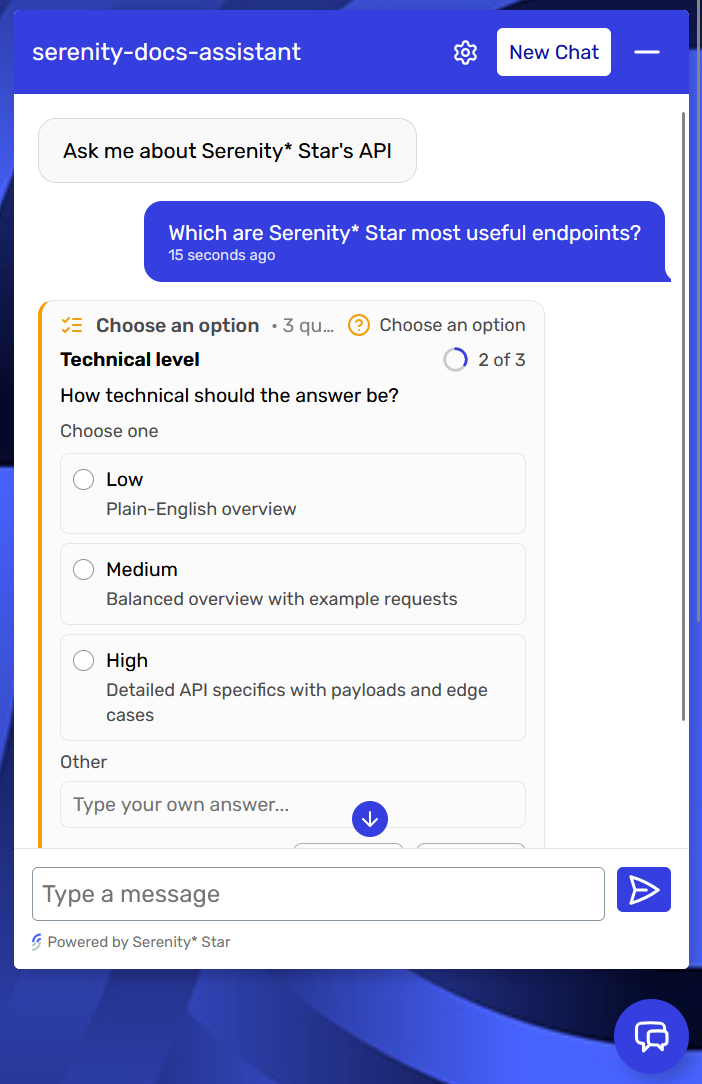
-
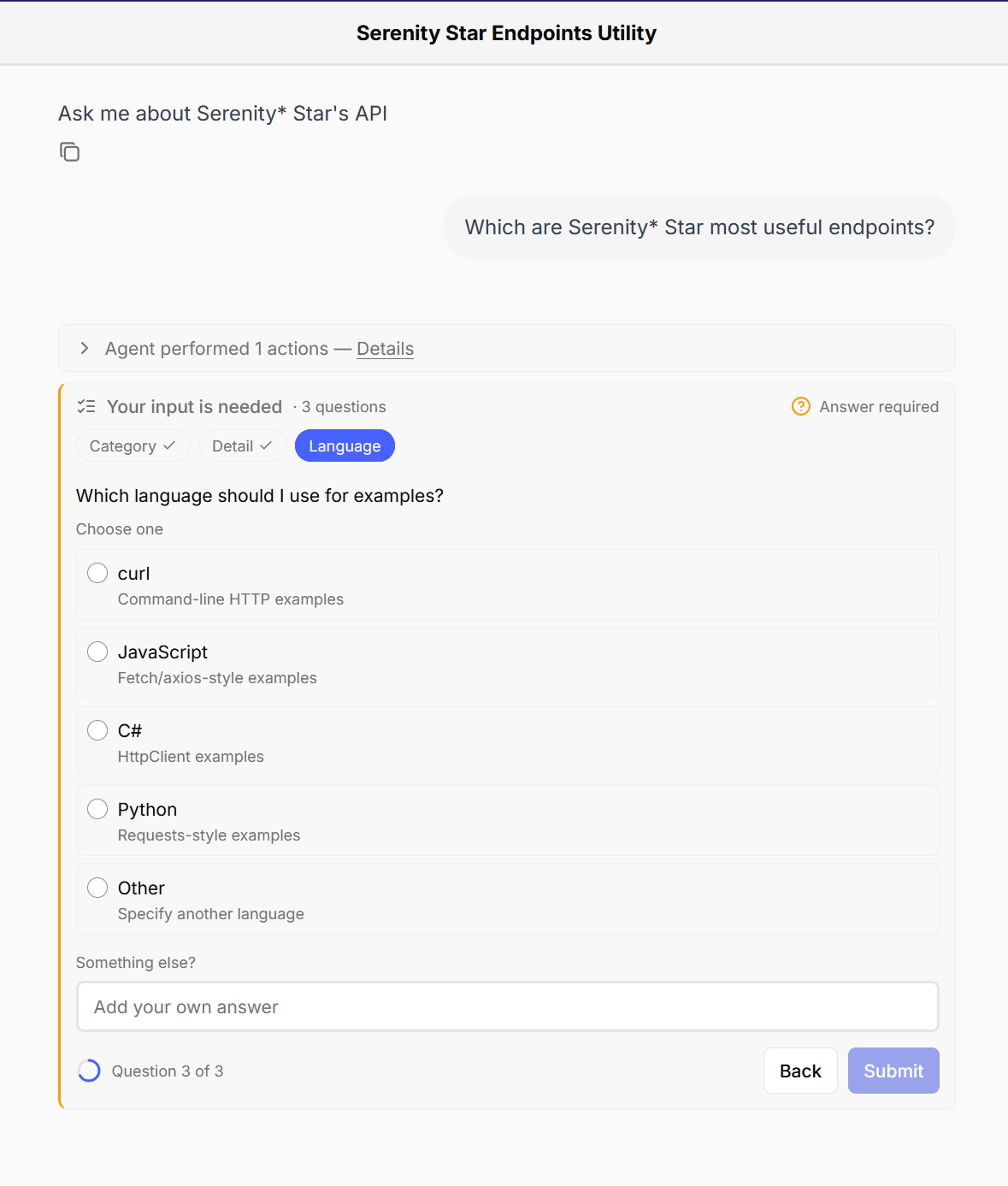
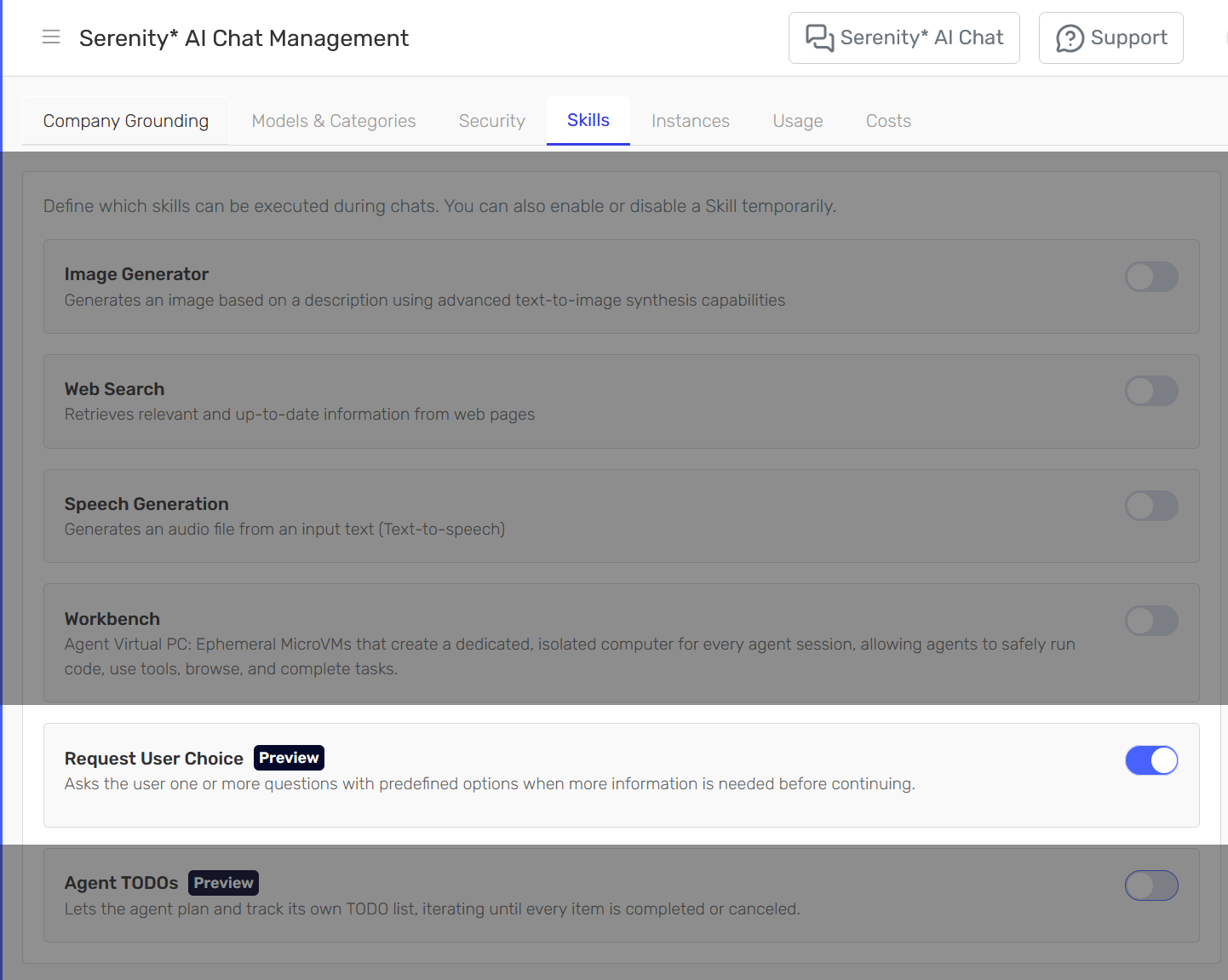
For Serenity AI Chat's general chat feature, you can enable Request User Choice directly in the Serenity AI Chat Management view.
Building your own client
This section is for developers driving a conversational agent over the REST execute endpoint and rendering the questions in their own interface.
The server owns the chat history (keyed by chatId), so the resume request only needs to carry the selections, not the history. The questions and answers are persisted on the conversation messages (not a short-lived cache), so there is no expiry to race: the user can answer whenever they get around to it. On later turns the model simply reads the previous questions and answers as ordinary context.
The user choice pending action
When the model calls the skill, the run pauses with no final answer and reports a pending action of type user_choice. The server assigns deterministic ids (questions q1, q2, …; options q1-o1, q1-o2, …) that you echo back with the answers, never a positional index:
{
  "content": "",                       // no final answer yet — the run paused
  "instanceId": "…",                   // this is the chatId — resend it to answer
  "pendingActions": [
    {
      "type": "user_choice",
      "questions": [
        {
          "id": "q1",
          "header": "Time slot",
          "text": "Which time slot works best?",
          "isMultiselect": false,      // single-select
          "options": [
            { "id": "q1-o1", "title": "Tomorrow morning", "description": "Tuesday, 9:00–12:00." },
            { "id": "q1-o2", "title": "Tomorrow afternoon", "description": "Tuesday, 14:00–17:00." }
          ]
        },
        {
          "id": "q2",
          "header": "Attendees",
          "text": "Who should be invited?",
          "isMultiselect": true,       // multi-select
          "options": [
            { "id": "q2-o1", "title": "Design team", "description": "…" },
            { "id": "q2-o2", "title": "Engineering", "description": "…" },
            { "id": "q2-o3", "title": "Product", "description": "…" }
          ]
        }
      ]
    }
  ]
}
The answer you send back for each question is shaped like this:
{
  "questionId": "q1",                  // must match a question id from the pending action
  "selectedOptionIds": [ "q1-o1" ],    // the option ids the user picked (one, or many if multiselect)
  "other": "…"                         // optional free text when no option fits
}
First turn: the agent pauses
POST /agent/{code}/execute
Content-Type: application/json

[
  {
    "key": "message",
    "value": "Schedule a kickoff meeting for the project. Ask me the details first."
  }
]
The response is an agent response whose instanceId is the chatId and whose pendingActions[0] is a user_choice action (see The user choice pending action). There is no content yet.
Resume turn: send the user choices
Re-POST to the same conversation with a userChoiceResponses array. The user message is optional: a turn may answer choices only, or answer them and add a new message in the same call.
POST /agent/{code}/execute
Content-Type: application/json

[
  {
    "key": "chatId",
    "value": "1b9d…"
  },
  {
    "key": "userChoiceResponses",
    "value": [
      { "questionId": "q1", "selectedOptionIds": [ "q1-o1" ] }
    ]
  }
]
Multi-select and free-text "other". selectedOptionIds may hold several ids for a multi-select question. When none of the offered options fit, send the user's own words in other. It may accompany a selection, or stand alone with an empty selectedOptionIds:
[
  { "key": "chatId", "value": "1b9d…" },
  {
    "key": "userChoiceResponses",
    "value": [
      { "questionId": "q1", "selectedOptionIds": [ "q1-o2" ] },
      { "questionId": "q2", "selectedOptionIds": [ "q2-o1", "q2-o3" ] },
      { "questionId": "q2", "selectedOptionIds": [], "other": "Include the client sponsor" }
    ]
  }
]
You may answer all, some, or none of the questions. Unanswered questions are simply left unanswered and the model proceeds with what it received.
Skip: continue without answering
To move on without making a selection, send a plain message and omit userChoiceResponses:
POST /agent/{code}/execute
Content-Type: application/json

[
  {
    "key": "chatId",
    "value": "1b9d…"
  },
  {
    "key": "message",
    "value": "Never mind the questions, just schedule it for tomorrow morning with the whole team."
  }
]
The run is not blocked: the model continues, treating the questions as skipped rather than the skill being unavailable. The paused questions remain on the conversation history as context the model can still refer back to.
Streaming
Streaming uses Server-Sent Events (SSE).
When streaming, user choice pending actions will be received via SSE events with key pending_actions_user_choice_request.
You can find the user choice request within the output field. Note that, unlike the non-streamed pending user choice, the streamed payload is snake_case (e.g. is_multiselect):
Event: task_stop
{
    "type": "task_stop",
    "task": "Requesting user choice",
    "task_key": "pending_actions_user_choice_request",
    "start_time_utc": "2026-08-21T13:10:08.011797Z",
    "end_time_utc": "2026-08-21T13:10:08.0120479Z",
    "duration": "00:00:00.0002509",
    "output": {                                       // The pending action can be found here.
        "type": "user_choice",
        "questions": [
            {
                "id": "q1",
                "header": "Time slot",
                "text": "Which time slot works best?",
                "is_multiselect": false,
                "options": [
                    { "id": "q1-o1", "title": "Tomorrow morning", "description": "Tuesday, 9:00–12:00." },
                    { "id": "q1-o2", "title": "Tomorrow afternoon", "description": "Tuesday, 14:00–17:00." }
                ]
            },
            {
                "id": "q2",
                "header": "Attendees",
                "text": "Who should be invited?",
                "is_multiselect": true,
                "options": [
                    { "id": "q2-o1", "title": "Design team", "description": "…" },
                    { "id": "q2-o2", "title": "Engineering", "description": "…" },
                    { "id": "q2-o3", "title": "Product", "description": "…" }
                ]
            }
        ]
    },
    "success": true
}
You can also find all the user choice requests in the final SSE stop event emitted before the stream closes.
The user choice flow is identical; you just read it from the stream.